Managing Party Information Questions in SpotDraft Workflows
Last updated: January 30, 2026
This article will walk you through how to control the questions asked about the parties involved in a SpotDraft workflow. As a legal/admin user, you can set these questions to gather the right information and streamline the contract creation process.
Step 1: Navigate to your Workflow
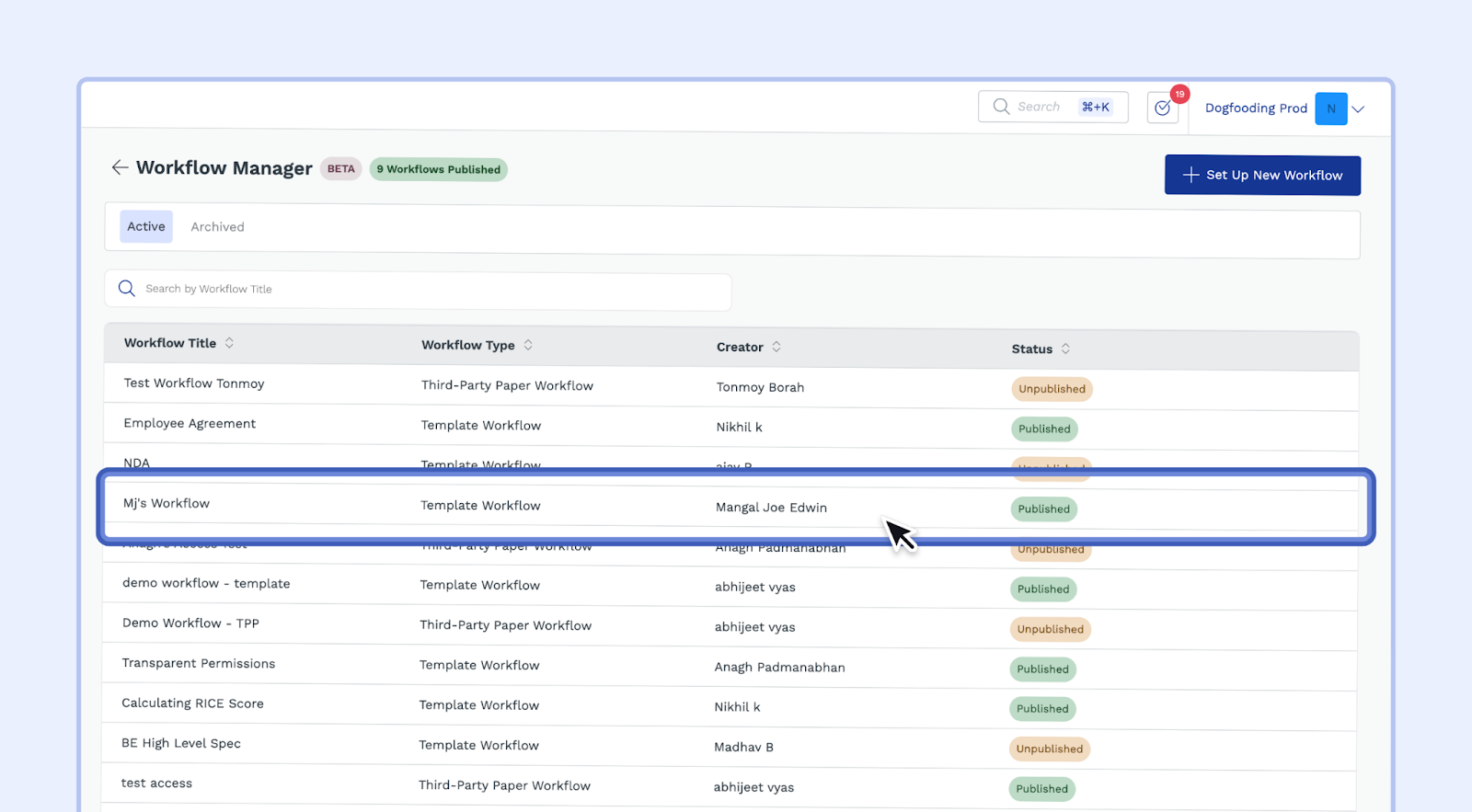
Log into SpotDraft and find the workflow you want to manage. You can use the search bar at the top of the screen to find it.
Step 2: Edit the Workflow Settings
Click on the Set Up Document & Questionnaire section within the workflow.
You will see a few options; click on Set Up Questionnaire
Step 3: Manage the Questions
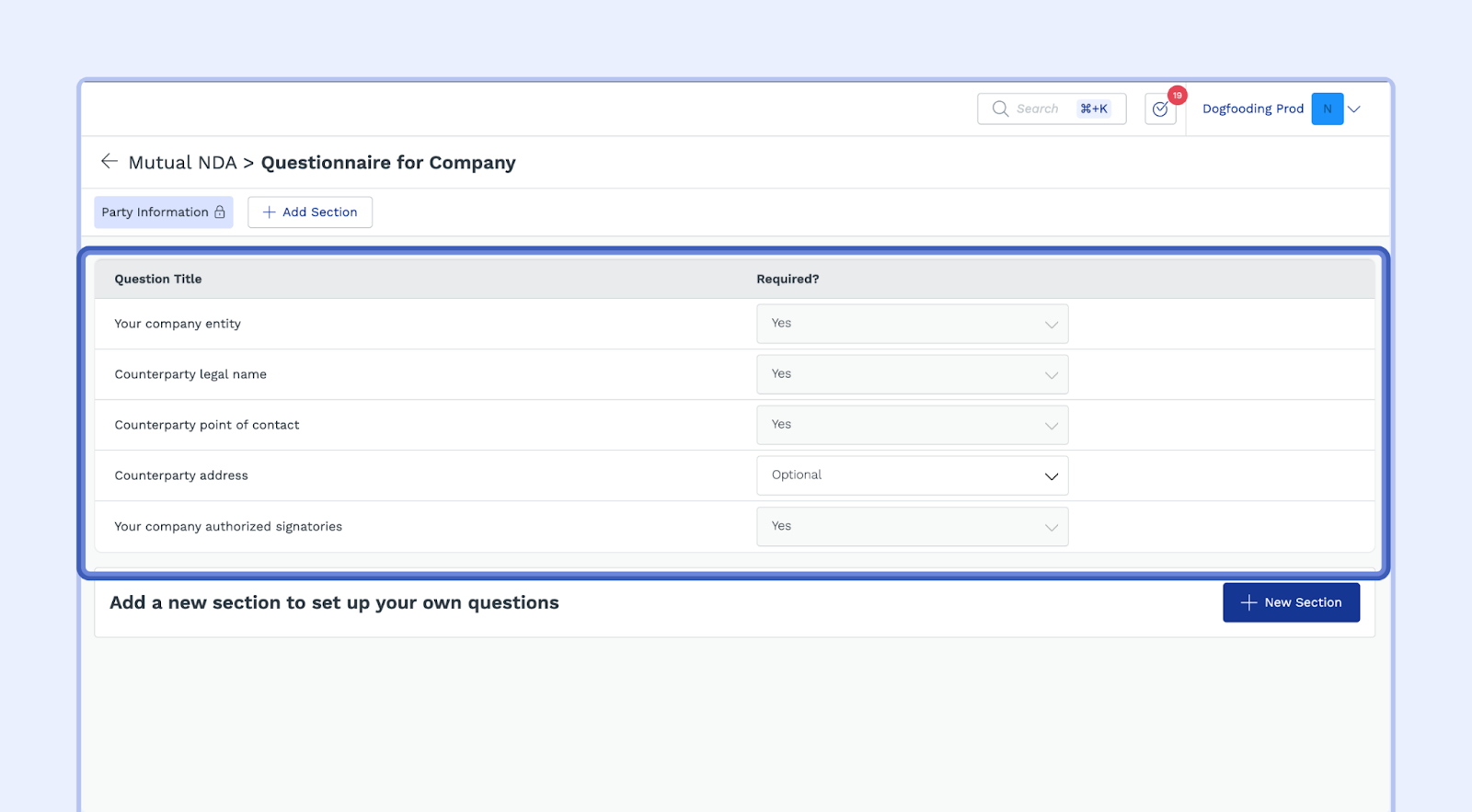
Choose the party: SpotDraft allows you to manage questions for "Your Company" and "Counterparties." Click on the party you want to adjust.
Review the questions: You'll see a list of pre-defined questions that will be asked in the workflow.
Make adjustments: For each question you can configure the followin:
Question Title: This is the text displayed to the user.
Required?: You can set whether the question is required for the workflow to continue or if it's optional.
Shown to counterparty?: This option allows you to decide whether the answer to a question is shown to the other party in the contract.
Important Tips:
Clear and Concise Questions: Ensure that the questions are clear and easy for users to understand.
Necessary Information: Only include questions that are essential for creating the contract correctly.
Data Privacy: Consider data privacy regulations and only ask for information that is relevant and necessary.
Key Terms:
Workflow: A set of automated steps for creating a contract.
Party: The individuals or entities involved in a contract.
Questionnaire: A series of questions used to gather information for the contract.