Converting PDF Contracts to DOCX Format in SpotDraft
Last updated: May 8, 2026
Often you'll receive a contract from a counterparty in PDF format, but you need to make changes before sending it back. SpotDraft makes it easy to convert these PDF contracts into a DOCX format, allowing for seamless editing and collaboration within your team.
This guide walks you through the conversion process, which is helpful when you:
Need to make edits: You can easily edit and modify the converted contract in Microsoft Word.
Want to collaborate with your team: Once in DOCX format, the contract can be shared for internal review and redlining.
How to convert a PDF contract to DOCX format?
Open the Upload window:
Navigate to the Contract Record for the PDF contract you want to convert.
Click the three-dot overflow menu button next to the "View Contract" button.
From the overflow menu, select "Upload."
This will open the "Upload Contract" window.
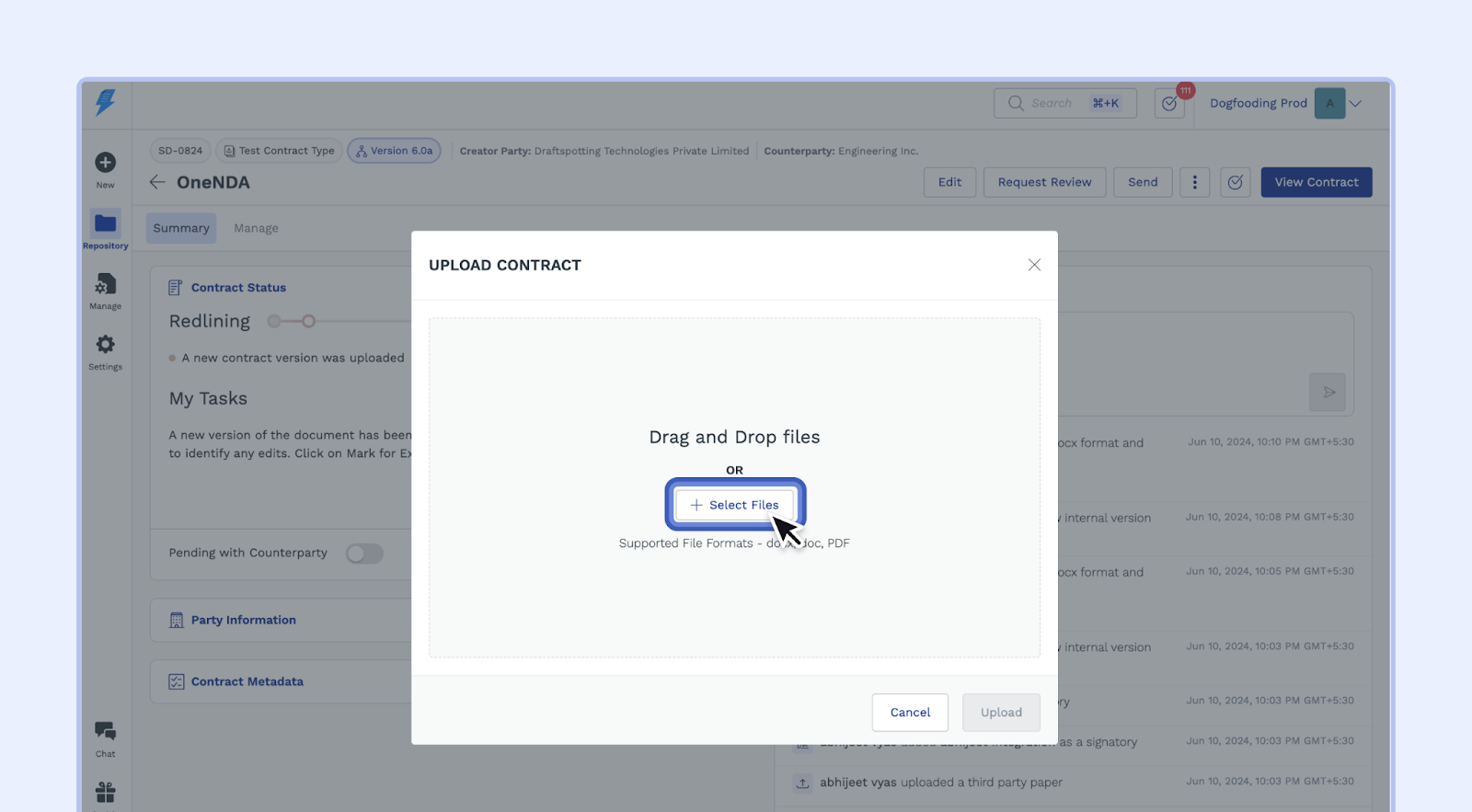
Drag and Drop the PDF File:
In the "Upload Contract" window, you'll see options to either drag and drop your PDF file directly or click "Select Files" to browse your computer.
Find the PDF file on your computer and drag it into the upload area or click "Select Files" and select it.
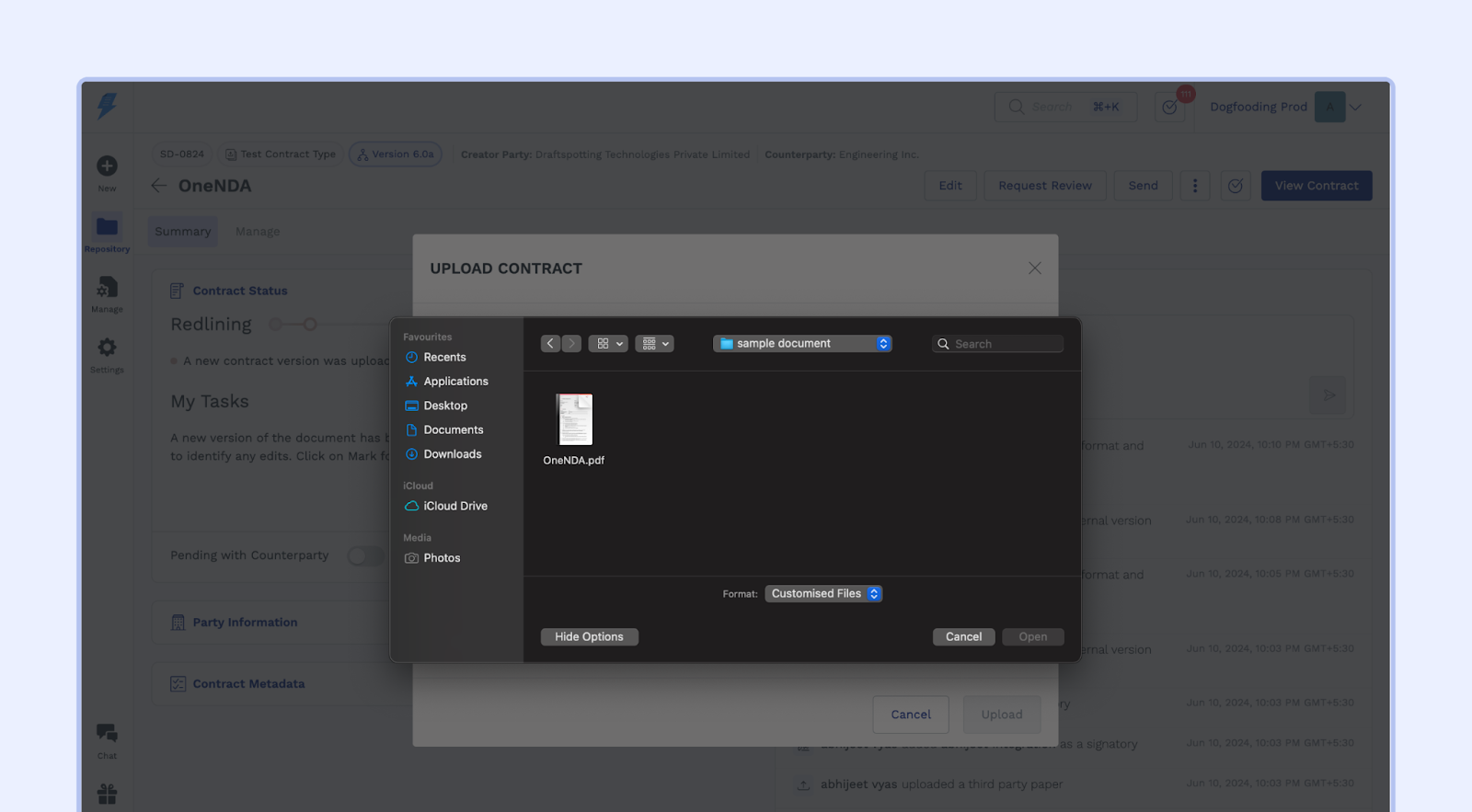
Select "Edit":
Click the "Edit" button at the top of the contract record.
Convert to DOCX Format:
SpotDraft will automatically recognize the PDF file and prompt you to convert it to DOCX format. A pop-up window will appear with instructions.
Click the "Convert to DOCX" button.
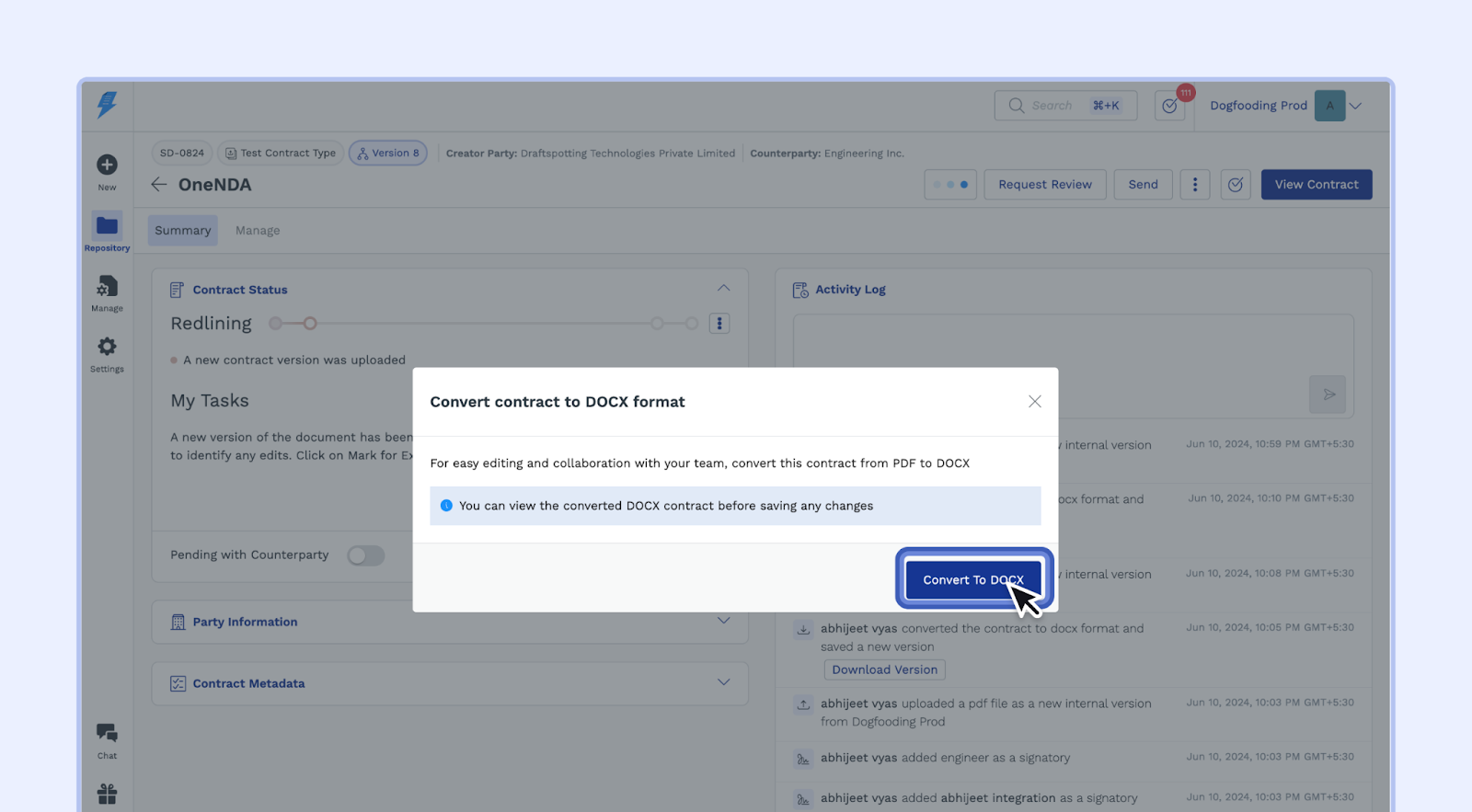
Review the Converted Contract:
SpotDraft will quickly convert your PDF to DOCX. You'll have a preview of the converted contract before saving.
Review the converted contract to confirm that the conversion was successful and accurate.
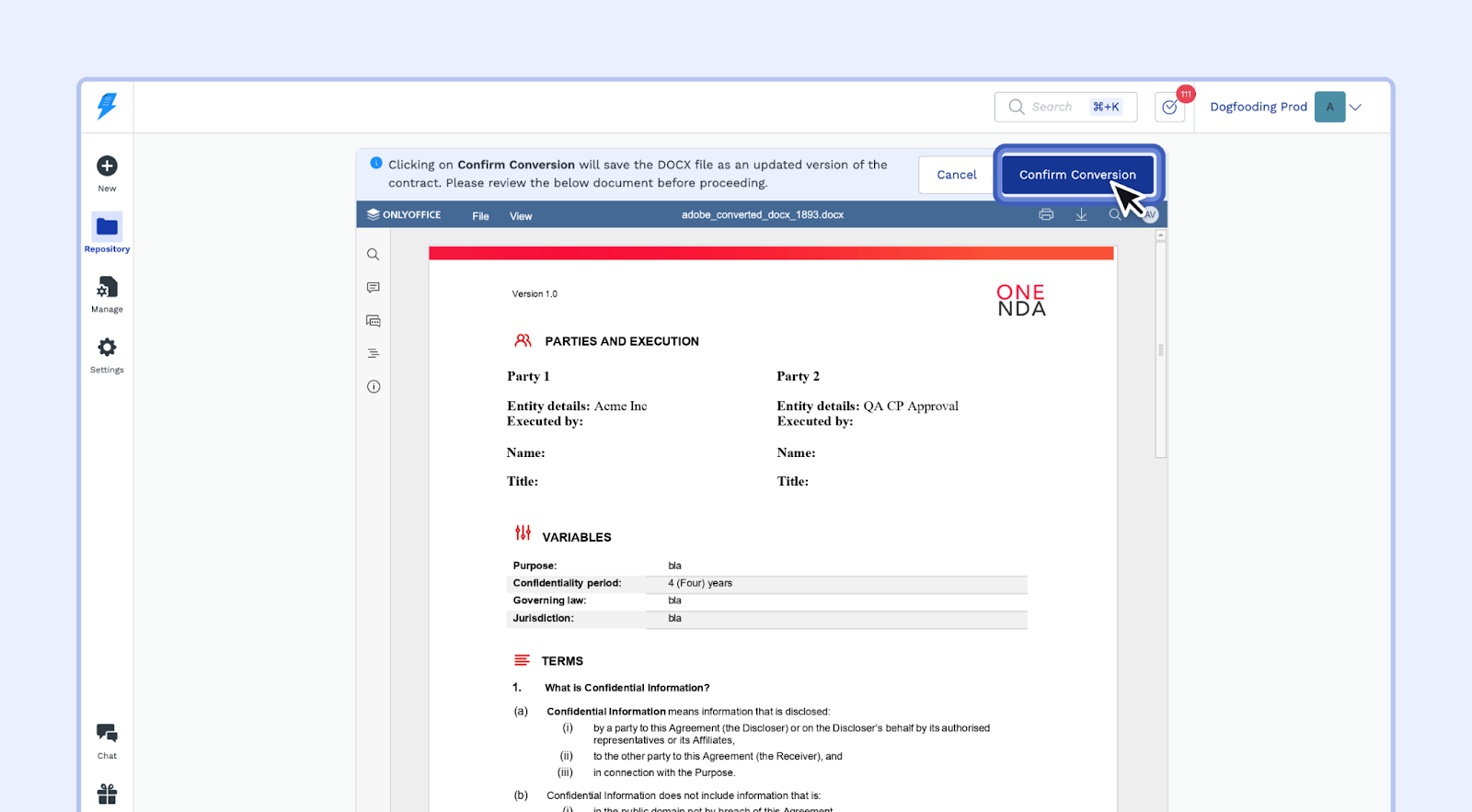
Save the Converted Contract:
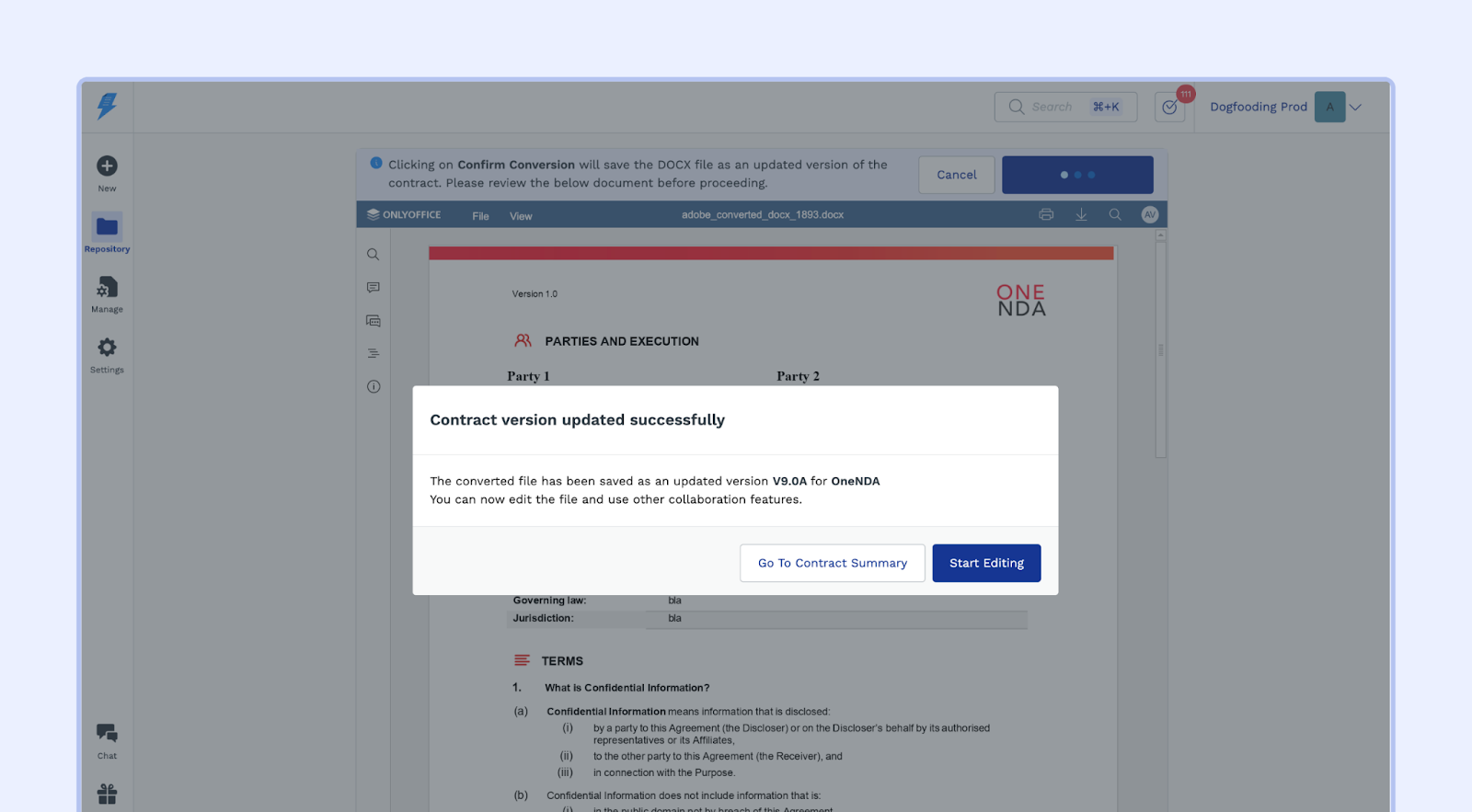
If the preview looks good, click "Confirm Conversion" to save the converted contract as an updated version of the original.
SpotDraft will confirm that the contract has been updated successfully.
Troubleshooting Conversion Issues
If the conversion gets stuck showing “hang tight, your document will be ready in a minute,” try these steps:
Hard refresh the page (or sign out and sign back in), then try the convert action again.
If the conversion still hangs:
Download the source file to your computer
Re‑save the file:
For PDFs: Open in Chrome or Firefox and use “Print” to PDF, then upload and convert again
For Word files: Open in Microsoft Word, use “Save As” .docx, then upload and convert again
Close Microsoft Word completely on your computer before retrying, as an open edit session may block processing.
If the issue persists after these steps, contact support with the contract link/ID, file type and size, when the issue started, your browser/version, and whether this occurs on other contracts.
You can now edit the converted DOCX version of the contract using SpotDraft's collaborative editing features. This allows you to easily manage changes, track revisions, and collaborate seamlessly with your team.