Tracking Obligations in Legal Intake (Beta)
Last updated: September 22, 2026
Obligations don't have to stay locked inside a single contract. When your workspace tracks obligations through Legal Intake, every obligation you action becomes a Legal Intake task - so you can see, assign, and track all your obligations across every contract from one place, with full status, evidence, reminders, and history.
This guide covers what changes when obligations are managed through Legal Intake. Extracting and reviewing obligations on a contract works exactly as before - see
Managing Contract Obligations.
Getting Started
This experience runs on top of Legal Intake, so the Legal Intake module needs to be enabled on your workspace. Contact your SpotDraft account team to have Obligation Management with Legal Intake turned on. Once it's on, obligation tasks you create will appear as Legal Intake tasks automatically - there's nothing to switch on per contract.
What You Get With Legal Intake
Managing obligations through Legal Intake adds, to every obligation task:
Progress tracking — move each task through a full status workflow (Pending, In Progress, Blocked, Completed), not just open or done.
Evidence of fulfilment — attach the signed notice, report, or confirmation directly to the task as proof it was completed.
Due dates and reminders — set a due date and get automatic reminders on Due Today and Overdue tasks.
Collaboration and activity log — see every change on a task, and bring teammates in by @mentioning them.
One view across all contracts — track every obligation from every contract in a single place.
Creating an Obligation Task
You extract and review obligations on the contract just as you do today. When you create a task for an obligation:
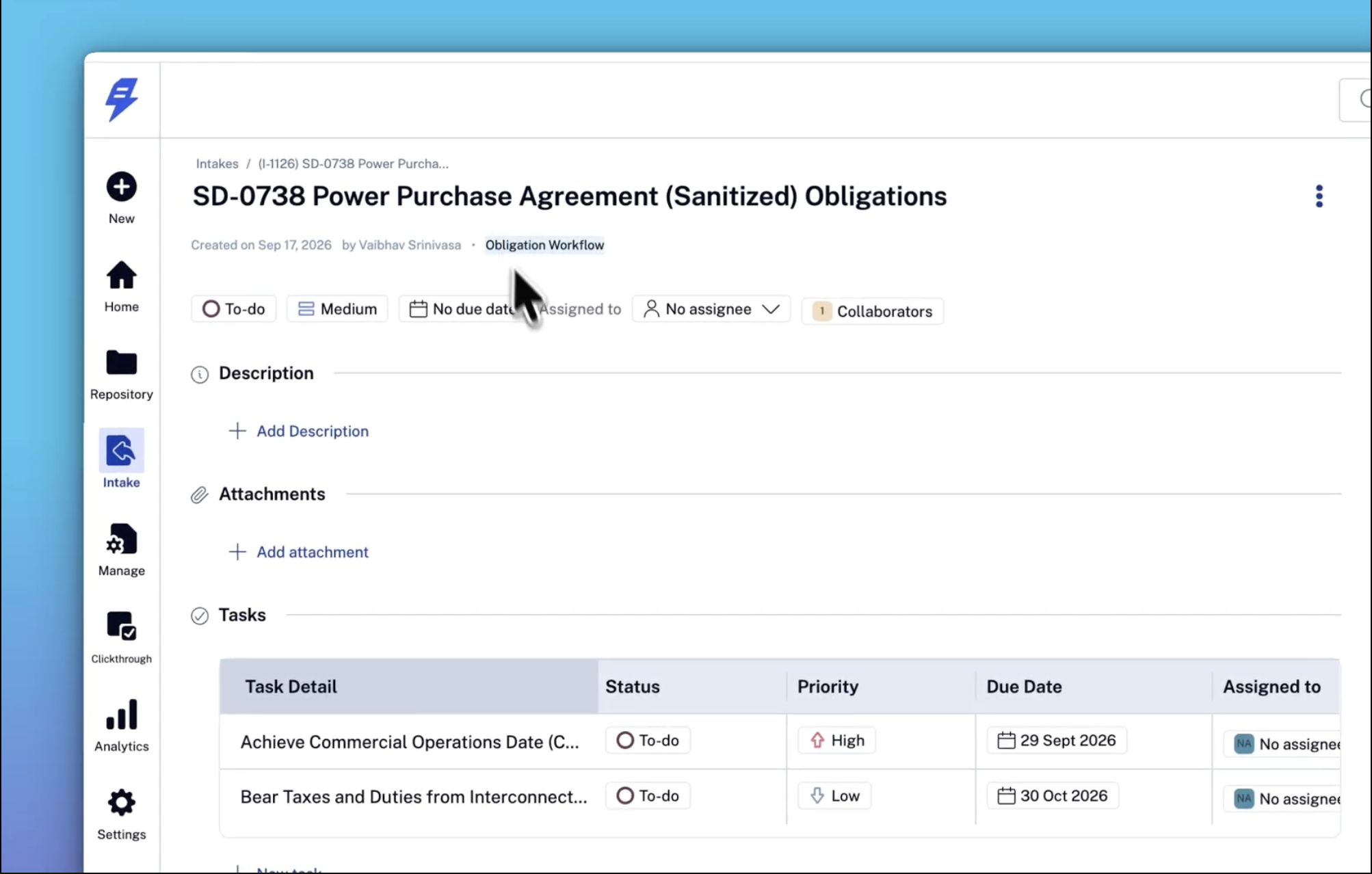
A Legal Intake task is created for that obligation.
All obligations from the same contract are grouped under one request, named after the contract.
The task is named after the counterparty and the obligation — for example, [Acme Corp] Notify before expiry. If a counterparty can't be determined, the task is named with just the obligation — for example, Notify before expiry.
The Priority you set on the obligation carries over to the task.
The task keeps a link back to the contract it came from.
Viewing All Your Obligations
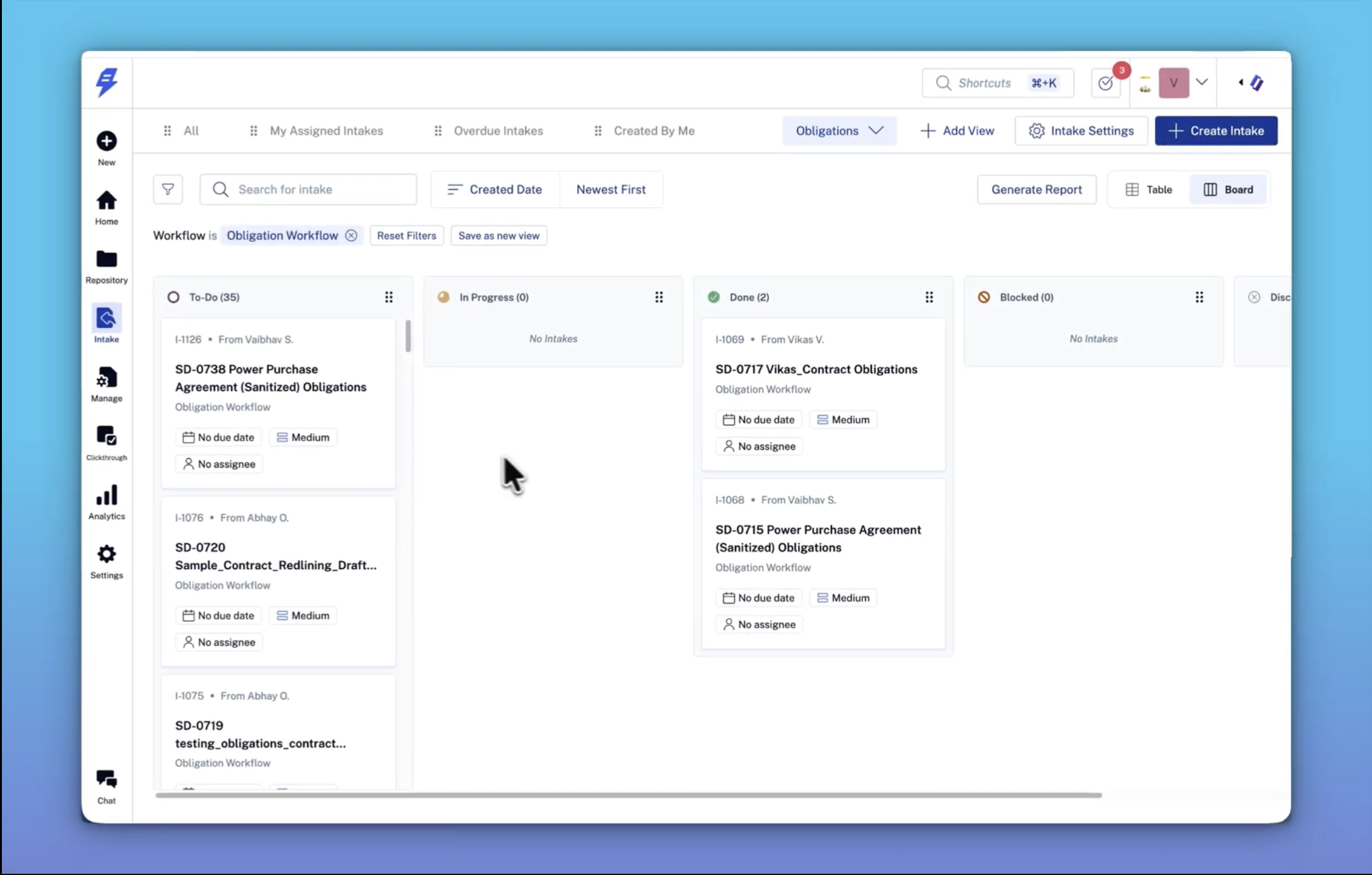
Open Legal Intake and select the Obligations view. It shows every obligation task across all your contracts, and works as both a board and a list. Filter, sort, and group it like any other Legal Intake view to focus on what's due or who owns what. All obligations from a single contract stay grouped under that contract's request, so you can also see them together.
Opening and Updating a Task
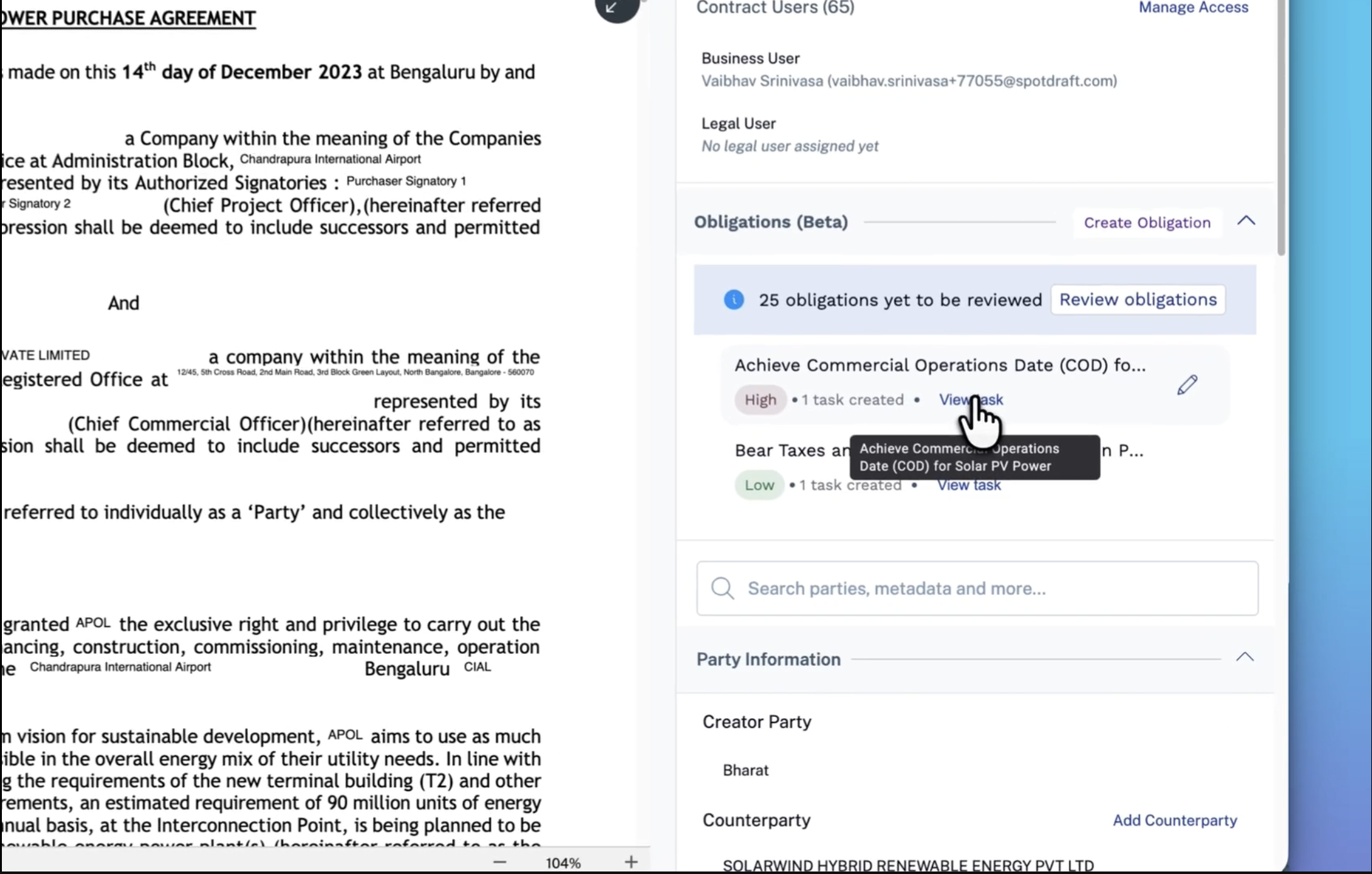
From an obligation on the contract, select View task to open it directly in Legal Intake. From there you can update the status, reassign it, attach evidence, add notes, and use the activity log - the same as any Legal Intake task.
FAQs
Q: Do I still extract obligations the same way?
A: Yes. Extracting and reviewing obligations on the contract is unchanged. Only what happens after you create a task is different - the task now lives in Legal Intake.
Q: Can I assign one obligation task to several people?
A: Each task has a single owner. You can bring others in by @mentioning them in the task's activity log.
Q: What reminders will I get?
A: You'll get automatic reminders on Due Today and Overdue tasks.
Q: What happens if I delete an obligation?
A: Its linked Legal Intake task is removed as well.
Q: Can I create a contract from an obligation request?
A: No. These requests come from an existing contract, so the option to create a new contract isn't shown on them.