Cross-Referencing / Hyperlinking Sections in Clickthrough Editor
Last updated: January 29, 2026
Using the Clickthrough Editor, you can create hyperlinks between sections within the same agreement. Follow these simple steps:
-
Create a bookmark at the target section
Select the section you want the hyperlink to point to.
-
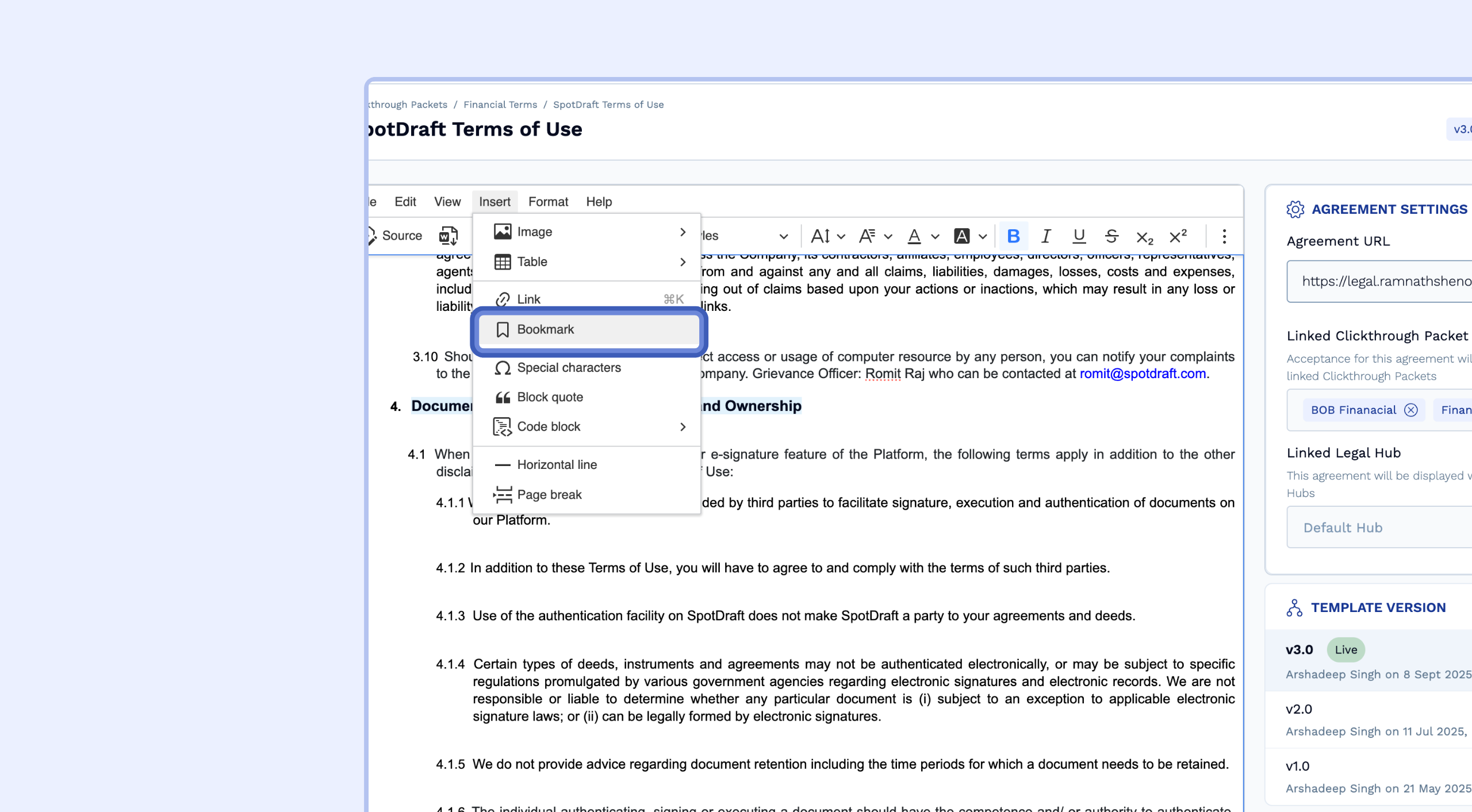
Go to Insert → Bookmark.
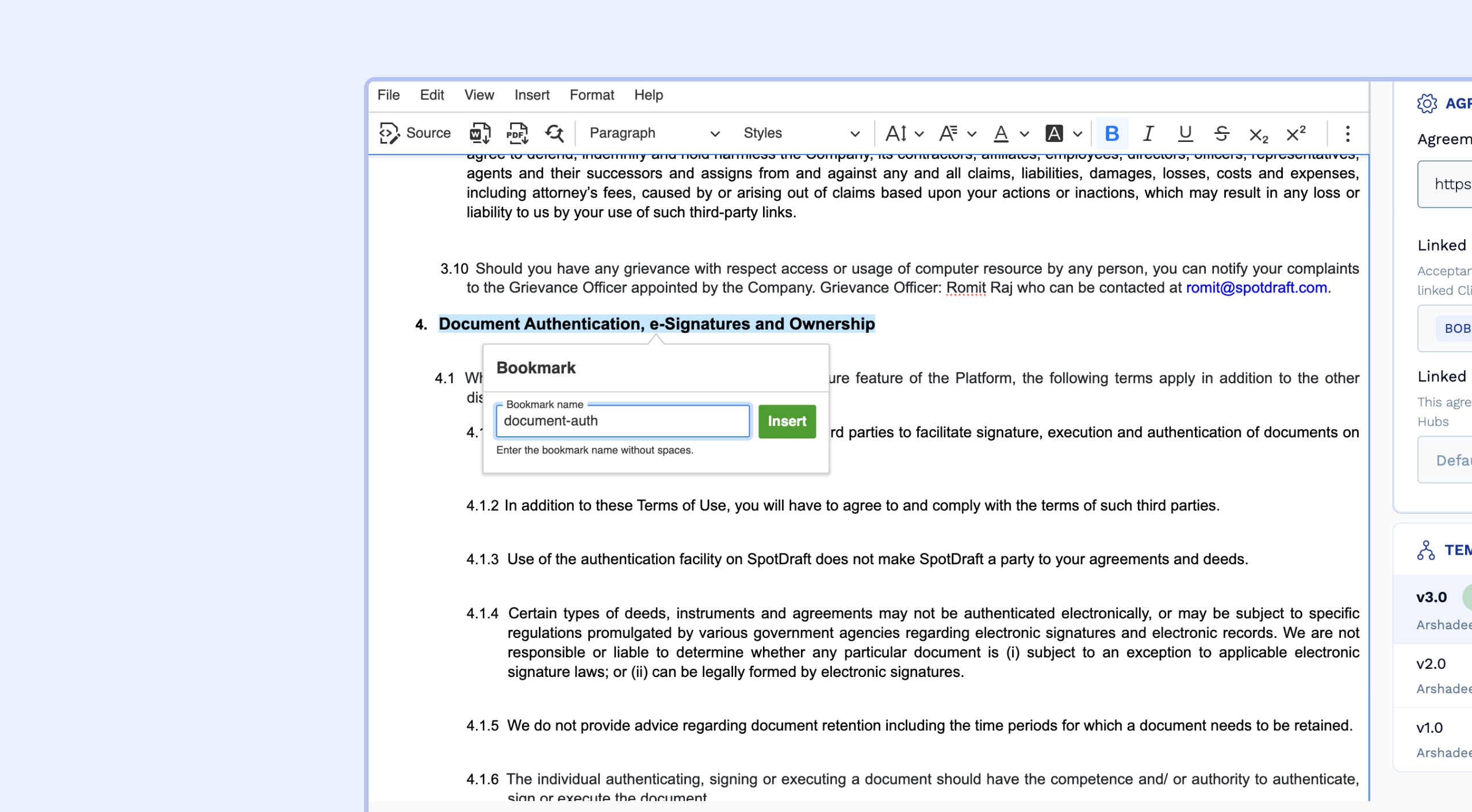
Enter a bookmark name (do not use spaces).
-
Insert the hyperlink
Highlight the text or section where you want to add the hyperlink.
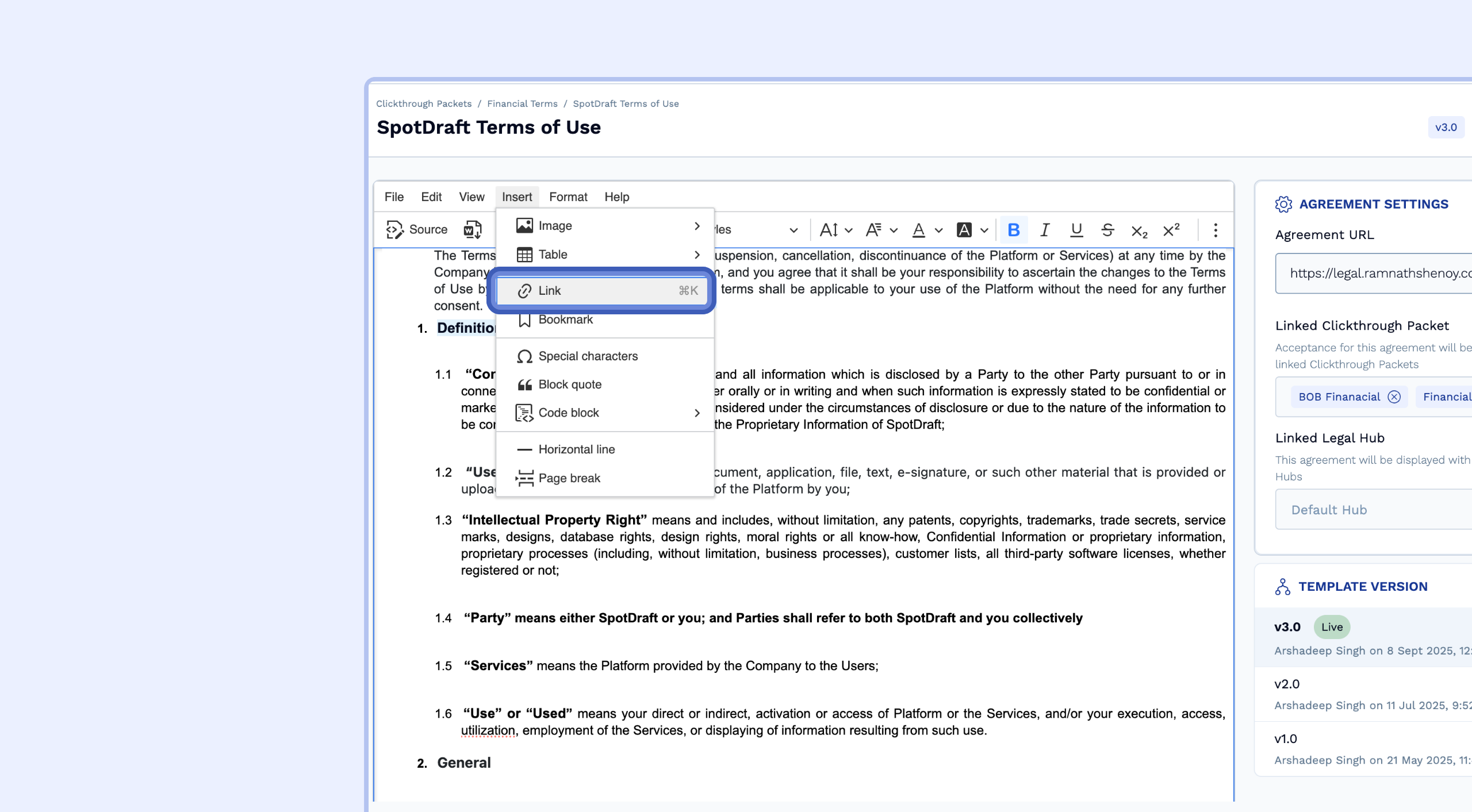
Add the hyperlink using the Insert Link option.
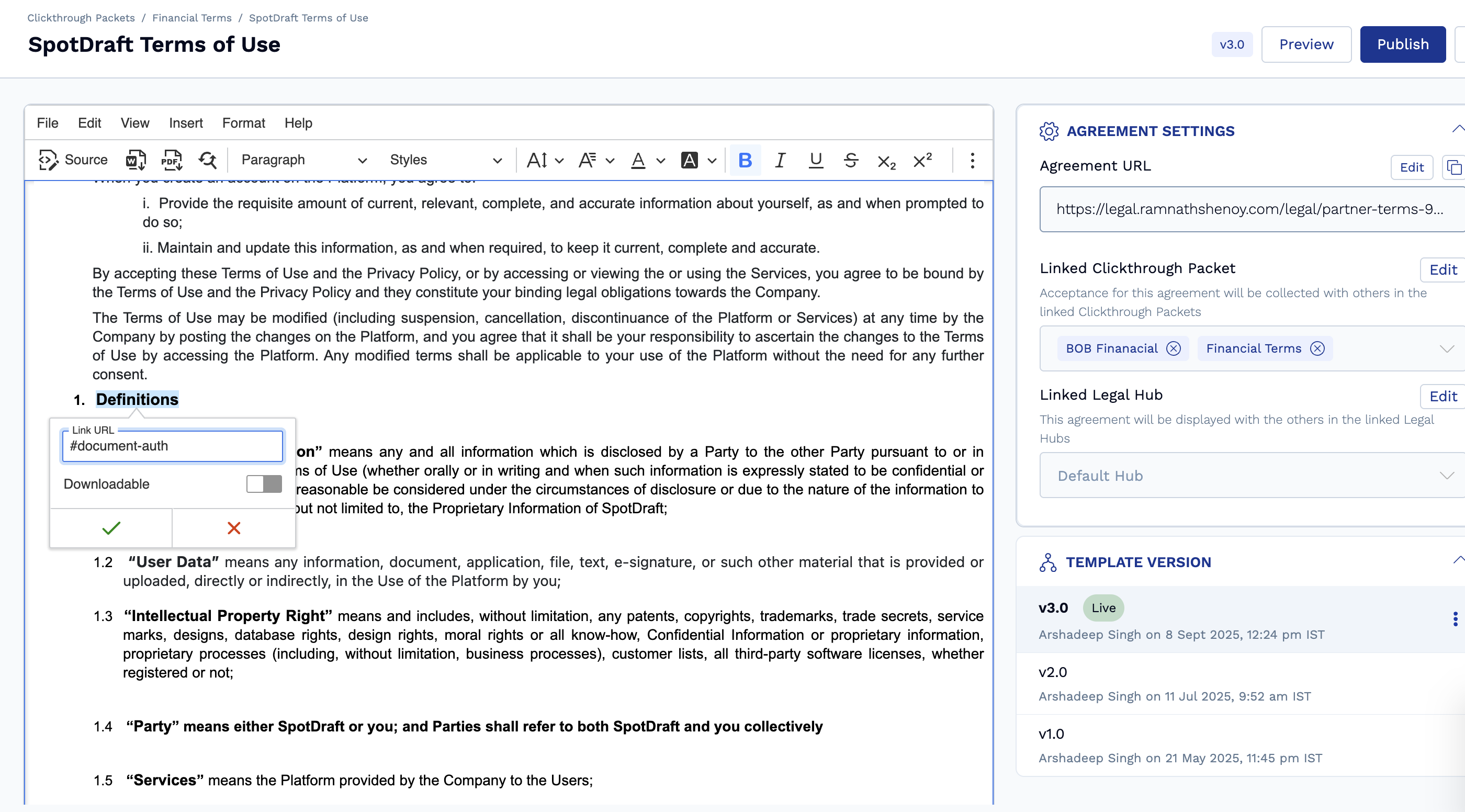
Enter the same bookmark name you created earlier with # prefix and publish the agreement.
That’s it! Now, when clicked, the hyperlink will take you directly to the bookmarked section within the same agreement.