Typeform
Last updated: January 29, 2026
In this article
🚀 Introduction
📝 Prerequisites
⚙️ Installation & Configuration
✅ Verification
💬 FAQs
🏁 Conclusion
📚 Additional Resources
👉 In this article, you’ll discover a detailed guide for installing and configuring the Typeform integration with SpotDraft. It outlines prerequisites, step-by-step instructions, and essential considerations for seamless integration, empowering you to streamline contract creation processes.
🚀 Introduction
Discover the power of automation with SpotDraft’s Typeform integration, a solution designed to transform how you generate contracts. With this integration, every Typeform submission can initiate the creation of a contract in SpotDraft, ensuring speed, accuracy, and efficiency.
Here’s the essence of the integration:
- Seamless Data Capture: Collect contract details directly from your Typeform forms.
- Automatic Contract Drafting: Submissions flow into SpotDraft, instantly creating contract drafts from templates.
- Customizable Mapping: Match form fields to SpotDraft contract fields for precision.
Embrace a smarter way to create contracts with SpotDraft–Typeform integration, built to reduce manual input and save time.
📝 Prerequisites
Before setting up the integration, ensure:
- You have a Typeform account created with the same email address as your SpotDraft workspace.
- A Typeform form has already been created that you want to connect with SpotDraft.
- The Typeform integration is enabled in your SpotDraft workspace.
How to check if integration is enabled
- Log in to your SpotDraft workspace.
- Navigate to Settings → Integrations.
-
Look for the Typeform card.
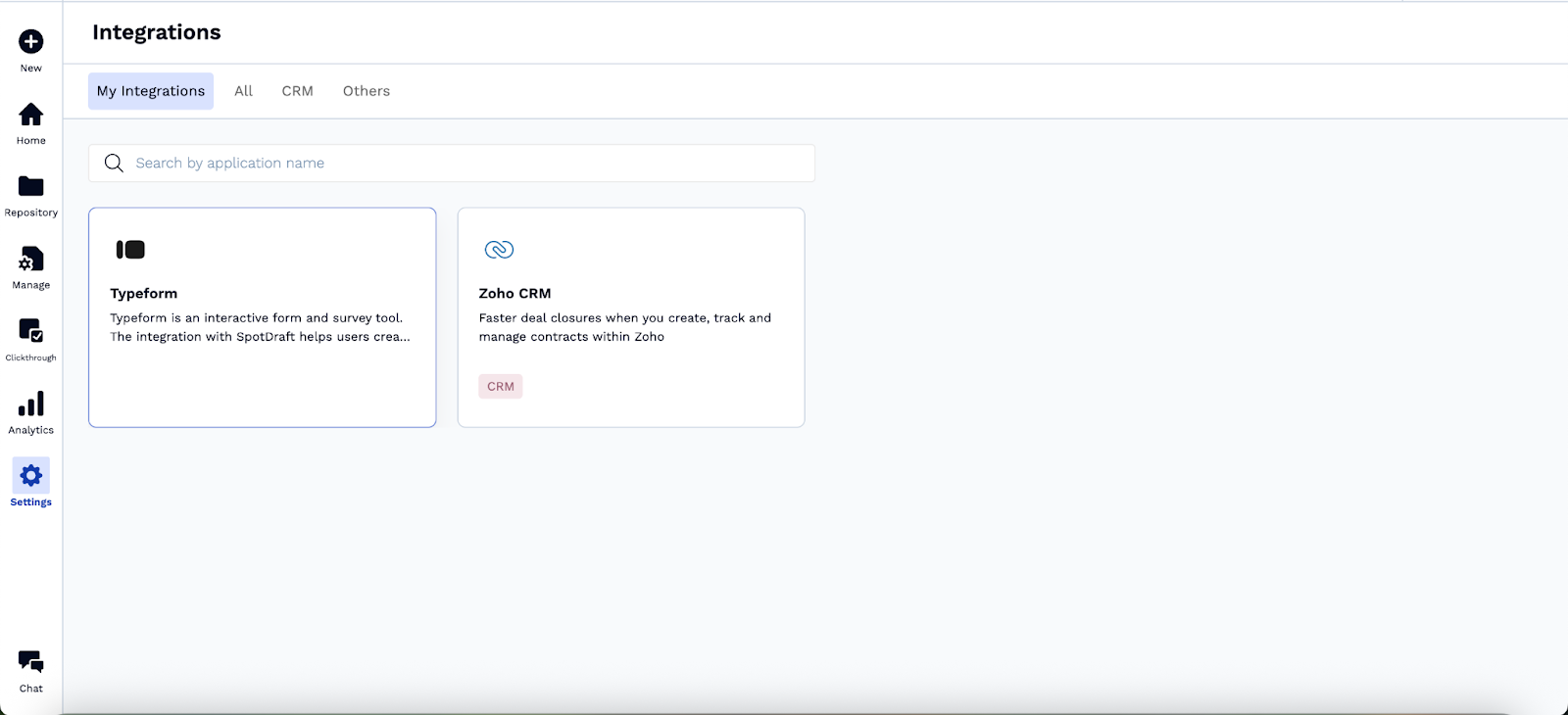
- If it’s not available, please contact your Customer Success Manager (CSM) or SpotDraft Support to have it enabled.
- If it’s not available, please contact your Customer Success Manager (CSM) or SpotDraft Support to have it enabled.
⚙️ Installation & Configuration
Step 1: Set up the Typeform Integration
- Go to SpotDraft workspace settings.
- Navigate to Integrations → Select Typeform.
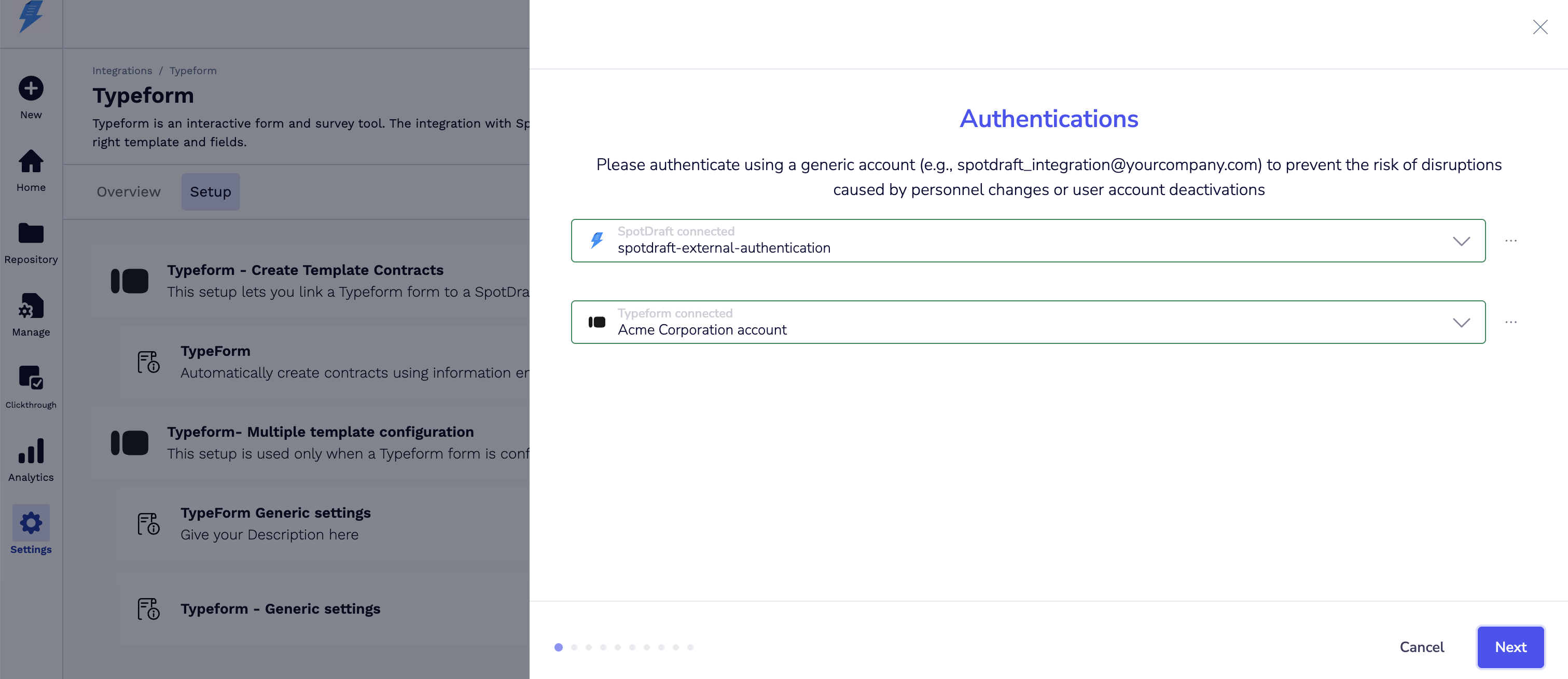
- Click Setup.
-
Authenticate your Typeform account:
-
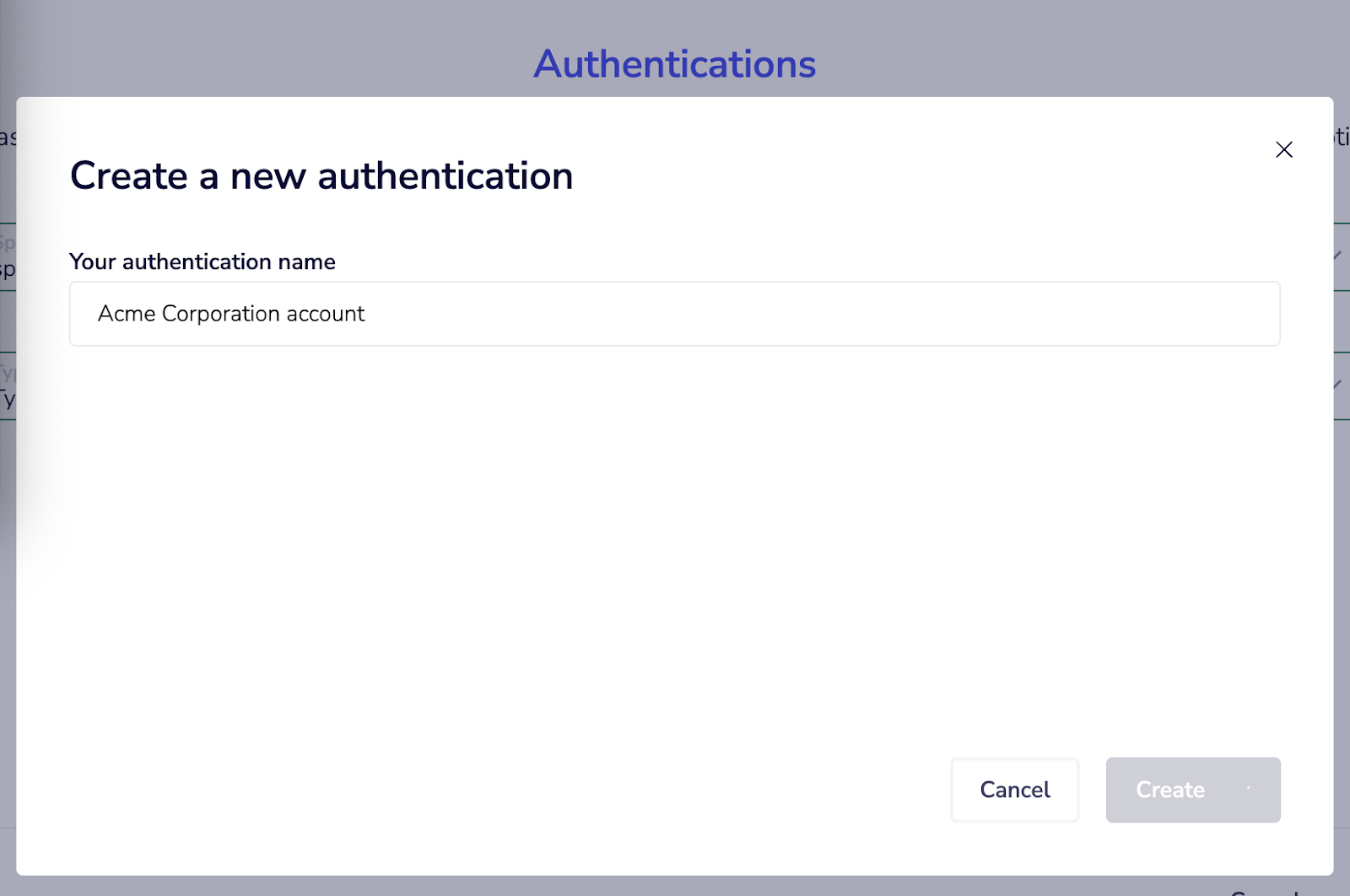
Click New Account → Enter a name.
-
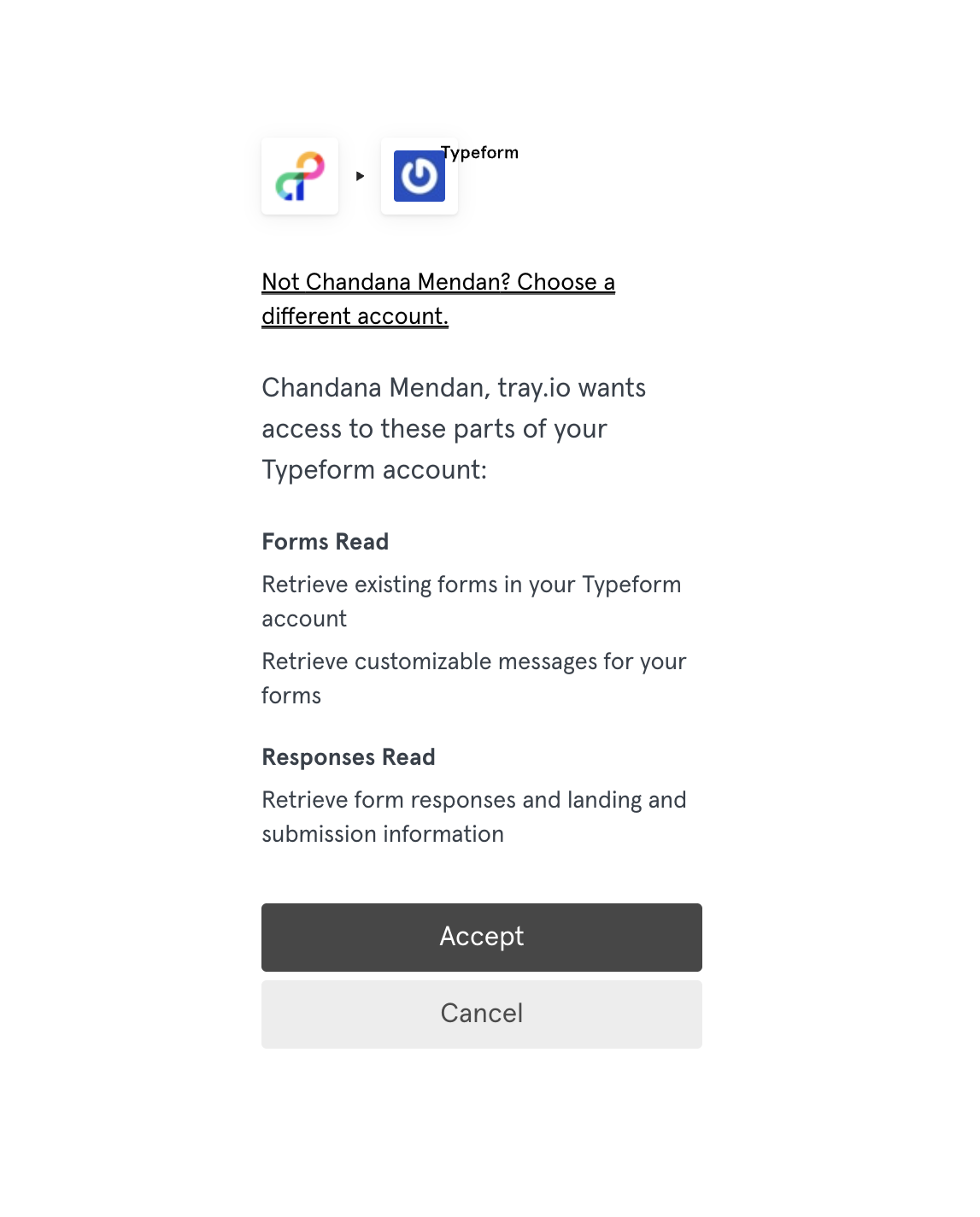
Click Accept to grant access.
Step 2: Attach a Typeform Form
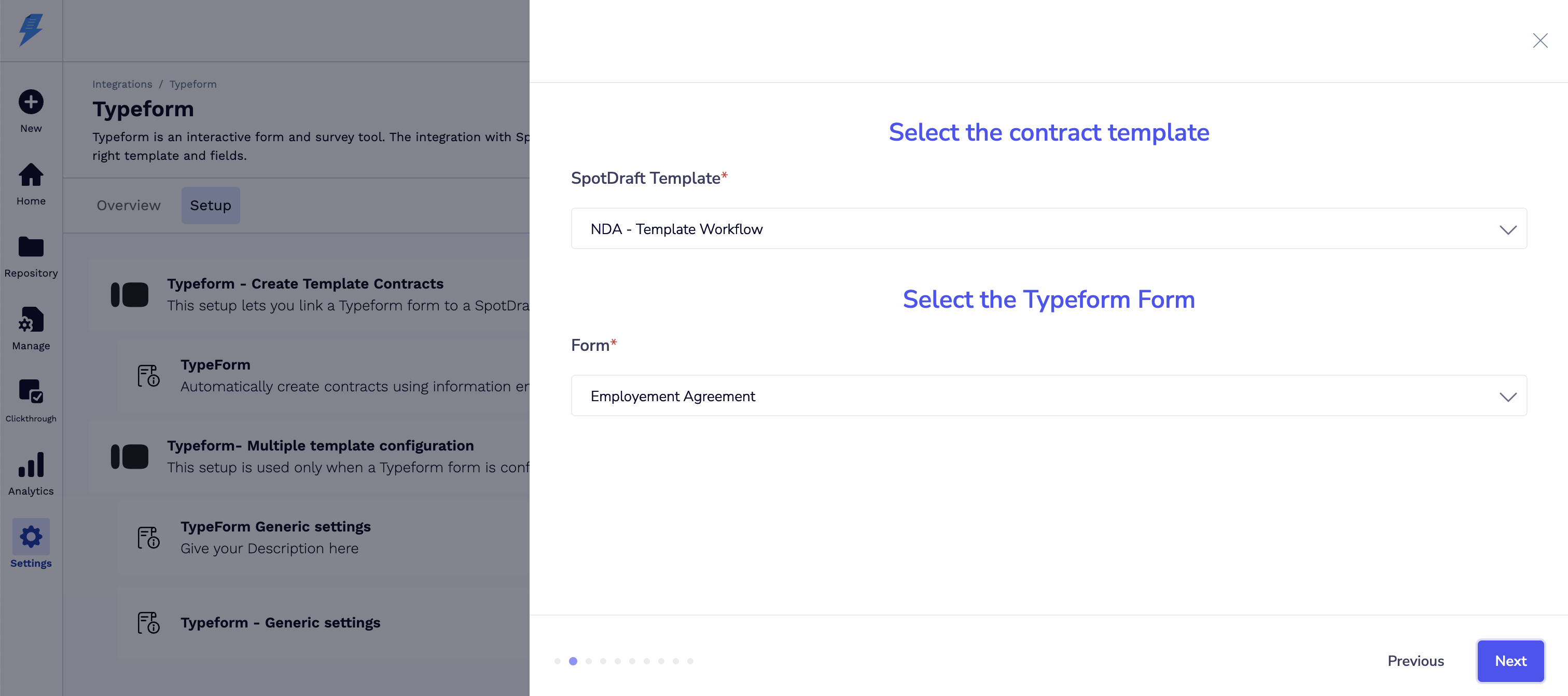
- Select the SpotDraft contract template you want to integrate with.
- Select the Typeform form from the dropdown.
-
Save the configuration.
Step 3: Map Typeform Fields to SpotDraft Fields
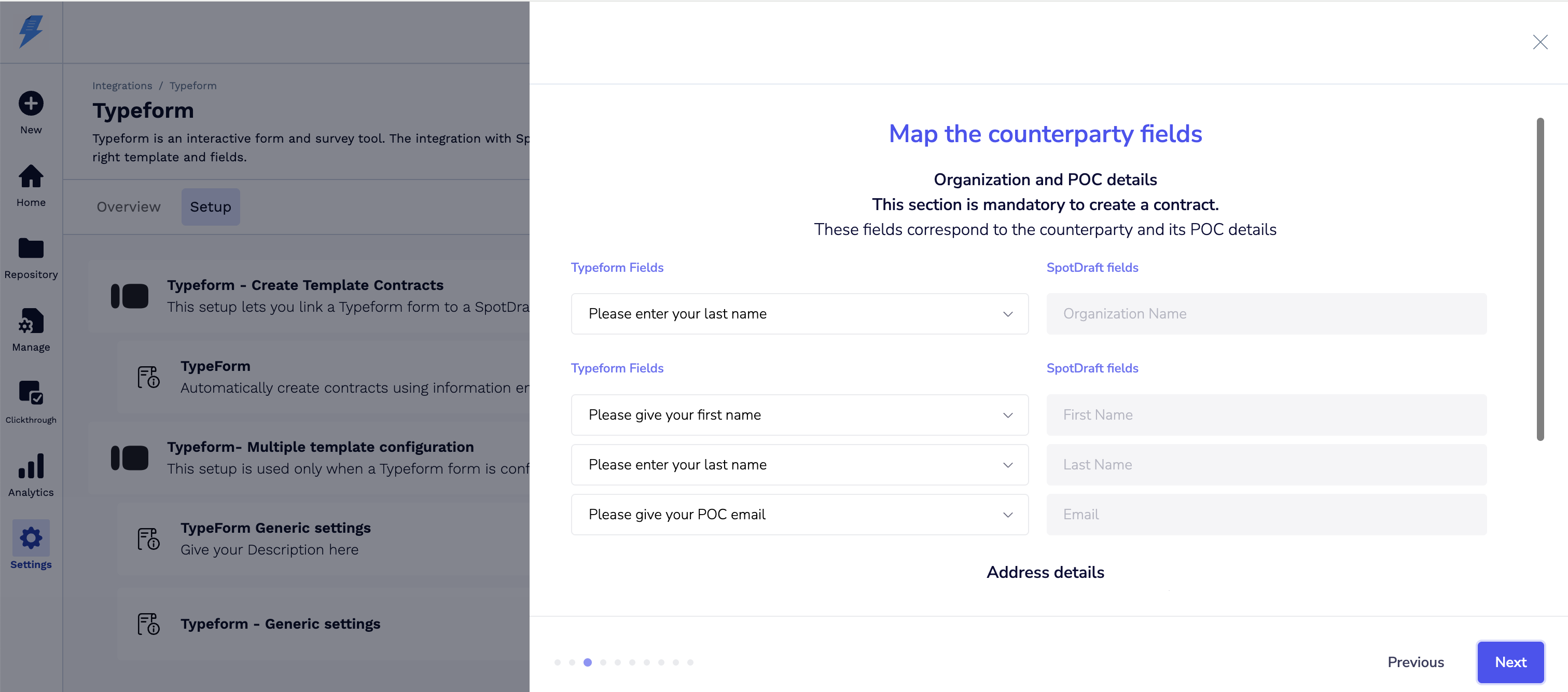
- SpotDraft will display all available Typeform fields.
- Map each form field to a corresponding SpotDraft contract field.
-
Example: “Name” → “Counterparty Name”, “Email” → “Counterparty Email”.
-
-
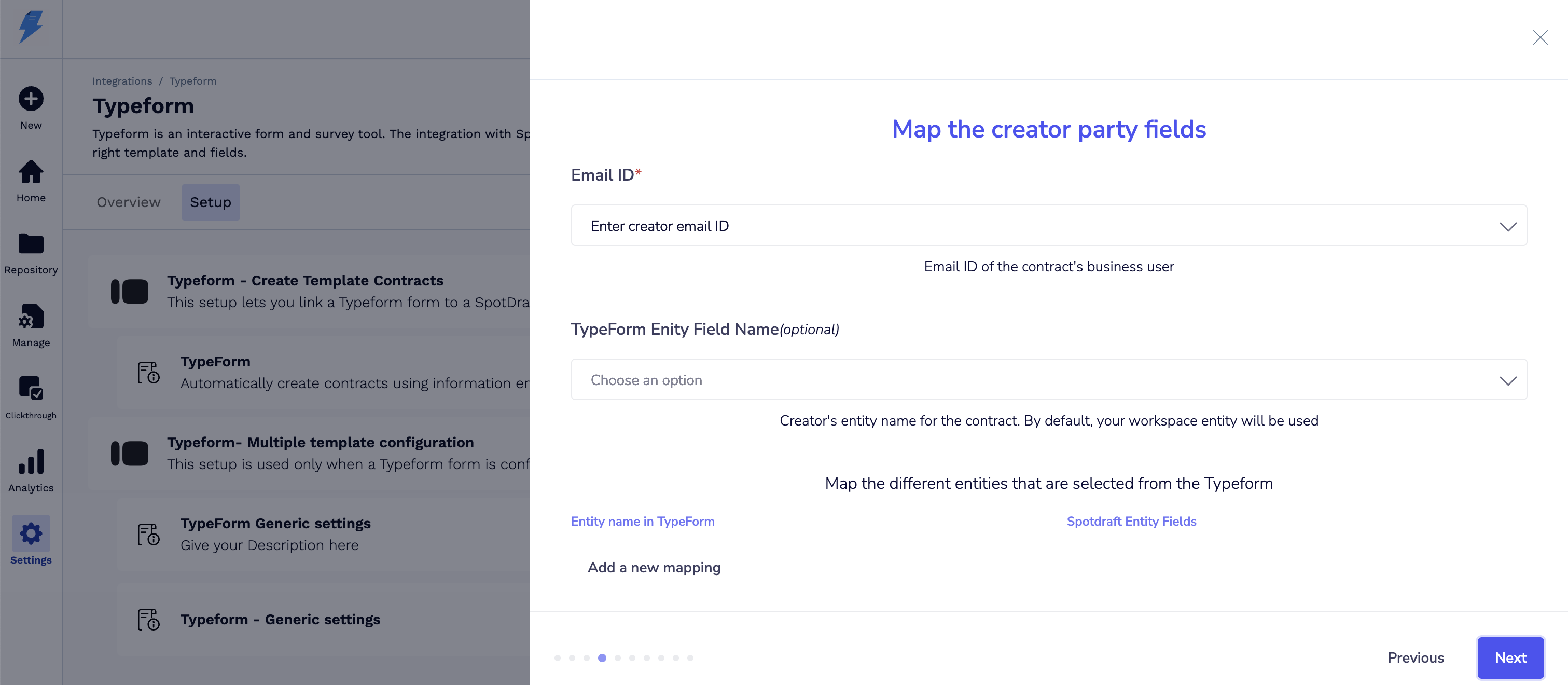
Map Creator Party details and add new mappings if required.
-
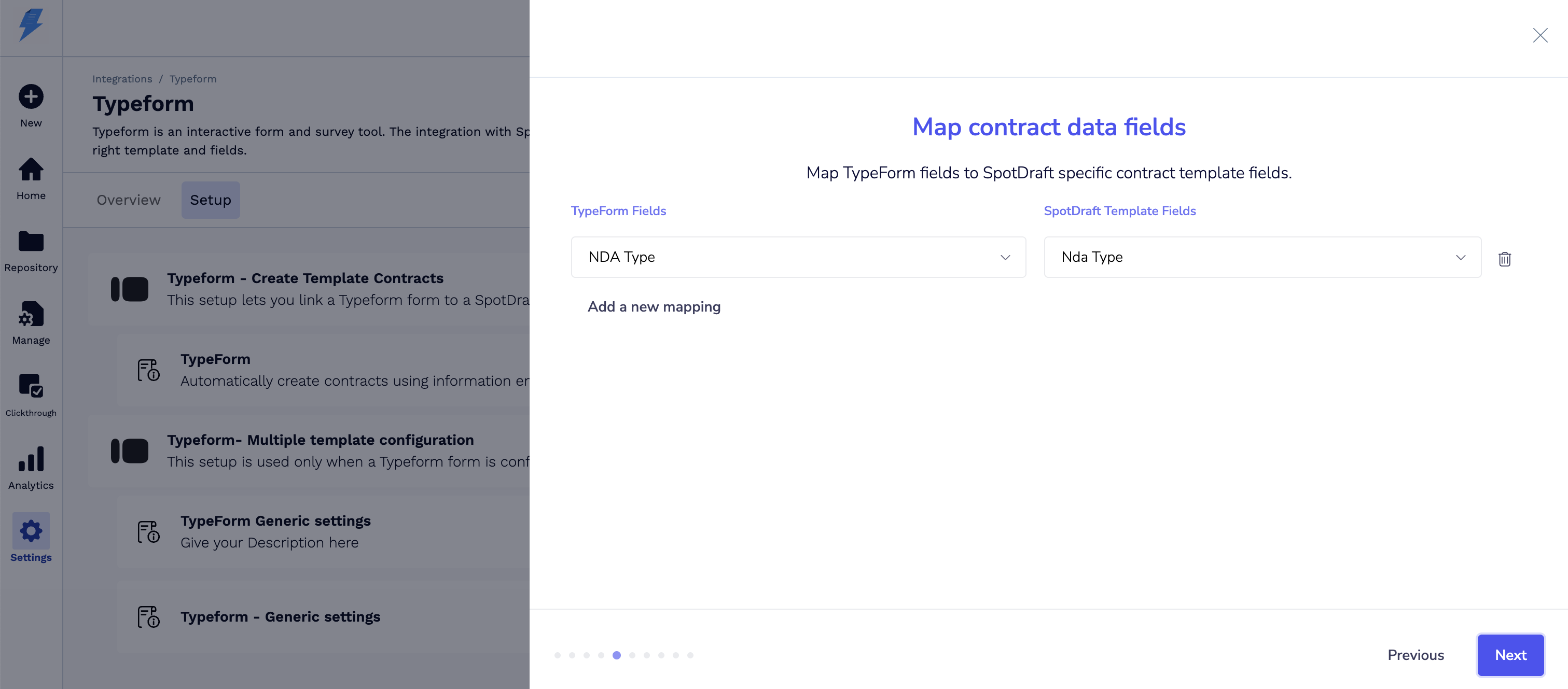
Map Contract Type details.
-
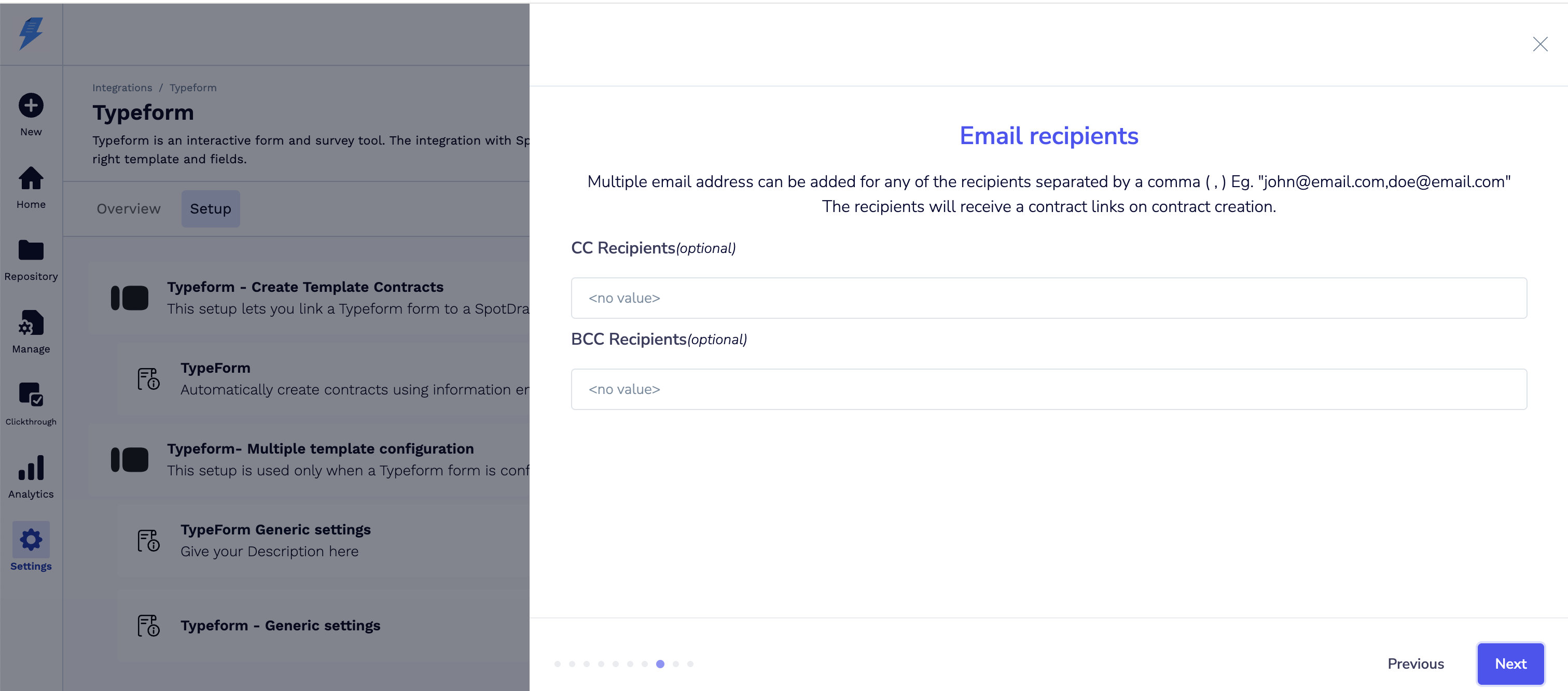
Add recipient email addresses (for contract notifications).
-
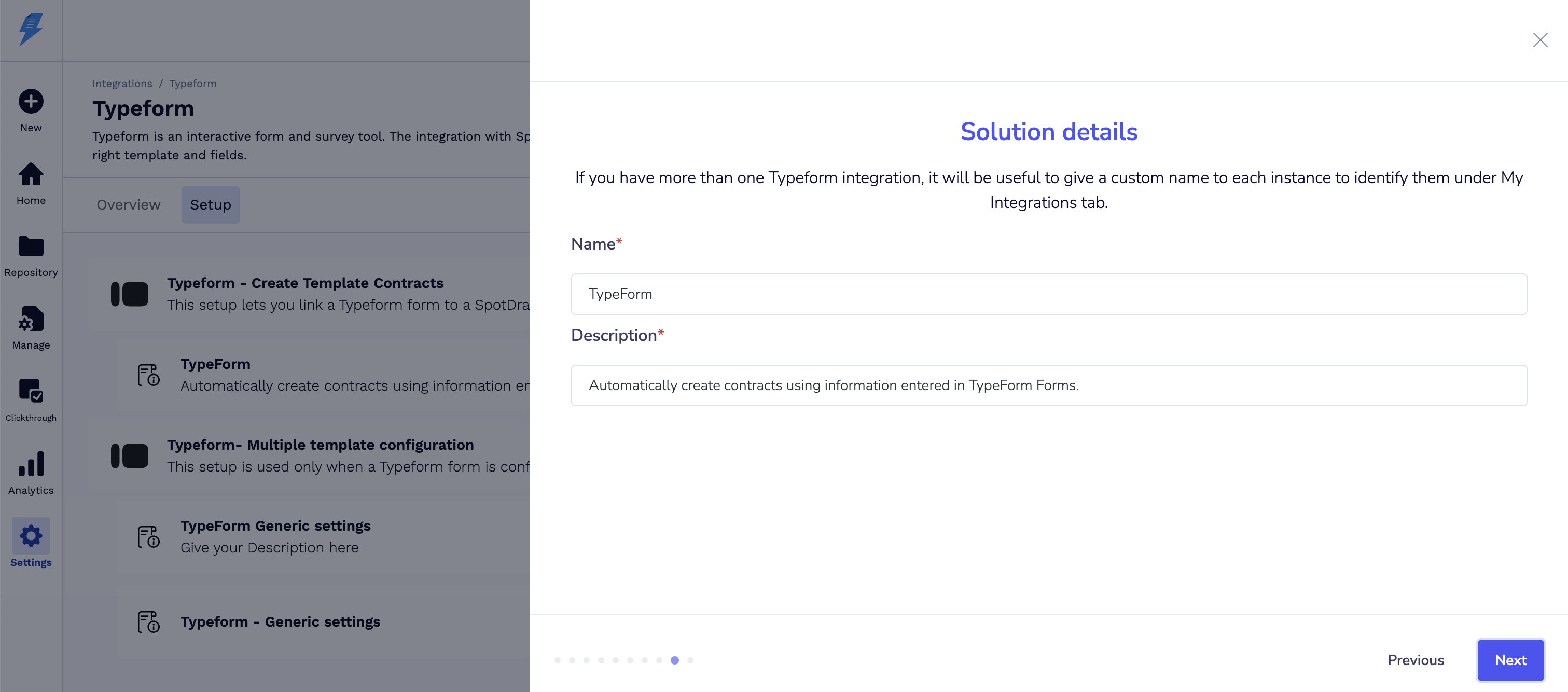
Assign custom names to each integration instance for easy identification and reference.
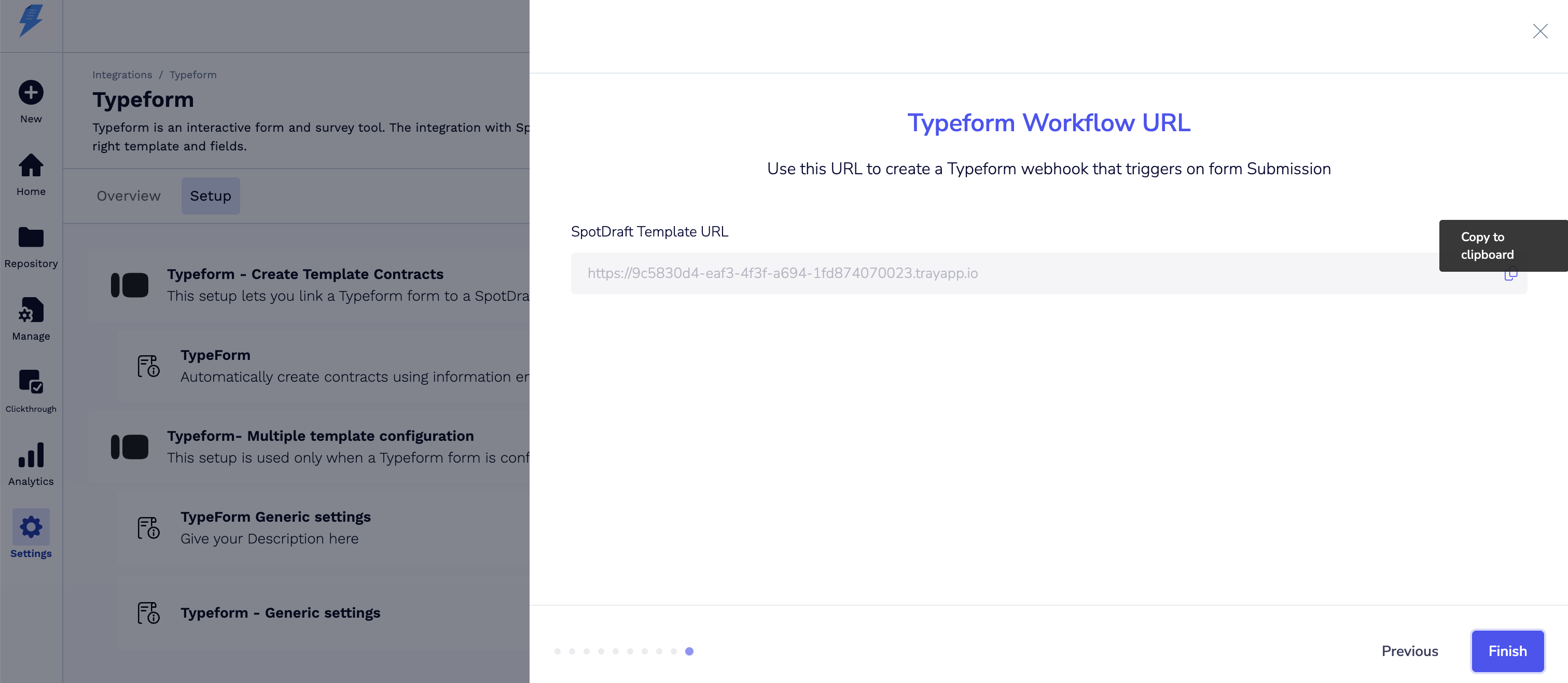
7. Copy this Workflow URL and click on Finish.
Step 4: Configure Typeform - Multiple template configuration
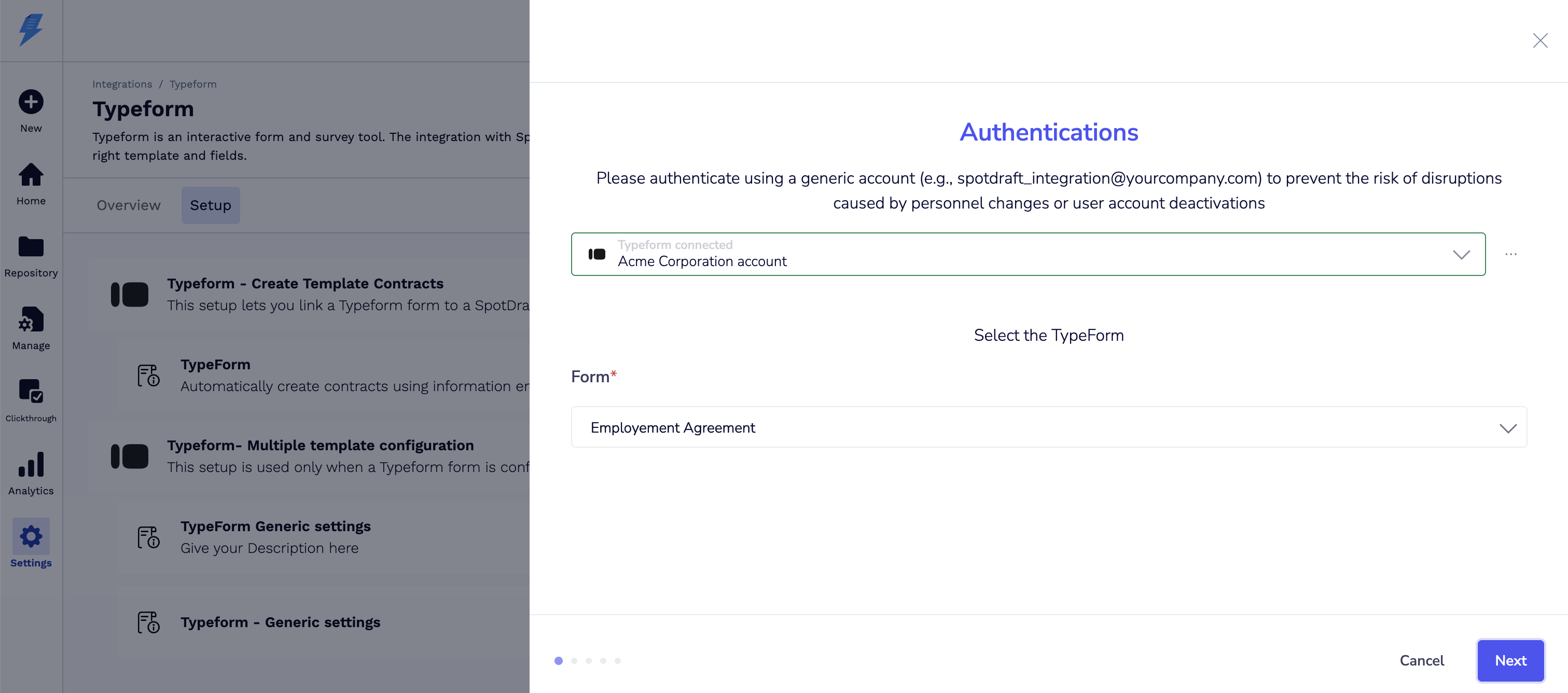
- Select the authenticated account from the dropdown.
-
Select the form from the dropdown.
-
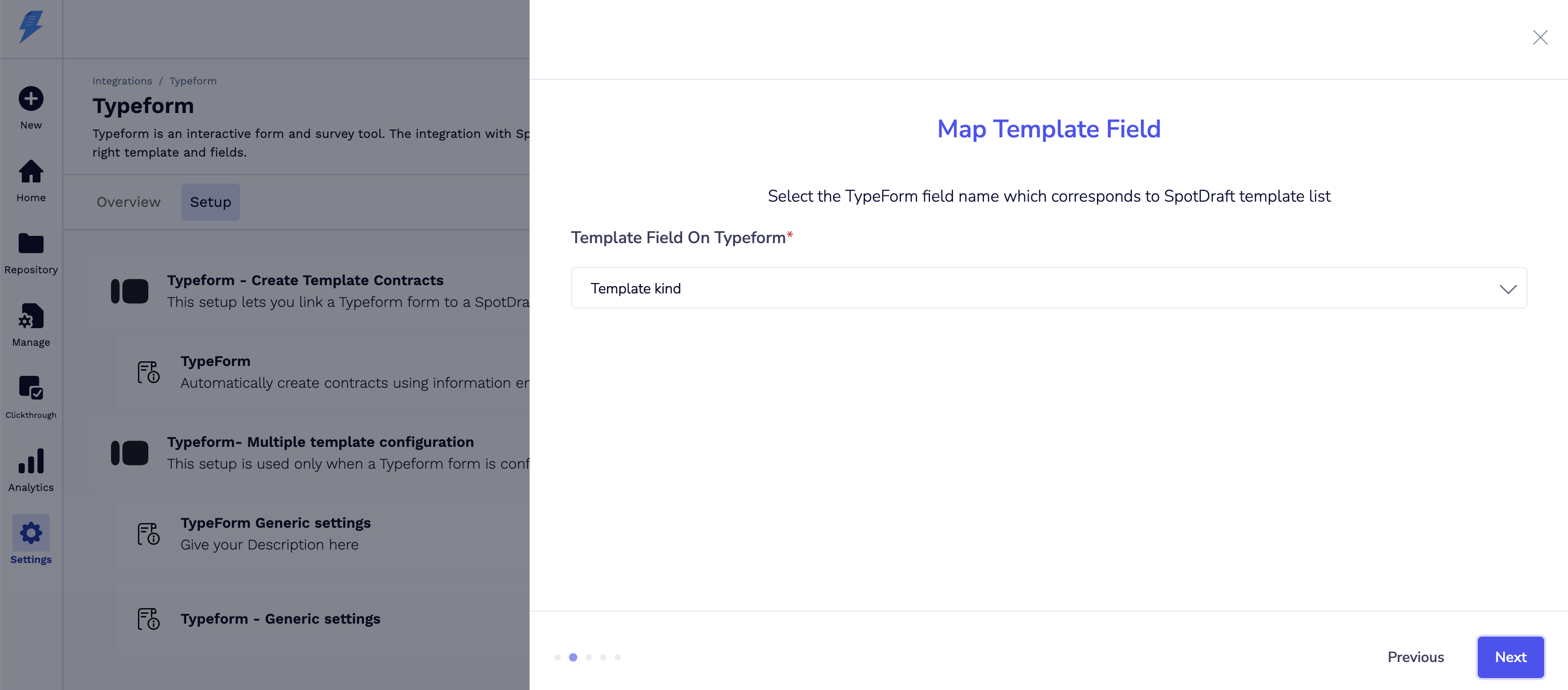
Map the Template Field from Typeform to SpotDraft.
-
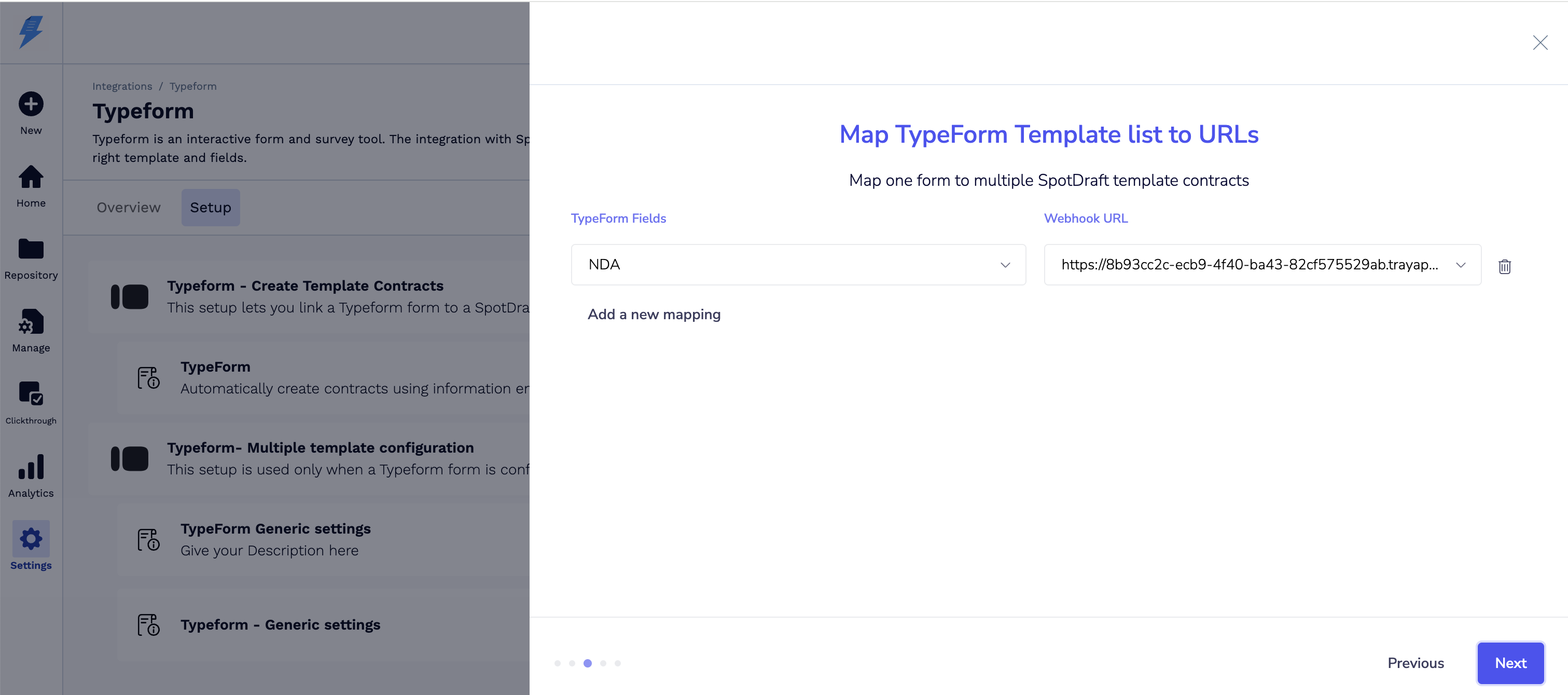
Select the Template Type and paste the copied Workflow URL.
-
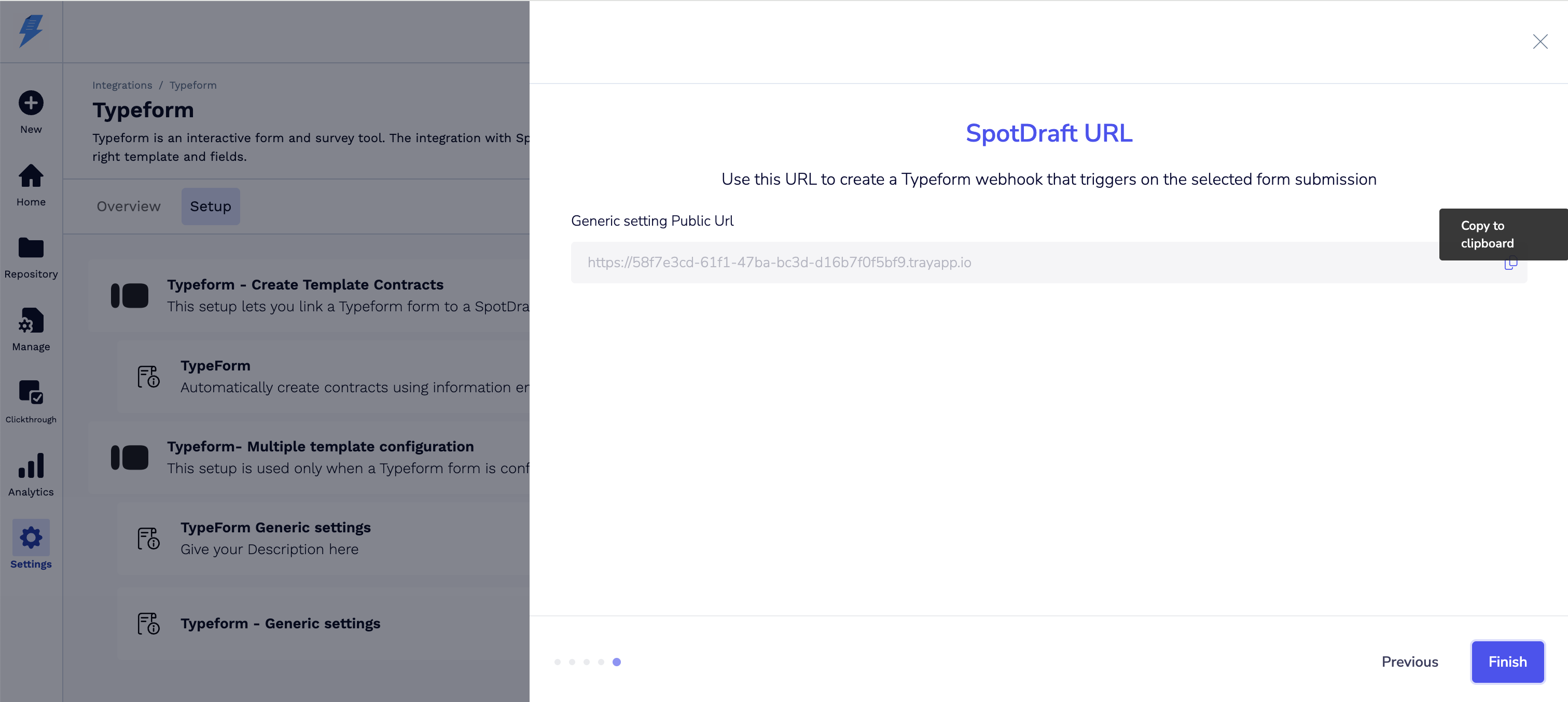
Copy the Generic Workflow URL → Click Finish.
Step 5: Add Webhook to Typeform
- Open your form in Typeform.
-
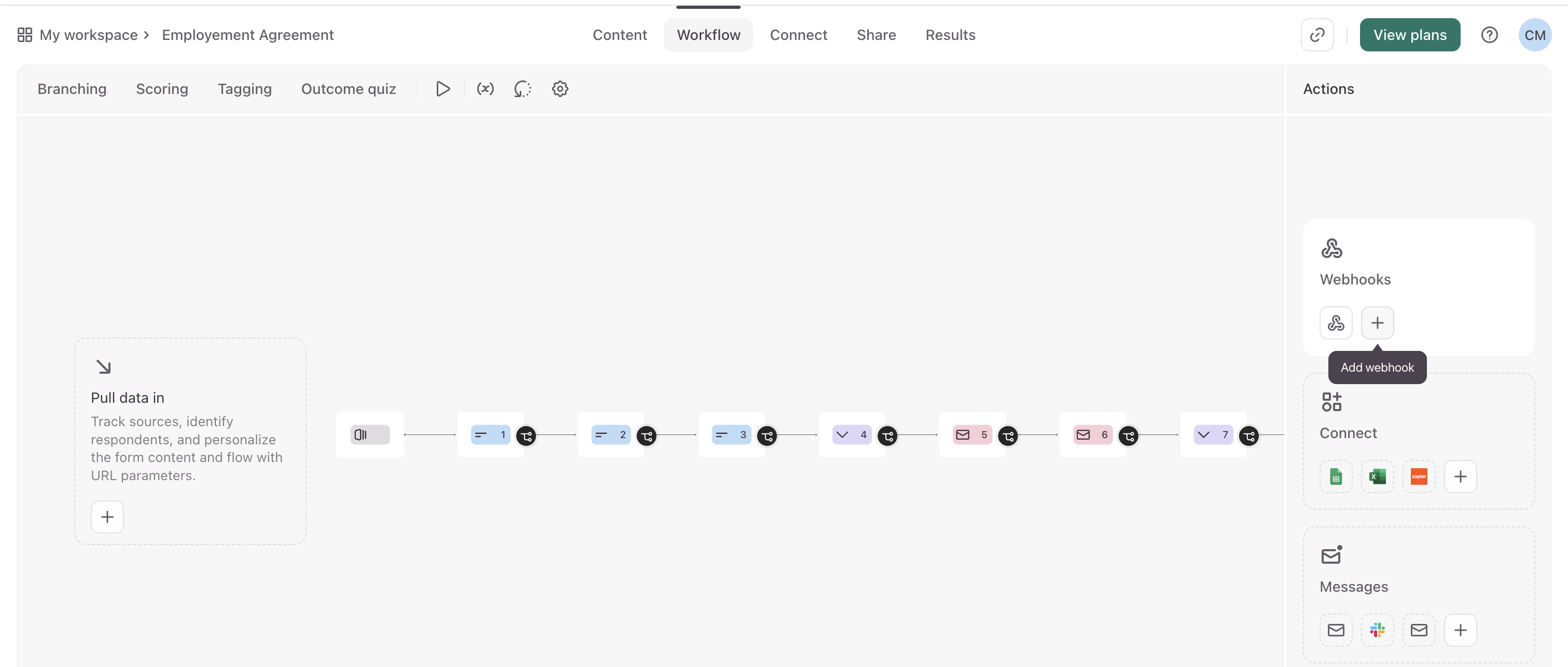
Go to Connect → Webhooks.
-
Click + → Add the Typeform-Generic Workflow URL.
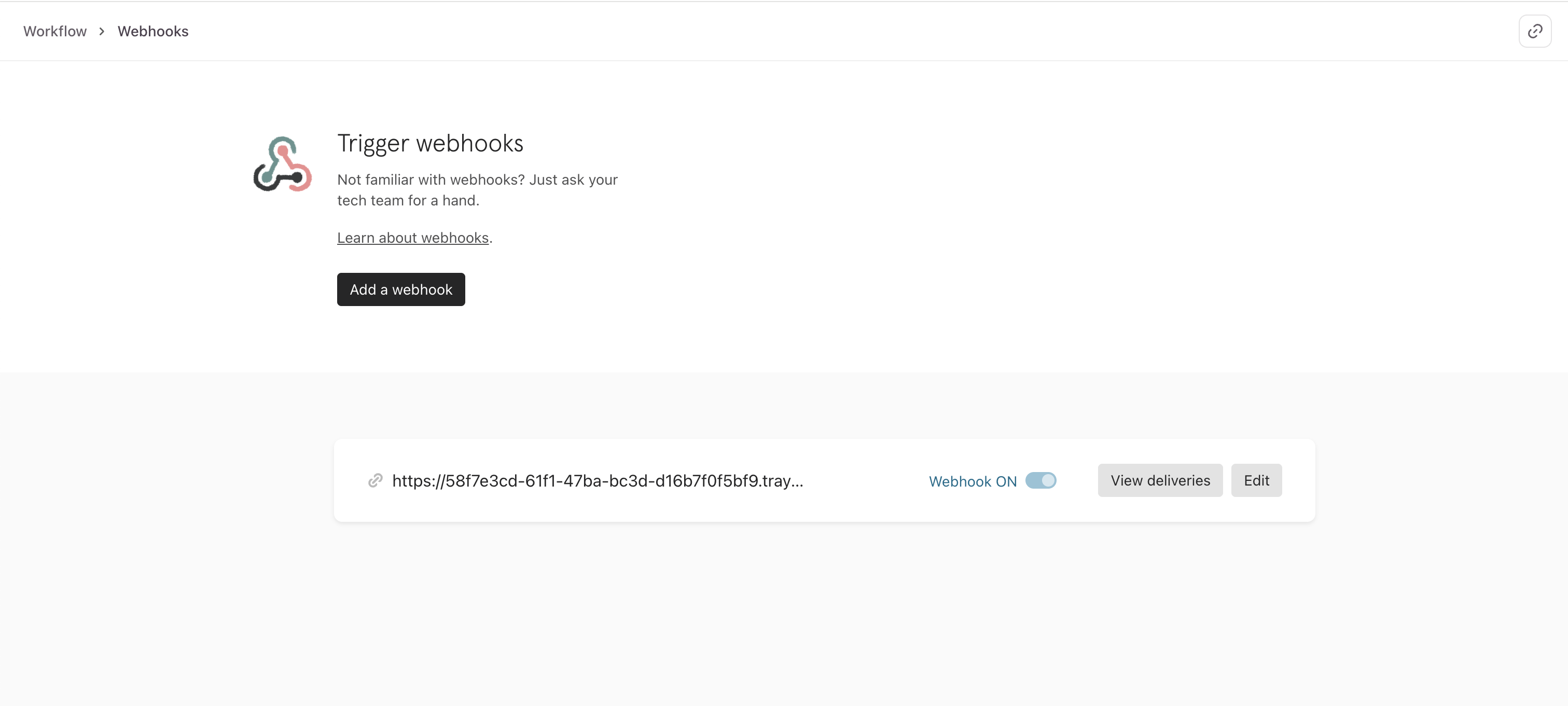
- Toggle it ON.
✅ Verification
-
Open your Typeform on a browser → Fill it out.
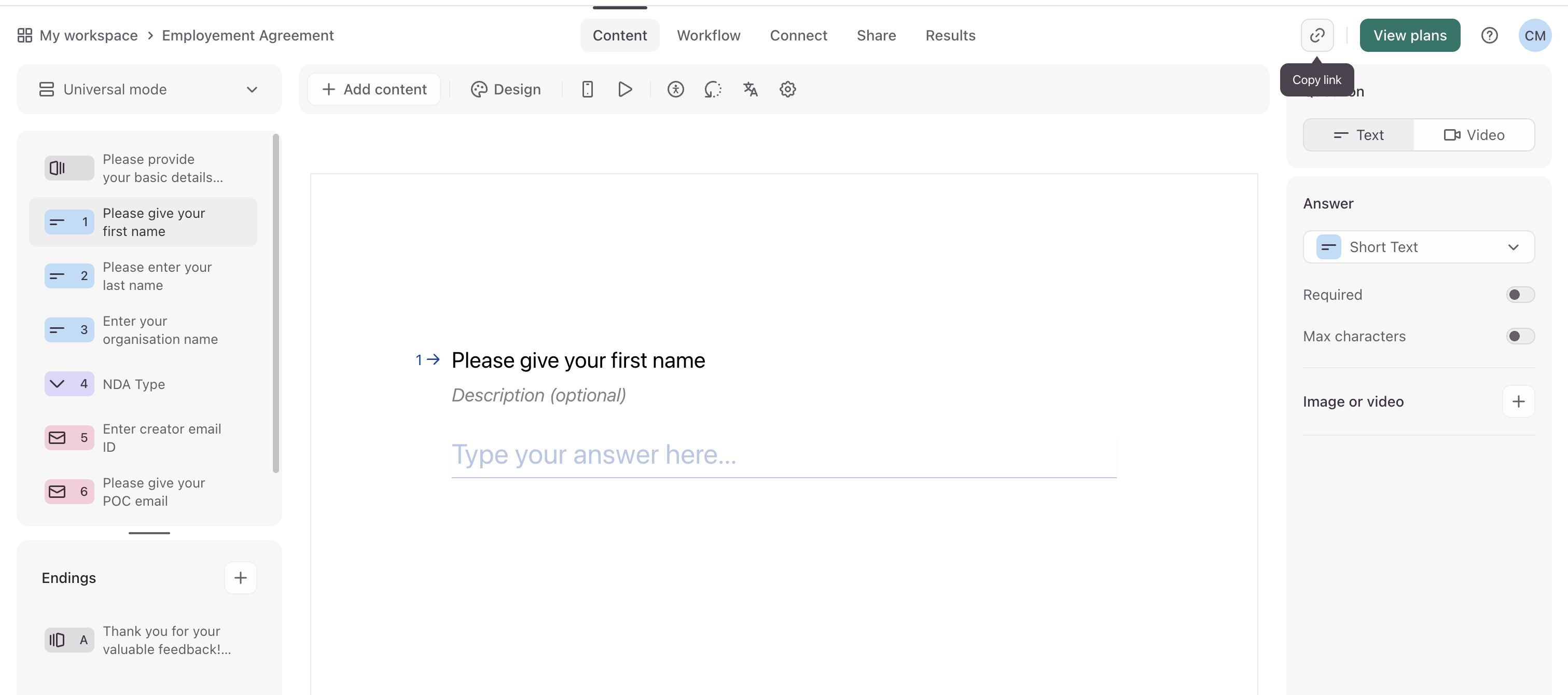
- A contract should be created automatically in SpotDraft using the mapped fields.
- Verify that:
- Contract data is populated correctly.
- Notification emails are received by recipients.
🎉 Congratulations! Your Typeform integration with SpotDraft is now live.
💬 FAQs
Q: What if I don’t see Typeform in my Integrations?
A: Contact your SpotDraft CSM or Support to have it enabled.
Q: Can I connect multiple Typeforms?
A: Yes. Repeat the setup for each form you want to connect.
Q: Does the form submitter need a SpotDraft account?
A: Yes, the email used in Typeform must match an active SpotDraft account.
Q: What if contracts are not being created?
A: Double-check:
- The webhook is correctly added in Typeform.
- Field mappings match SpotDraft template fields.
- The Typeform integration is active in SpotDraft.
Q: Can I edit the contract in SpotDraft after creation?
A: Absolutely. Once the draft is created, you can make edits before finalising.
🏁 Conclusion
You’ve successfully set up the SpotDraft–Typeform integration! 🎉
Now, every Typeform submission can automatically generate a SpotDraft contract, reducing manual work and improving turnaround time.
👋 Need help? Reach out to your SpotDraft Customer Success Manager for guidance.