Navigating SpotDraft
Last updated: May 12, 2026
NewTemplate Contracts: Quickly create a standard contract form by filling out a questionnaire.
Note: To create contracts using templates, you need Creator access for the contract types associated with the template workflows. If you don't see template options:
For Admins or users with Access Control permissions:
Hover over Settings in the left navigation pane
Select Access Control
Select Contract Types from the tab menu
Grant Creator access to yourself, the user, or their team for the desired contract types
For other users: Contact your SpotDraft Admin to grant you (or your team) Creator access for the required contract types.
Campaign Contracts: Send out similar contracts (e.g., employment agreements) in bulk, with personalized data for each recipient.
Express Contract: Send out pre-filled and pre-signed contracts as a link. The document is automatically generated on SpotDraft each time a recipient fills in their information. Note: Initiating an Express Contract only requires Creators access to the relevant contract type. Setting up Express Contract templates is done in Manage > Workflow Manager and requires the “Manage Contract Types and Workflows” permission.
Upload third-party contract: Upload a contract for internal reviews, negotiations, and eSignatures.
Note: To upload third-party contracts, you need the Upload Contracts permission. If you don't see this option:
For Admins or users with Access Control permissions:
Hover over Settings in the left navigation pane
Select Access Control
Select Teams from the tab menu
Select the relevant team/role
Enable the Upload Contracts permission
Click Save
For other users: Contact your SpotDraft Admin to grant you (or your team) the Upload Contracts permission. You can also use Ask admin for access when you encounter a permission block while creating contracts.
If you need to add new counterparties during upload, you'll also need the Manage Counterparties permission; otherwise, you can only select from existing counterparties.
Send for signature: Upload an already negotiated contract for eSigning.
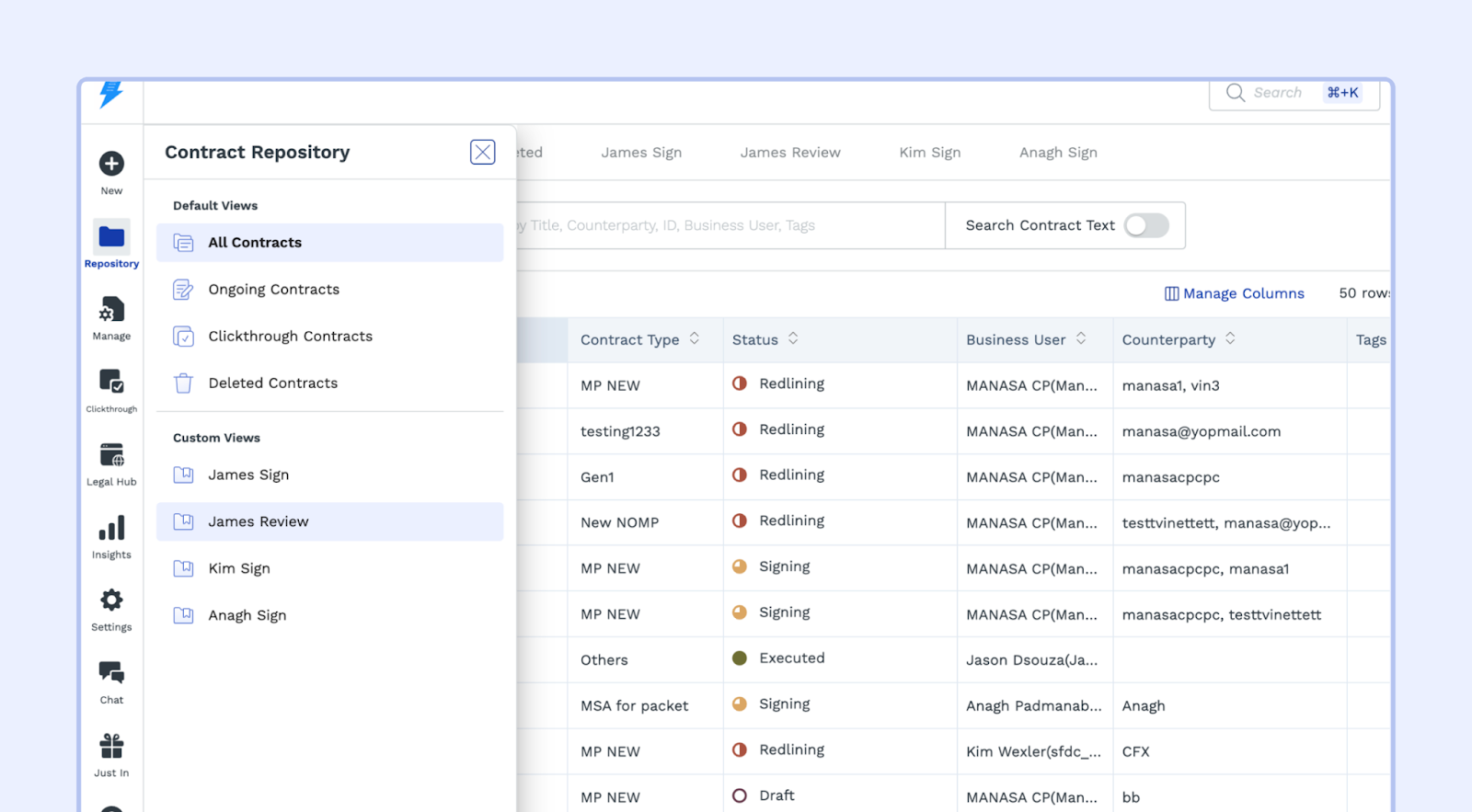
Import executed contracts: Upload your executed historical contracts to maintain a single, centralized record of all your contracts.RepositoryView all the default views such as All, Ongoing, Deleted, etc.View all your custom saved views
Important: Contracts created through template workflows have a locked contract type that cannot be changed later. Each template workflow is tied to a single contract type. If you need the flexibility to change contract types after creation, use the Third‑Party Paper workflow instead. To change the contract type in third-party paper workflows (Upload Third-Party Paper, Send for Signature, or Upload Executed Contract), you must have Creator access to both the current contract type and the target contract type.
Workflow Configuration:
Workflow Manager: Design and customize workflows to streamline your contracting process for template or third-party contracts. This is where you upload and manage your contract templates—there is no separate "Templates" section in the navigation.
Campaign Manager: Manage your bulk contracting campaigns. Create, trigger, edit, and monitor all your campaigns from this central location.
Clickthrough Manager: Create or update existing Clickthroughs.
Contract Types: Create or manage existing contract types, which are used to categorize and track your contracts.
Contract Attributes:
Counterparties: Add or edit information about your counterparties (the people or organizations you're working with).
Contract Metadata: Define metadata fields that provide a quick overview of your contracts (e.g., deal amount, expiry date).
Clause Library: Store and reuse standard contract clauses, including fallback language.
Stamp Inventory: Manage eStamps (if applicable) for contracts governed by Indian law.