Sending a Contract for Signature using SpotDraft Native e-sign
Last updated: July 10, 2026
How to Send a Contract for Signature via SpotDraft Native E-Sign
SpotDraft's e-signature feature makes it easy to send contracts for digital signatures, streamlining your workflow and enhancing security. This guide will walk you through the process of sending a contract for signature within SpotDraft.
Step 1: Upload the Contract
Note: While .doc, .docx, and .pdf formats are supported for initial contract upload, certain features have specific format requirements. See the notes in Step 2 for stamp uploads and executed contract version uploads.
Important: To upload and send contracts, you must have Creator Access to at least one contract type. If the Contract Type dropdown is missing or empty during upload, you lack the necessary permissions. Contact your Admin to either grant you Creator Access to specific contract types or add you to a team that already has Creator Access.
Step 2: Add Additional Data
Counterparty: Choose the counterparty from the provided list. You can also add a new counterparty by typing their name and email address in the provided field.
Note: To add new counterparties, you must have the “Manage Counterparties” permission enabled for your team. If you can only select from the existing dropdown list and cannot add new counterparties, contact your Admin team to request this permission. Permissions are applied at the team level, so your Admin will need to enable this for your entire team.
Step 3: Add Signatories
Add the signatories/recipients who need to sign the contract.
Step 4: Prepare for Signing
Click Prepare for signing to assign the necessary signature fields to each signatory. Atleast one signature, initial or seal field is required to execute the contract.
Note: If your contract requires approvals, completing the approval workflow does not automatically prepare the document for signing. You must still complete steps 3‑5 to send the contract for signature.
Step 5: Send the Contract
Send the contract for signing to the designated signatories.
What your signer sees
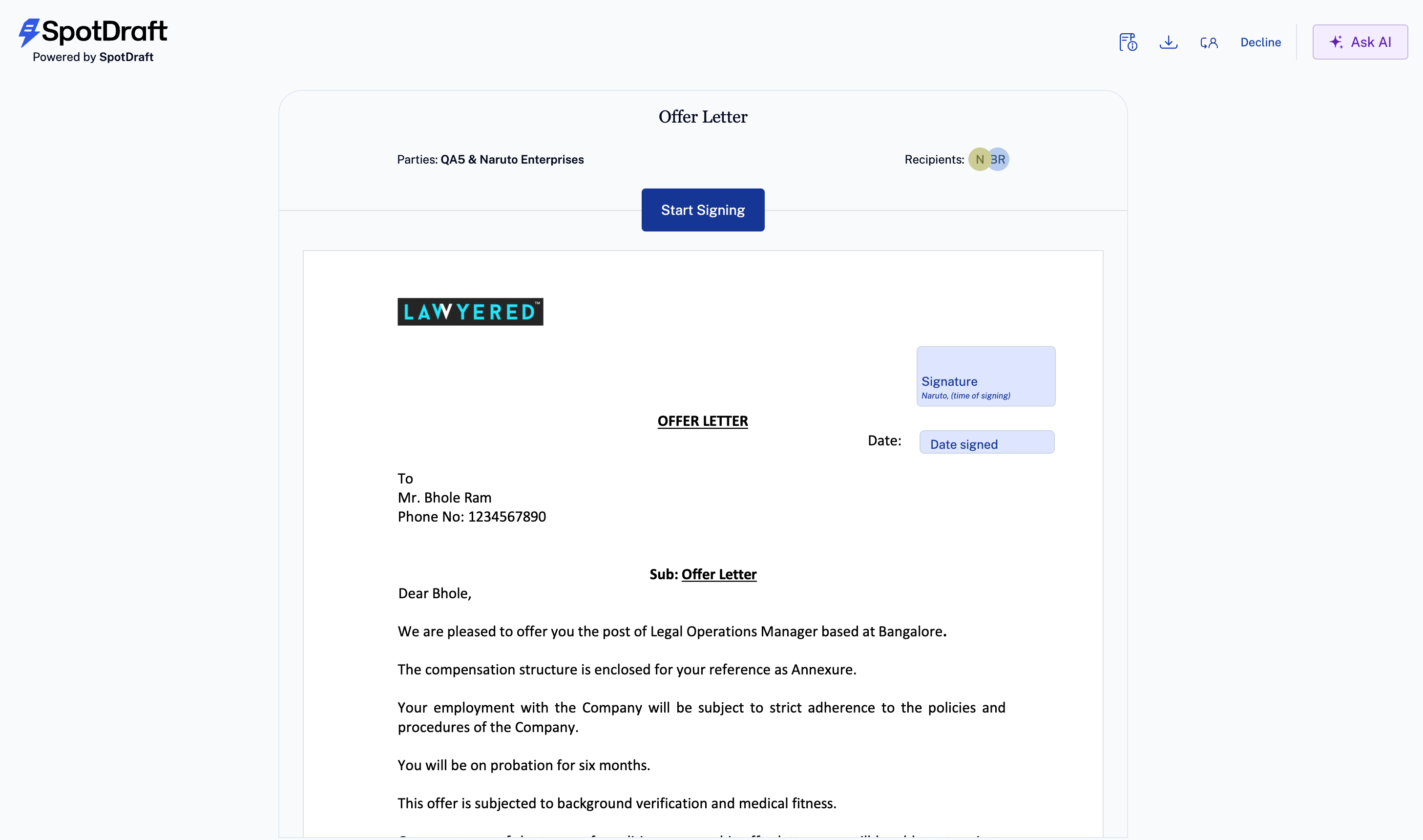
See Signing a Contract on SpotDraft for details.
Alternative Method for Adding Counterparties
While the main article covers adding counterparties during the signature workflow, you can also pre‑populate counterparties by navigating to Manage → Counterparties → New Counterparty in the main app, where you can choose to add an Individual or Organization.
This alternative approach allows you to set up counterparties before initiating the signature process, which can streamline your workflow when you frequently work with the same parties.