User Provisioning (SCIM) Setup
Last updated: January 30, 2026
Prerequisites
To set up SCIM on SpotDraft, you need:
- A SpotDraft account with Admin access.
- An account with your chosen Identity Provider (IdP) that supports SCIM Core v2.
💡 Role based provisioning is currently not supported.
Configuring user provisioning via SCIM
SpotDraft Setup
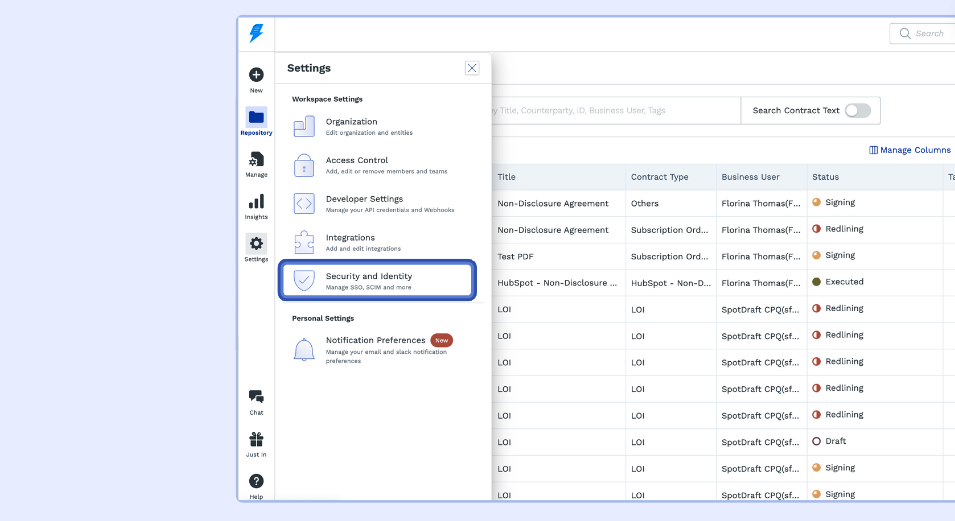
Step 1: Login to SpotDraft and navigate to Settings → Security and Identity.
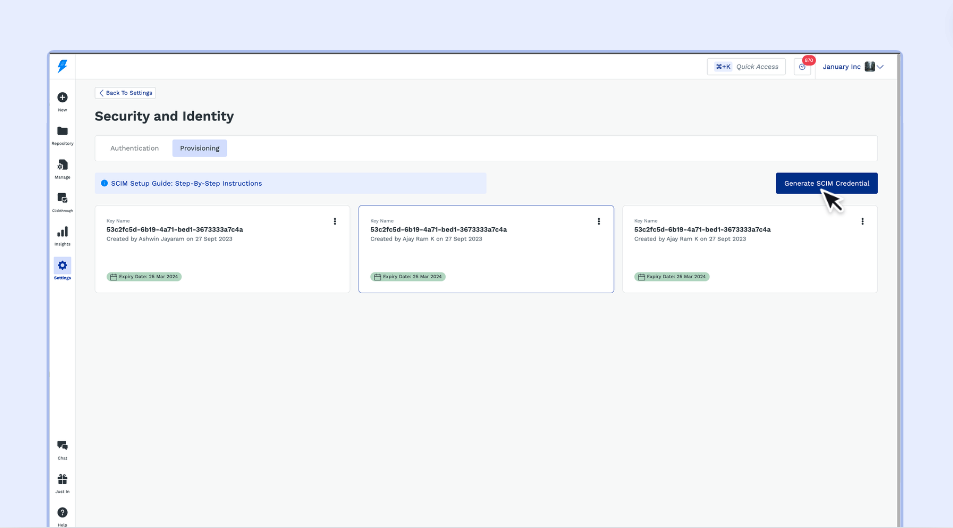
Step 2: Click on ‘Generate SCIM Credential’.
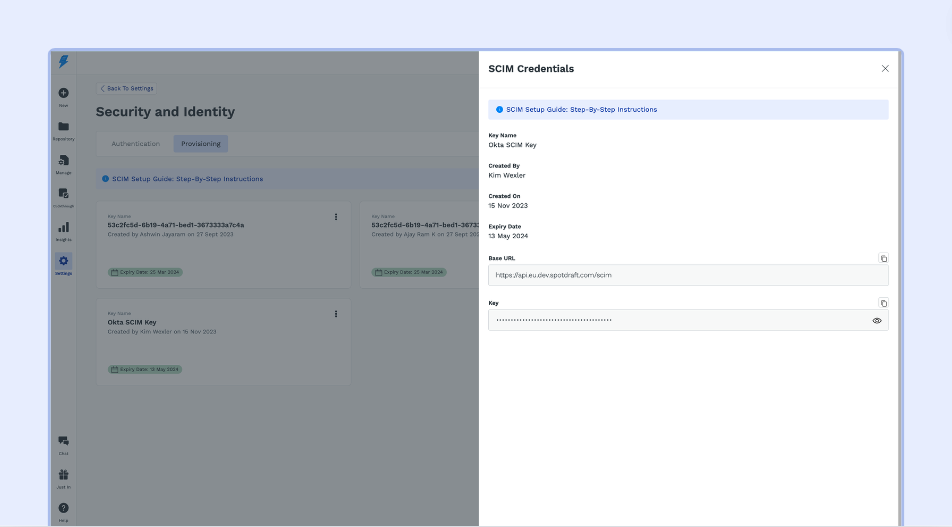
Step 3: Copy the ‘Base URL’ and ‘Key’.
IdP Setup
Following are the popular IdPs supported by SpotDraft. Use the relevant links for the next steps.
👉🏻Azure
👉🏻 Okta
👉🏻 OneLogin
💡 If your IdP is not listed above, contact their Support team for the next steps.