SpotDraft–Salesforce Integration: Access Permissions Resolution
Last updated: March 11, 2026
Issue
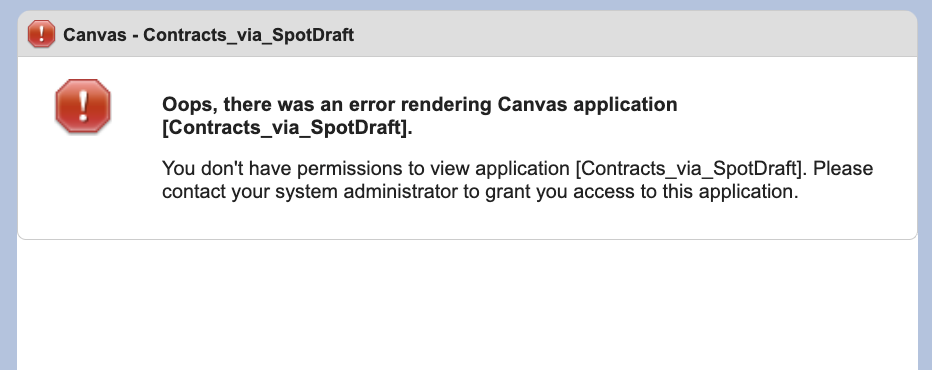
Some Salesforce users encounter an error when accessing the SpotDraft app, preventing them from creating contracts, even though they appear to have the necessary Salesforce permissions.
Screenshot
Root Cause Analysis
The SpotDraft app in Salesforce allows only Admin-approved users to access it by default. Users who are not pre-authorized through the app’s settings will receive an error, regardless of their profile permissions.
Affected Components
Salesforce Setup: App Manager → Contracts via SpotDraft → Edit Policies → Permitted Users
User Profiles: Only profiles included in
Permitted Userscan instantiate contracts via the integration
Resolution Steps
Verify App-level Permissions:
Salesforce Setup → Quick Find → App Manager
Locate Contracts via SpotDraft → Click down arrow → Manage
Update Permitted Users:
Click Edit Policies → Set Permitted Users to Admin-approved users are pre-authorized → Click OK → Save
Assign Salesforce Profiles:
Click Manage Profiles
Select all relevant profiles (e.g., System Administrator, Sales Rep)
Save configuration
Verify Integration Access:
Test with affected users to ensure SpotDraft app loads correctly