Using Ask AI before you sign
Last updated: June 18, 2026
Ask plain questions about the contract and get answers drawn from the version in front of you.
About Ask AI
Reading a contract you didn't draft is hard, especially without a legal team behind you. Ask AI lets you ask questions about the contract you're signing and get answers based on that exact version. It's built into the signing page, so you can check your understanding before you commit. It's available to everyone on the contract, including counterparty signers.
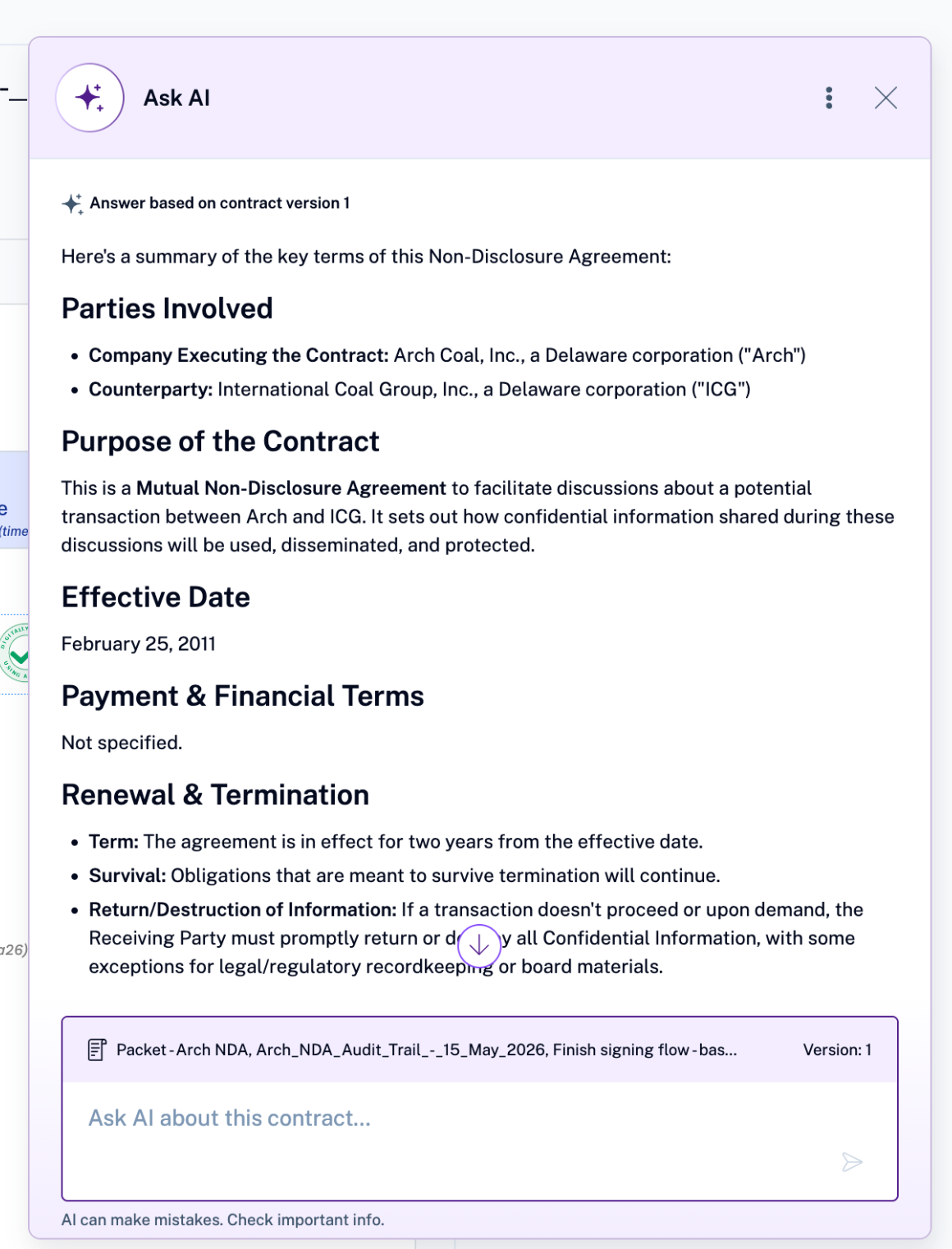
Clicking on 'Ask AI' will give you a quick summary of the contract you are about to sign.
How to use Ask AI
On the signing page, select Ask AI in the top-right toolbar.
Enter your question in Ask AI about this contract.
Questions worth asking
A few examples to start with:
What are the termination provisions?
How long does this agreement last, and does it renew automatically?
What are my confidentiality obligations?
Is there a notice period, and how do I give notice?
Which law governs this contract?
What Ask AI can't do
Ask AI helps you understand a contract. It has limits, and it's worth knowing them:
It explains the contract; it doesn't give legal advice. For a decision that carries real consequences, talk to a lawyer.
It answers from the version in front of you, not from outside documents or earlier drafts.
AI can make mistakes. Check anything important against the contract text itself before you rely on it.