Decline to sign a contract
Last updated: June 18, 2026
If a contract isn't right to sign, you can decline and tell the sender why.
About declining to sign
Not every contract should be signed as-is. The terms might be wrong, or it might have reached the wrong person. Instead of leaving it unanswered, you can decline, which tells the sender clearly where things stand.
This article covers how to decline and what happens afterwards.
Before you decline
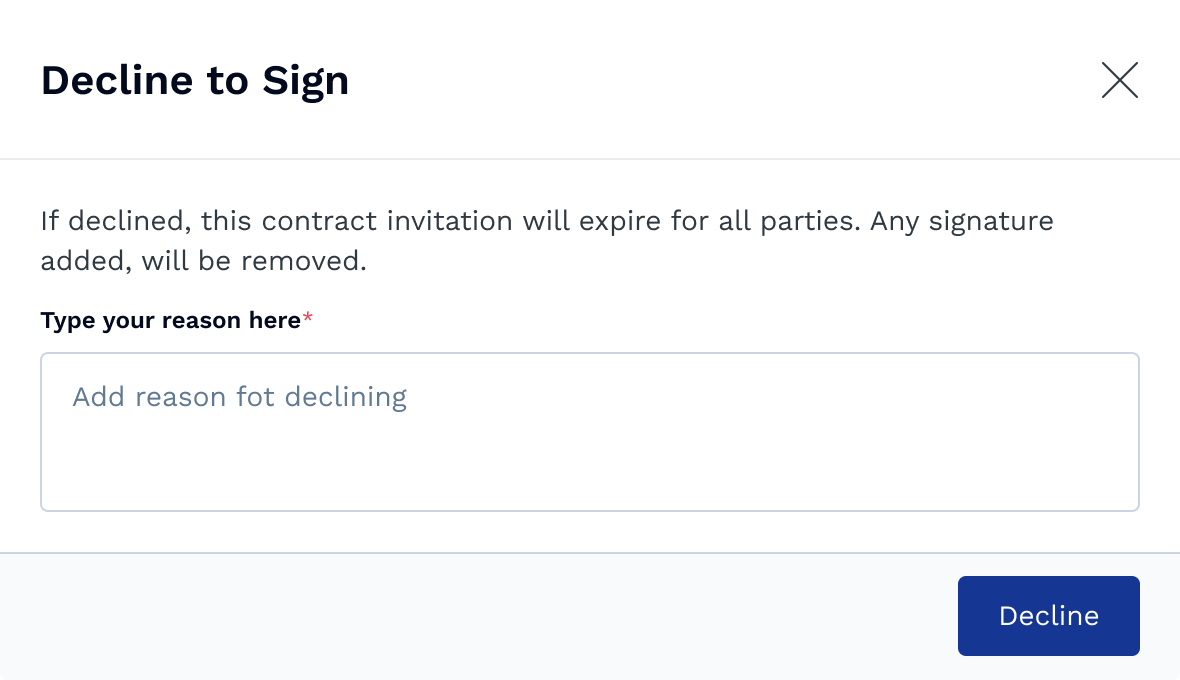
Declining ends the signing for everyone on the contract, so it's worth knowing the effect first:
The contract invitation expires for all parties.
Any signatures already added are removed.
If you simply need someone else to sign in your place, don't decline. Use reassigning a signing request to someone else instead.
How to decline
Open the contract from your email.
In the top-right toolbar, select Decline.
In the Decline to Sign window, enter your reason, it is mandatory to be filled.
Select Decline to confirm.
What happens next
Once you confirm, the invitation expires for everyone and the sender is notified along with your reason. If the contract still needs to go ahead, the sender will set it up and send it again.