Submitting Legal Requests via Slack
Last updated: September 3, 2026
Overview
Your legal team lives in SpotDraft. Your business teams live in Slack. The Legal Intake Slack integration bridges both — business users can submit requests without switching tools, and legal teams receive everything in their SpotDraft queue, already structured.
Use case:
Meet Daniel. Daniel is an Account Executive at a B2B software company in New York. When a prospect asks for a redlined NDA, Daniel's clock starts ticking. Before the Slack integration, he'd send a Slack DM to legal, then follow up the next day, then send an email. Now he types a command in Slack, fills out a short form, and gets a confirmation in 30 seconds. Legal gets the request with full context. Everyone moves faster.
Prerequisites
Your workspace must have the SpotDraft Slack integration installed and connected 📄 Native Integration For Slack
Your Slack account must be linked to your SpotDraft account
If you don't see the SpotDraft app in Slack, contact your Workspace Admin.
How to submit a request from Slack
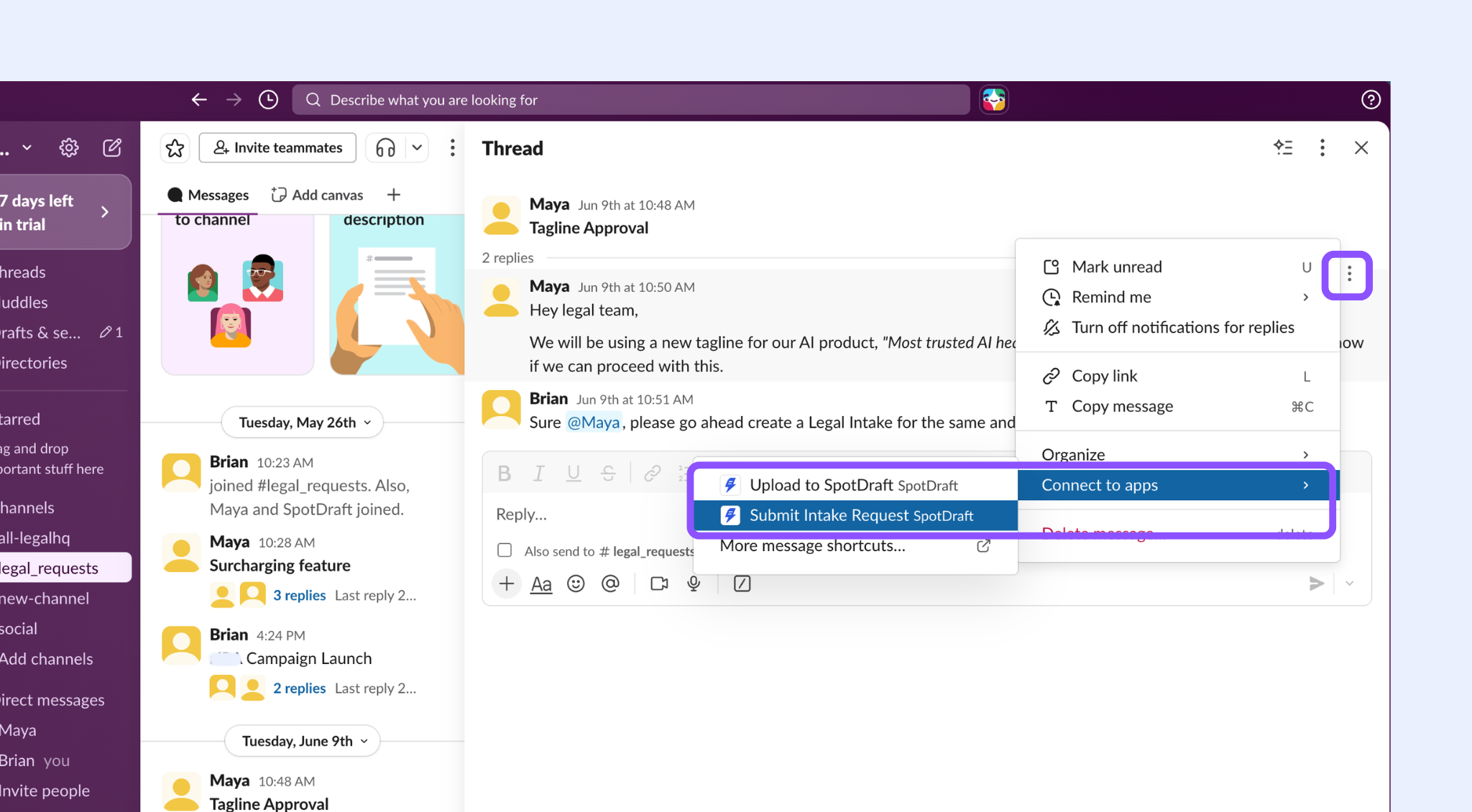
Method 1: From a message in a channel (3-dot menu)
Use this when a conversation in Slack surfaces a legal need — you can turn the message itself into a request without retyping anything.
Hover over the relevant message in any channel
Click the three-dot menu (⋮) that appears to the right of the message
Select Connected to apps
Choose SpotDraft → Submit Intake Request
A form will open with the description pre-populated from the message context.
Method 2: Using the slash command
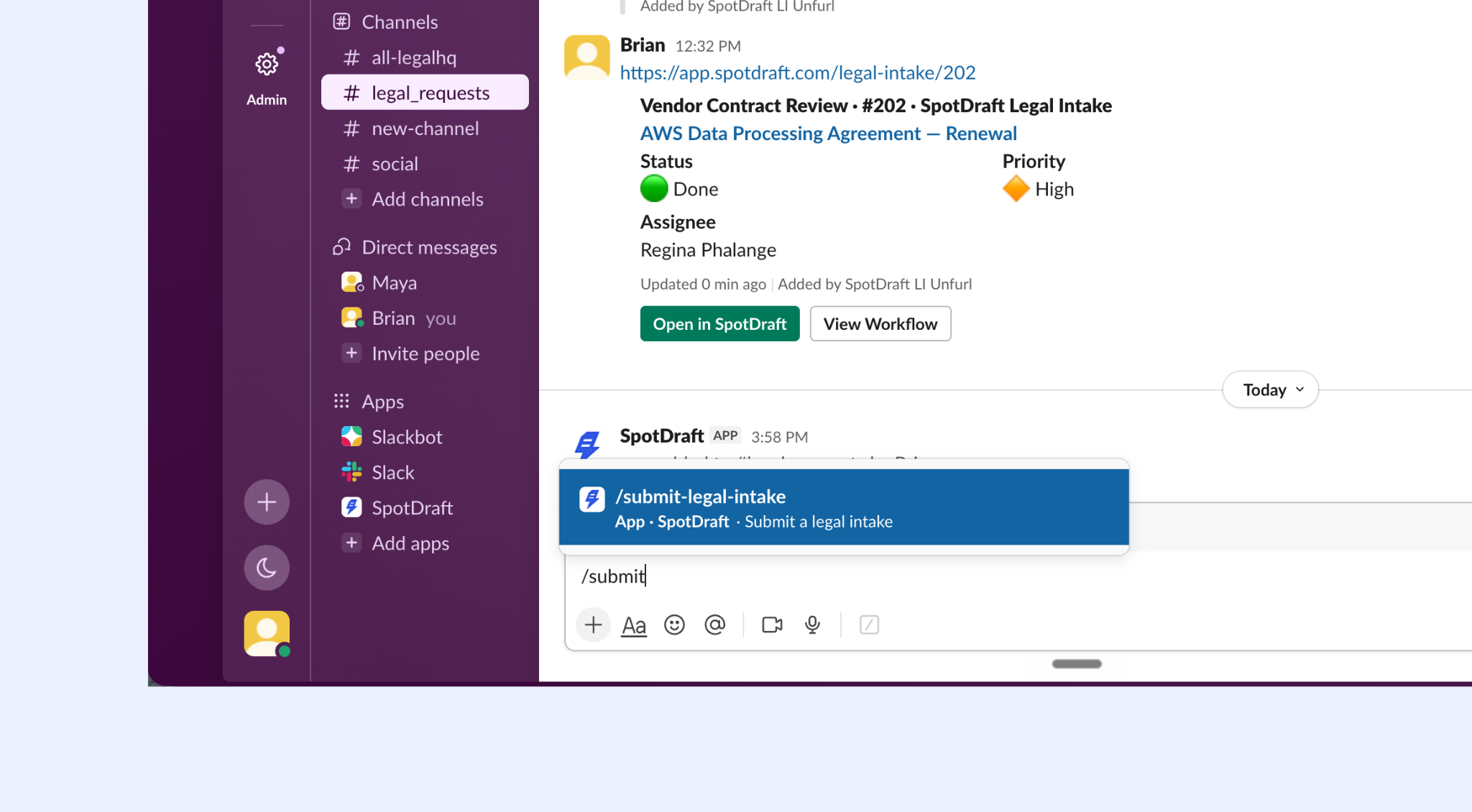
Use this to submit a new request from scratch in any channel or DM.
In any channel or DM, type:
/submit-legal-intakePress Enter. The intake form will appear as a modal directly in Slack.
Method 3: From the SpotDraft app homepage
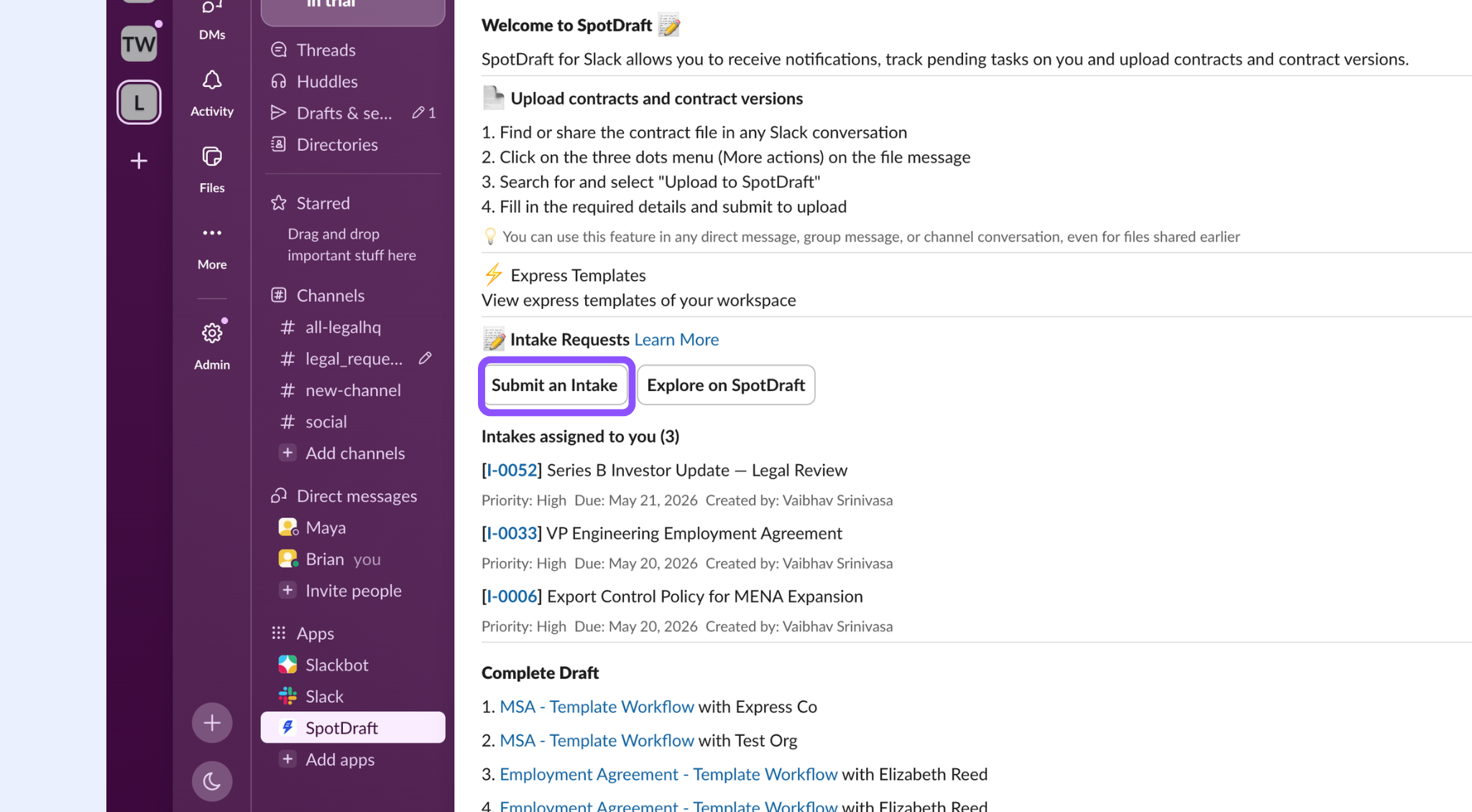
Use this to submit a request directly from the SpotDraft app in Slack without being in a specific channel.
Open the SpotDraft app in Slack (find it under Apps in your left sidebar)
On the app homepage, click Submit an Intake
The intake form will open — fill in all required fields and submit
Filling out the Slack intake form
Regardless of which method you use, the form that appears mirrors the intake workflow configured by your legal team. Fill in all required fields:
Request type — select the appropriate workflow (e.g., NDA Review, Marketing Approval)
Description — briefly describe what you need
Priority — Low, Medium, or High
Due date — when you need this resolved by
Attachments — upload any relevant documents directly from Slack
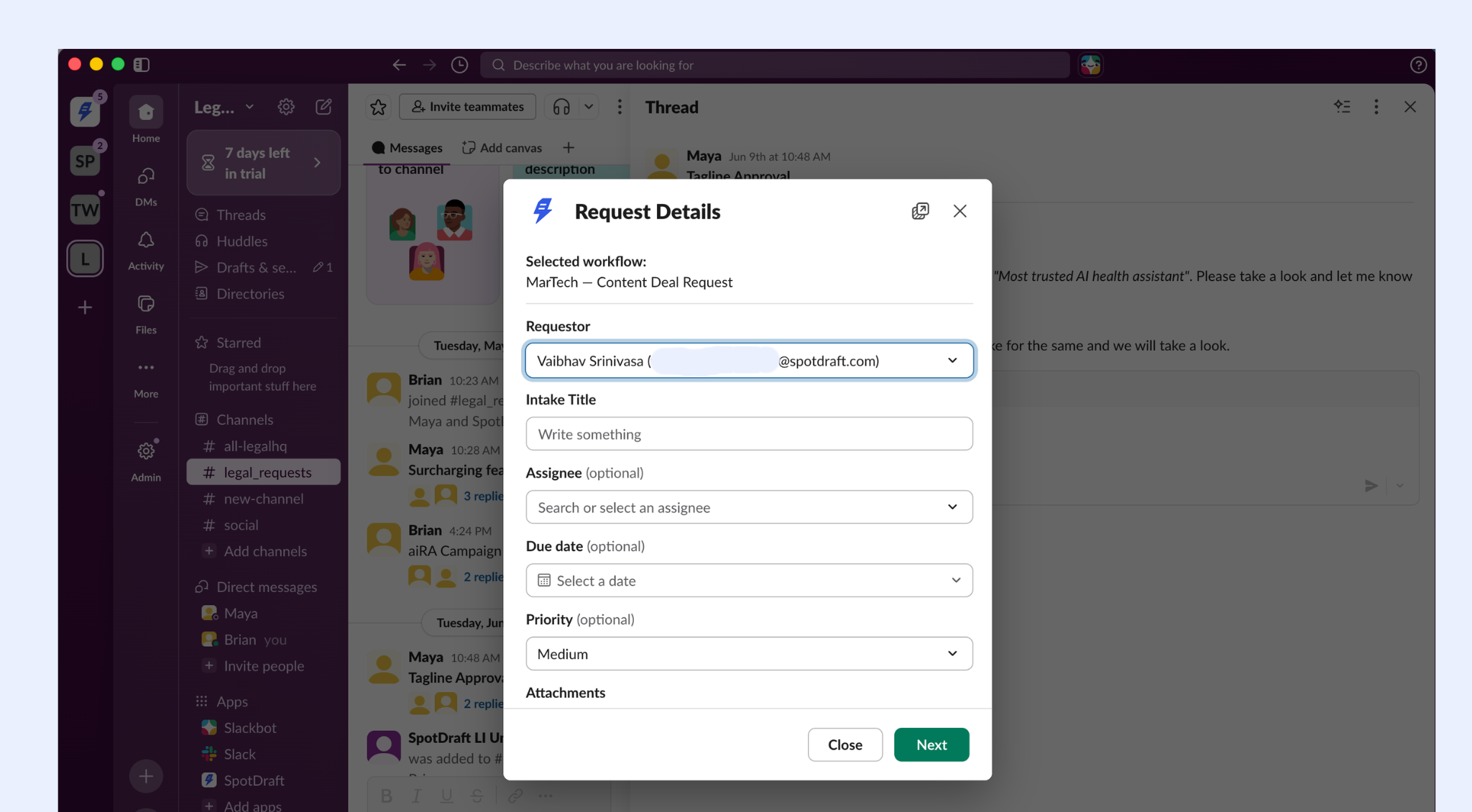
Click Submit. You'll receive a confirmation message in Slack with a link to your request in SpotDraft.
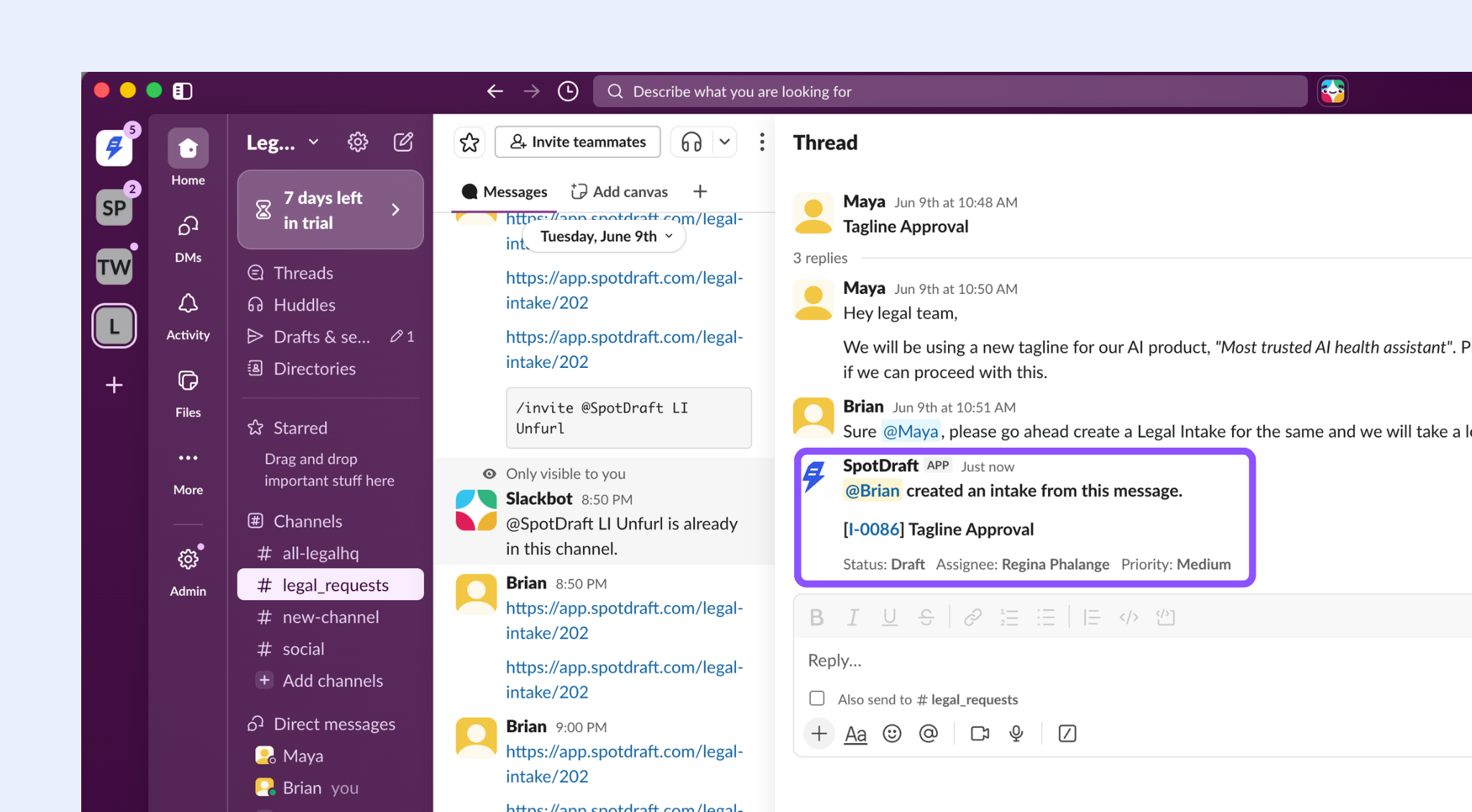
What happens next
Your request lands in the legal team's SpotDraft queue immediately, in the To Do column of the Kanban board. You'll receive Slack notifications as the status changes.
Submitting on behalf of someone else
If you're submitting a request on behalf of a colleague (e.g., an EA submitting for a VP), use the "Submitted by" field in the intake form to specify the actual requestor.
Limitations
Some question types in your workflow's form aren't supported in the Slack intake form yet, specifically rich text and dynamic table questions. If a workflow includes one of these, you'll see a note in the Slack form letting you know, and you'll be asked to complete those questions in SpotDraft after submitting.
Troubleshooting
The /submit-legal-intake command isn't working Make sure the SpotDraft app is installed in your Slack workspace. Ask your Workspace Admin to check the integration settings in SpotDraft under Settings → Integrations → Slack.
My Slack account isn't linked to SpotDraft Go to SpotDraft → Settings → My Profile → Connected Apps and link your Slack account.
I submitted a request but it's not showing in SpotDraft Check your Slack DMs for a confirmation message. If you didn't receive one, the submission may not have gone through. Try again or submit directly in SpotDraft.