Creating a Contract from a Legal Intake Request
Last updated: June 17, 2026
Overview
Legal Intake is your front door for all legal requests. When a request requires a contract to be drafted or reviewed, you can initiate that contract directly from within the intake — without leaving the queue, without re-entering data, and without losing context.
When you create a contract from an intake, SpotDraft automatically pre-fills the contract questionnaire using any matching data already collected in the intake form. A linked task is created to track the contract against the original request, and a Linked Contracts panel on the intake shows you the status of all contracts spawned from it.
Use case:
Meet Rachel. Rachel is Senior Counsel at a 400-person logistics company in Seattle. Her team handles a mix of advisory requests (compliance questions, policy reviews) and requests that need a contract — vendor MSAs, NDAs, SOW amendments. Before this feature, she'd finish the intake review, then navigate to Contracts, re-enter the deal value, the jurisdiction — all data she'd already collected in the intake form. Now she clicks Create Contract on the intake, the fields pre-fill automatically, and the contract is linked back to the intake the moment it's created.
Before you start
To see the Create Contract button, you need:
Manage/Triage Intake workspace permission
Creator access on at least one contract type (set under Settings → Access Controls)
If the button isn't visible, check with your Workspace Admin on permissions.
Two entry points
Entry point 1: From the intake detail view
Use this when you're starting fresh — you want to create a contract and don't yet have a task set up for it.
Open the intake from the Kanban board or list view
Click Create Contract on the intake detail
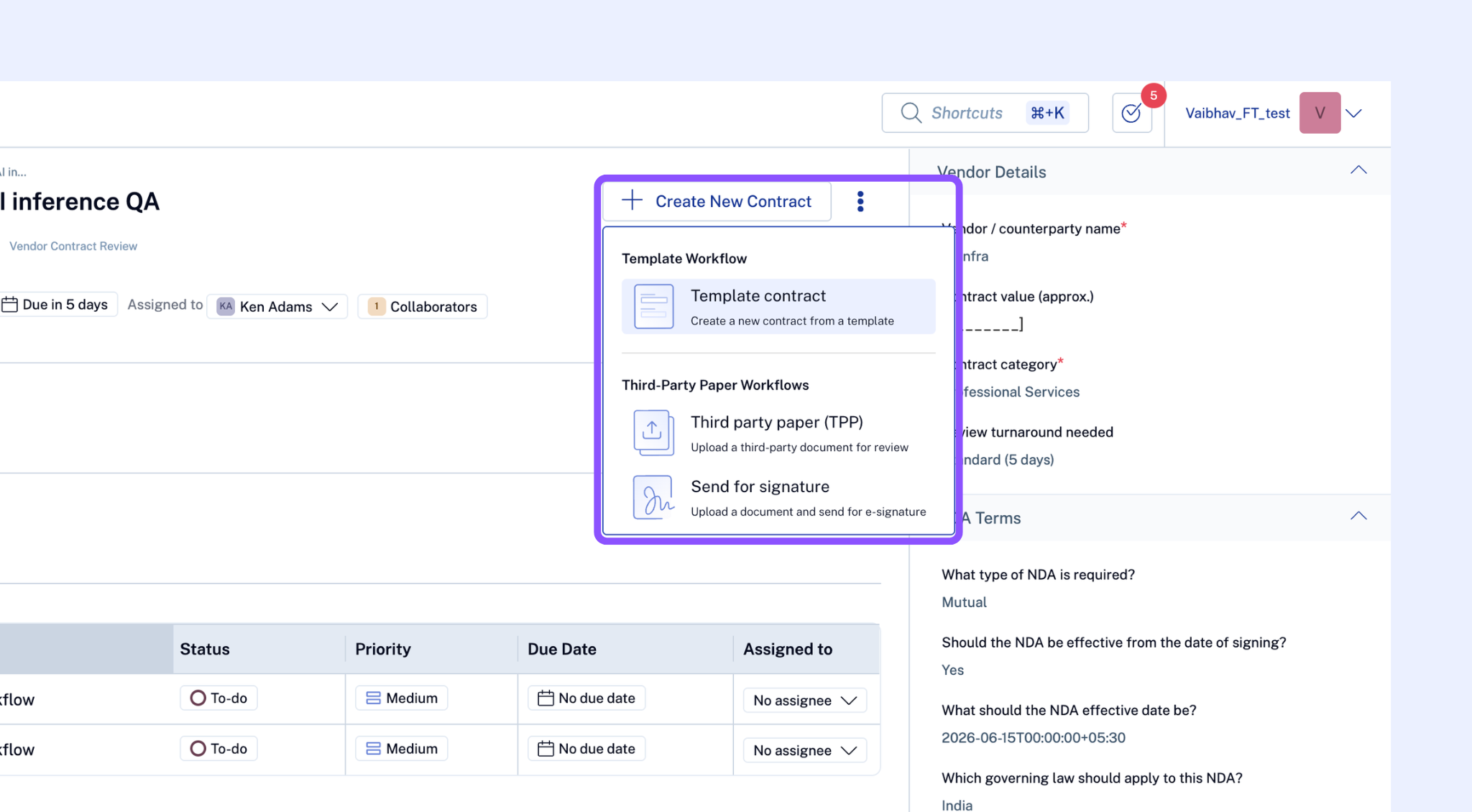
SpotDraft will open the workflow selector. Select the contract type and workflow you want to use — the list shows only workflows for contract types on which you have Creator access.
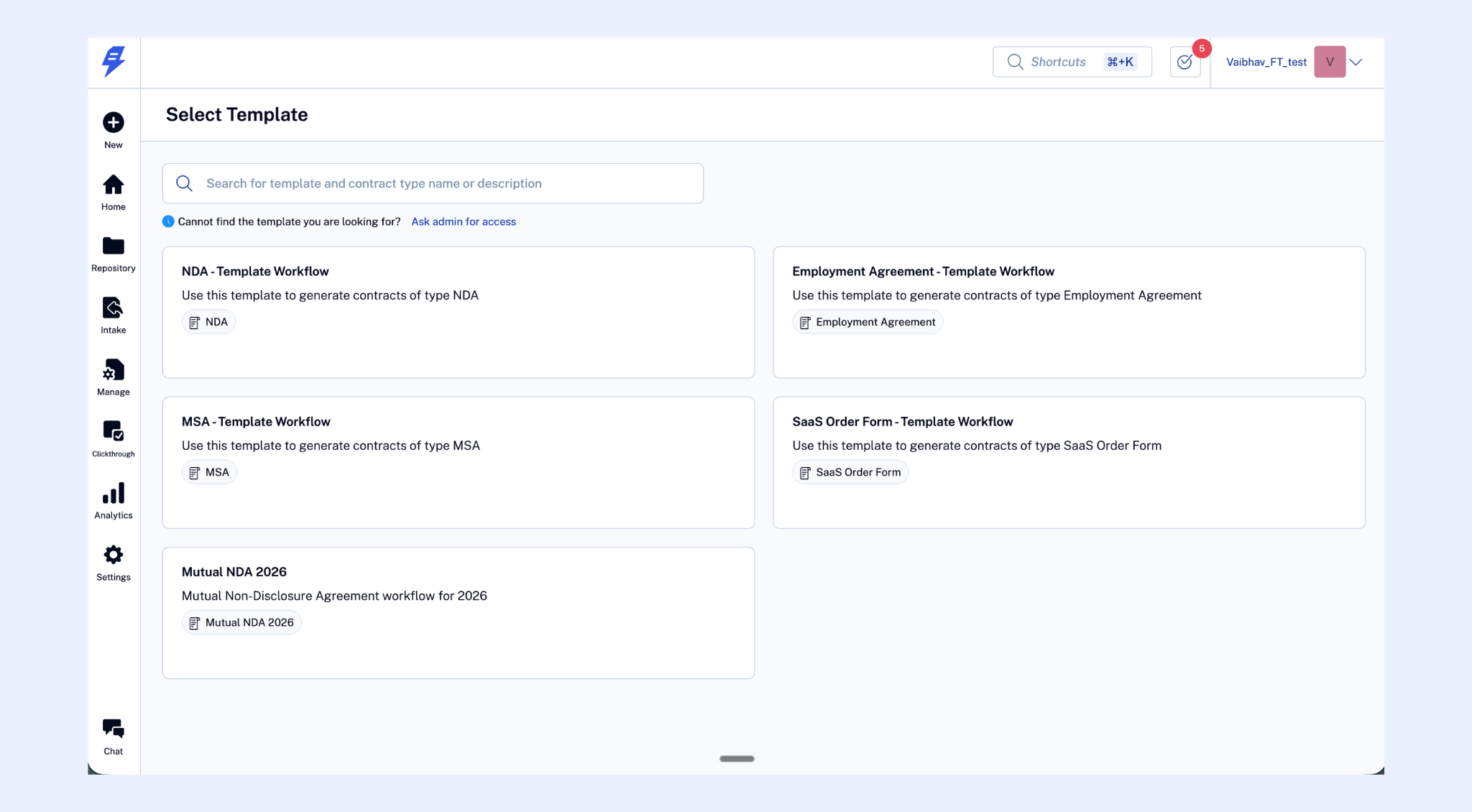
Once the contract is successfully created, SpotDraft automatically creates a task and links the contract to it. You don't need to create the task manually.
Entry point 2: From an existing task
Use this when you already have a task on the intake and want to link a contract to that specific task.
Open the intake and navigate to the relevant task
Click Create Contract on the task
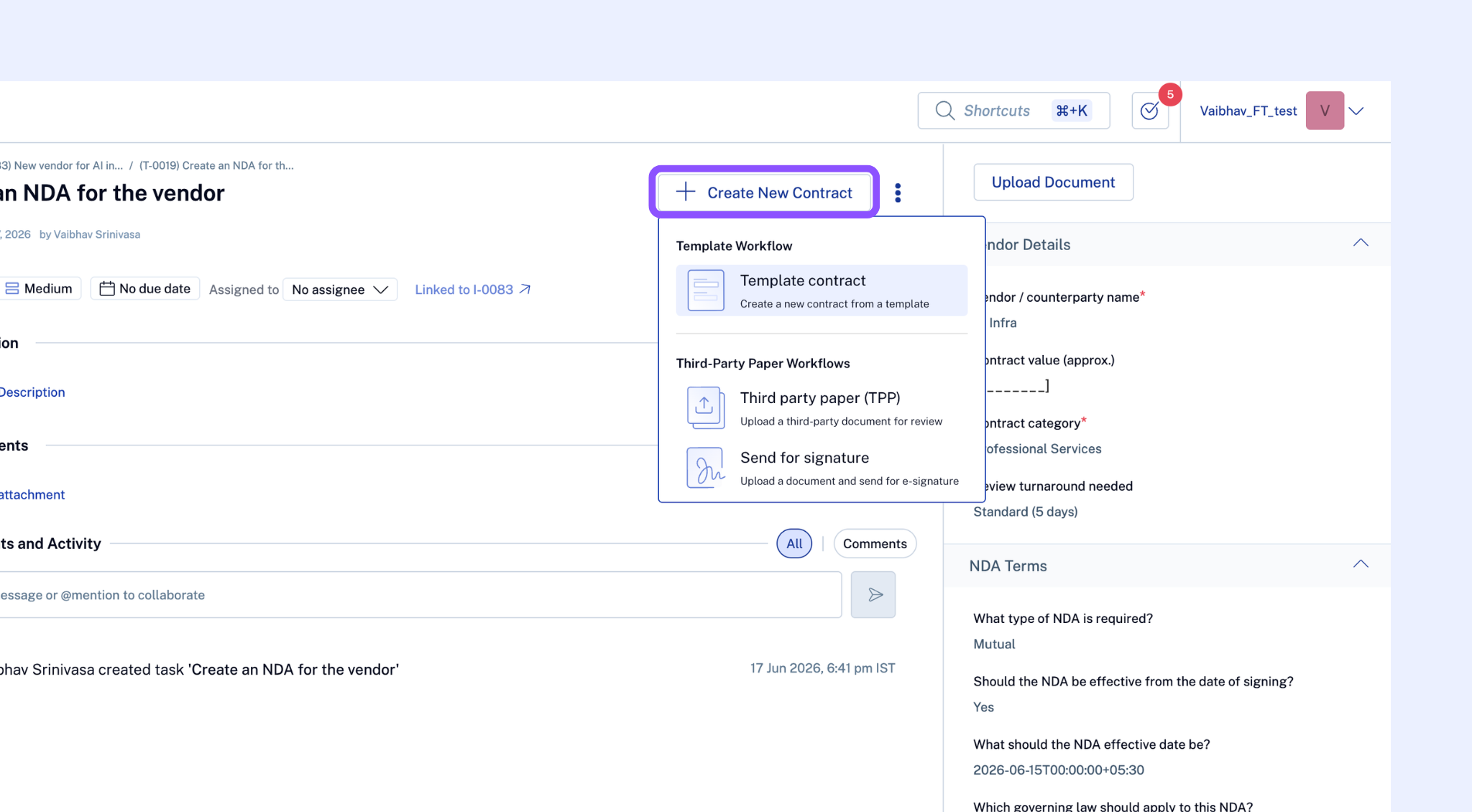
The contract is created and linked directly to that task. No new task is created.
One contract per task. Each task can be linked to at most one contract. If a task already has a linked contract, the Create Contract button is disabled with a tooltip: "A contract is already linked to this task. Create a new task if you need another contract."
To create multiple contracts from one intake, create multiple tasks — each task links to one contract.
How pre-fill works
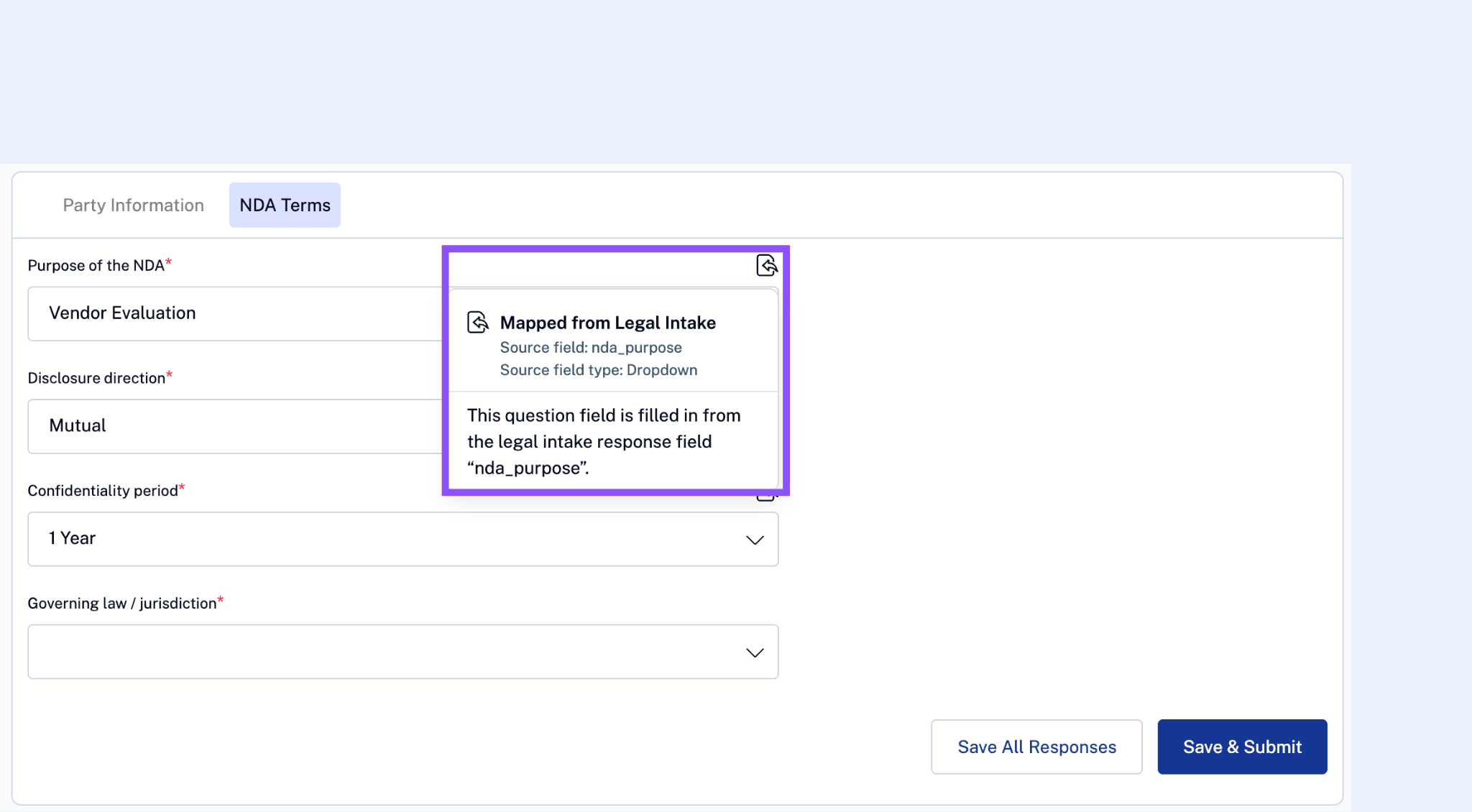
When you create a contract from an intake, SpotDraft automatically pre-fills the contract questionnaire using Metadata field matching. If the same metadata field exists in both the intake questionnaire and the contract workflow questionnaire, the intake's answer is carried over.
Pre-filled fields are editable — you can change any value before creating the contract
Fields in the contract questionnaire that have no matching metadata field in the intake remain blank and are filled in manually during the workflow creation flow
If the intake's questionnaire data can't be fetched, the contract questionnaire opens without pre-fill and a notification lets you know
Template workflows vs TPP workflows
Once you select a workflow, the creation UX depends on the workflow type:
Template workflows (you're drafting the contract using a SpotDraft template) The contract creation page opens in a new browser tab, exactly as it does when creating a contract normally. Metadata fields are pre-filled. Fill in any remaining mandatory fields and complete the flow.
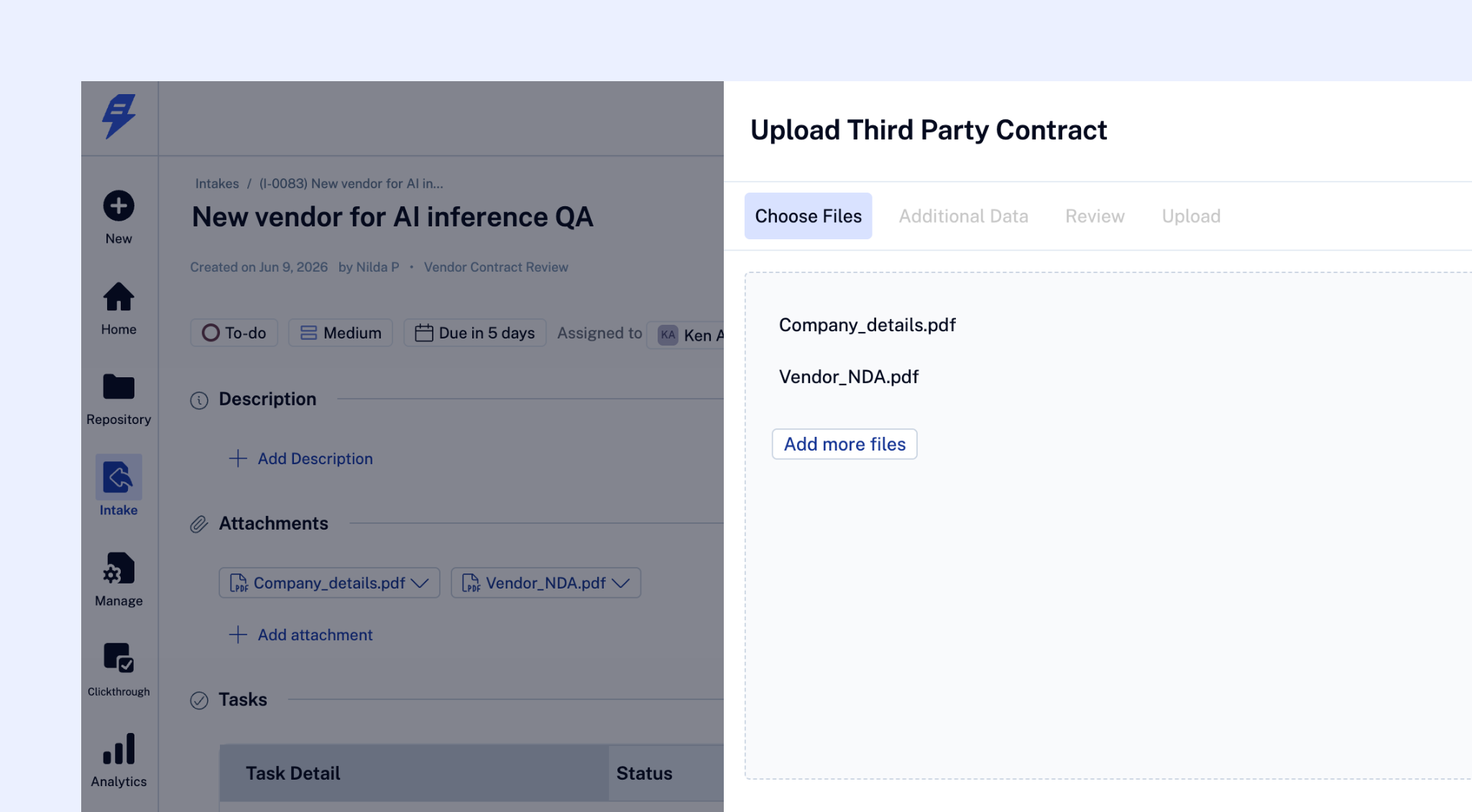
Third-party paper (TPP) workflows (a counterparty sent you their contract for review) The contract creation pane opens inline on the right side of the screen. You'll upload the counterparty's document. If the intake has file attachments, you can select directly from those — no need to download and re-upload.
Viewing linked contracts
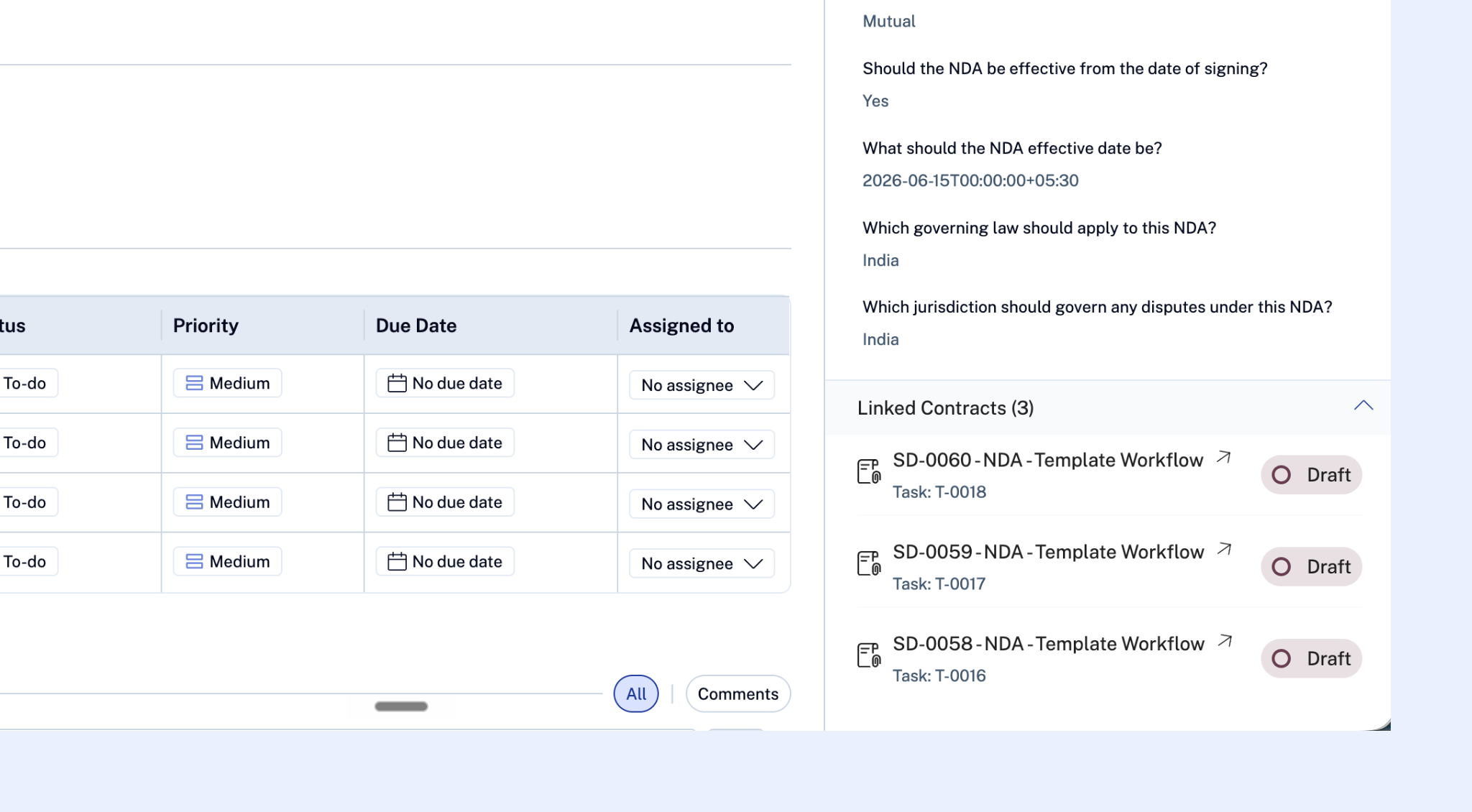
Both the intake and the task show a Linked Contracts panel.
On the intake: Shows all contracts created from this intake across all tasks — contract name (linked), contract ID, and current contract status. If some contracts are on contract types you don't have access to, you'll see a pill showing how many additional contracts exist without revealing their details.
On the task: Shows the single contract linked to that task (if any) — contract name (linked), contract ID, and current status.
Contract activity in the task log
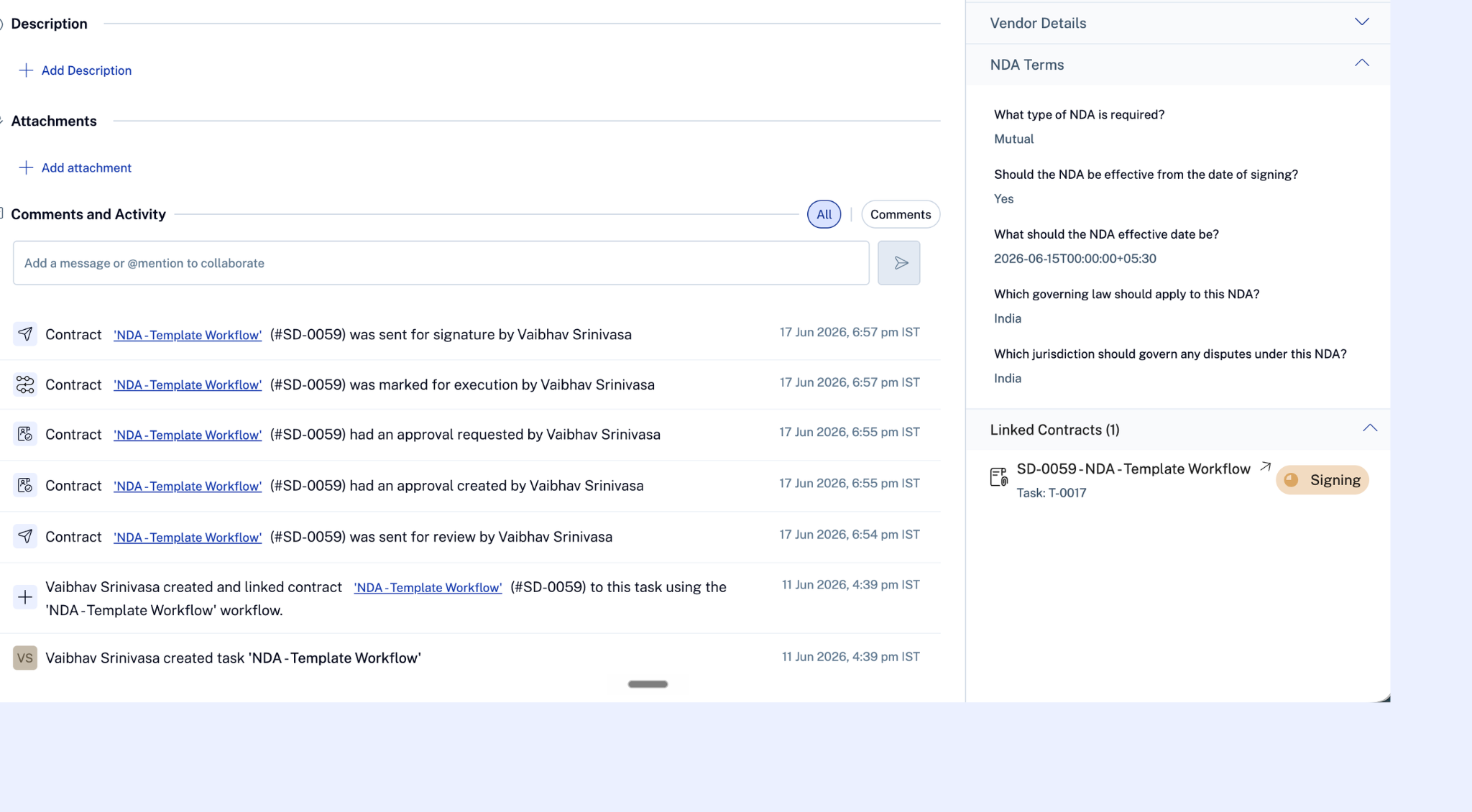
Contract lifecycle events — sent for review, approved, sent for signature, executed — appear in the linked task's activity log, so you can track contract progress without navigating away from the intake. These entries are visible only to task participants who also have read access on the linked contract type.
Frequently asked questions
The workflow selector is empty after I click Create Contract. This means you have Manage/Triage Intake permission but no Creator access on any contract type. Contact your Workspace Admin to get Creator access on the relevant contract type(s).
Can I link a contract that already exists in SpotDraft to an intake task? Yes. In addition to creating a new contract, you can use Link Contract on a task to attach an already-existing contract. The same 1-task-to-1-contract rule applies.
Does closing the intake close the contract? No — they're independent. The intake tracks the request lifecycle; the contract tracks the document lifecycle. Marking an intake as Done does not affect the contract's workflow.
What happens if the contract is deleted? The task and intake remain intact. The Linked Contracts panel reflects the deletion. If the contract is permanently deleted, the Create Contract button on that task is re-enabled so you can start a new one.
Can a business user (requestor) fill in missing contract fields? Not in the current version. Only legal team members with appropriate permissions interact with the contract creation flow from intake.