Asking Questions About Your Document with Sidebar in Microsoft Word
Last updated: October 22, 2026
Sidebar is now available inside DraftMate in Microsoft Word for all Sidebar customers. Ask questions about the document you have open and get answers without leaving Word.
Use case:
Meet Elena. Elena is commercial counsel at a 300-person logistics company in Rotterdam. She negotiates in Word, so checking a renewal date in a 60-page master agreement used to mean uploading the contract into a browser tab and pasting the answer back. Now she asks Sidebar inside Word and gets the dates back in one reply.
Before you start
Your organization should have access to Sidebar. Reach out to your Customer Success Manager for more information.
DraftMate is installed in Microsoft Word for Windows or Mac. See Collaborating on Contracts with DraftMate on Microsoft Word for Desktop for the install link.
Opening Sidebar in Word
Open any Word file on your computer in Word.
Note that it cannot yet be a contract you opened from SpotDraft. Support for the AI assistant in contracts you have opened in Word from SpotDraft is coming soon.
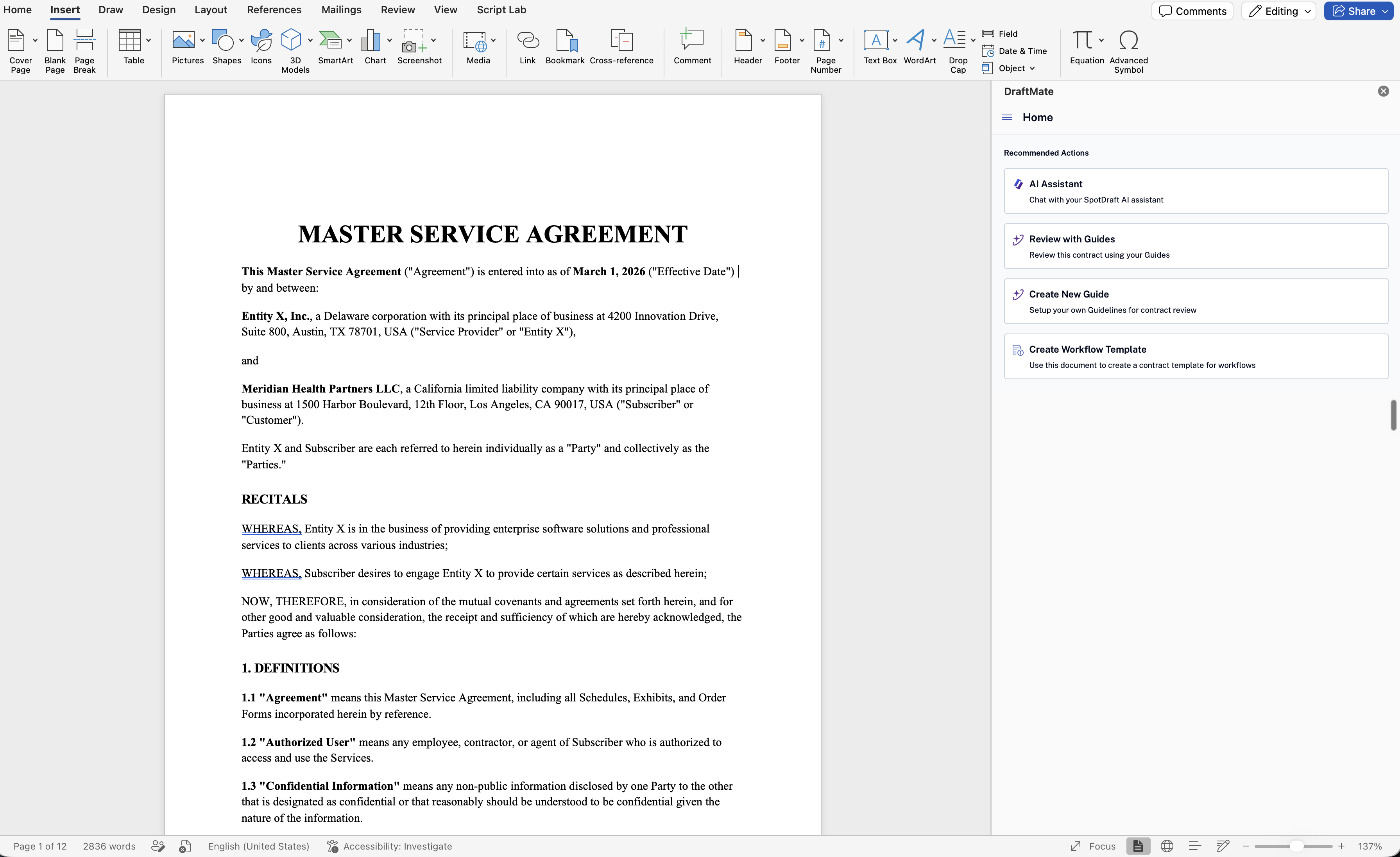
On the Home tab, click DraftMate to open the add-in.
On the DraftMate home screen, click AI Assistant.
You don't need to sign in again. If you are signed in to DraftMate, you are signed in to AI Assistant.
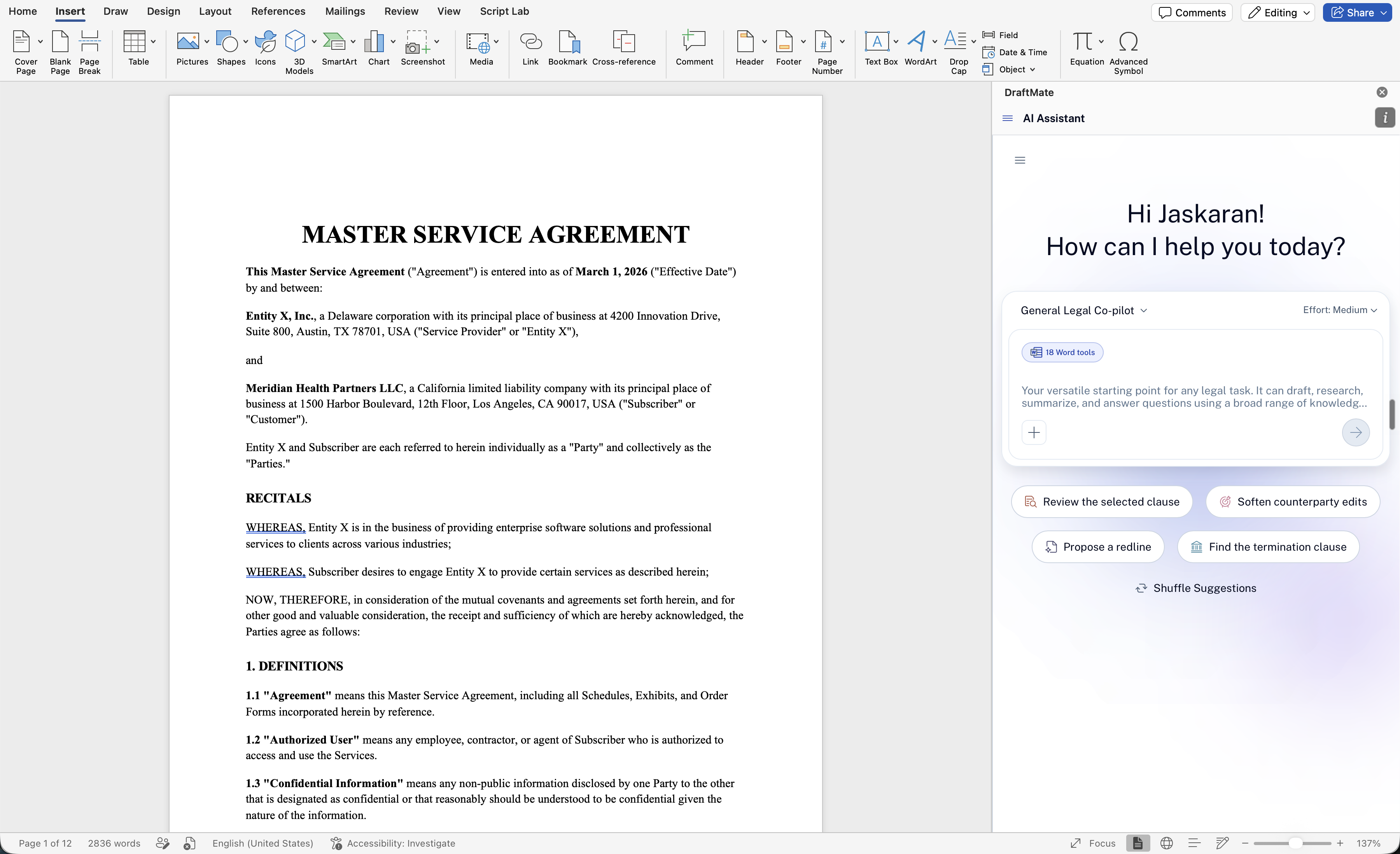
The panel opens with suggested prompts such as Review the selected clause, Flag unusual terms, Check undefined terms, and Find the termination clause. Click Shuffle Suggestions to see others.
Asking about the open document
Sidebar knows it is running in Word and which document is open. Ask "What am I looking at?" and it names the document and suggests what to ask next, such as a summary of key terms.
When you ask a question, Sidebar searches the document and reads only the passages that answer it. A question about a clause near the end of a long agreement is answered without reading the whole document from the top first.
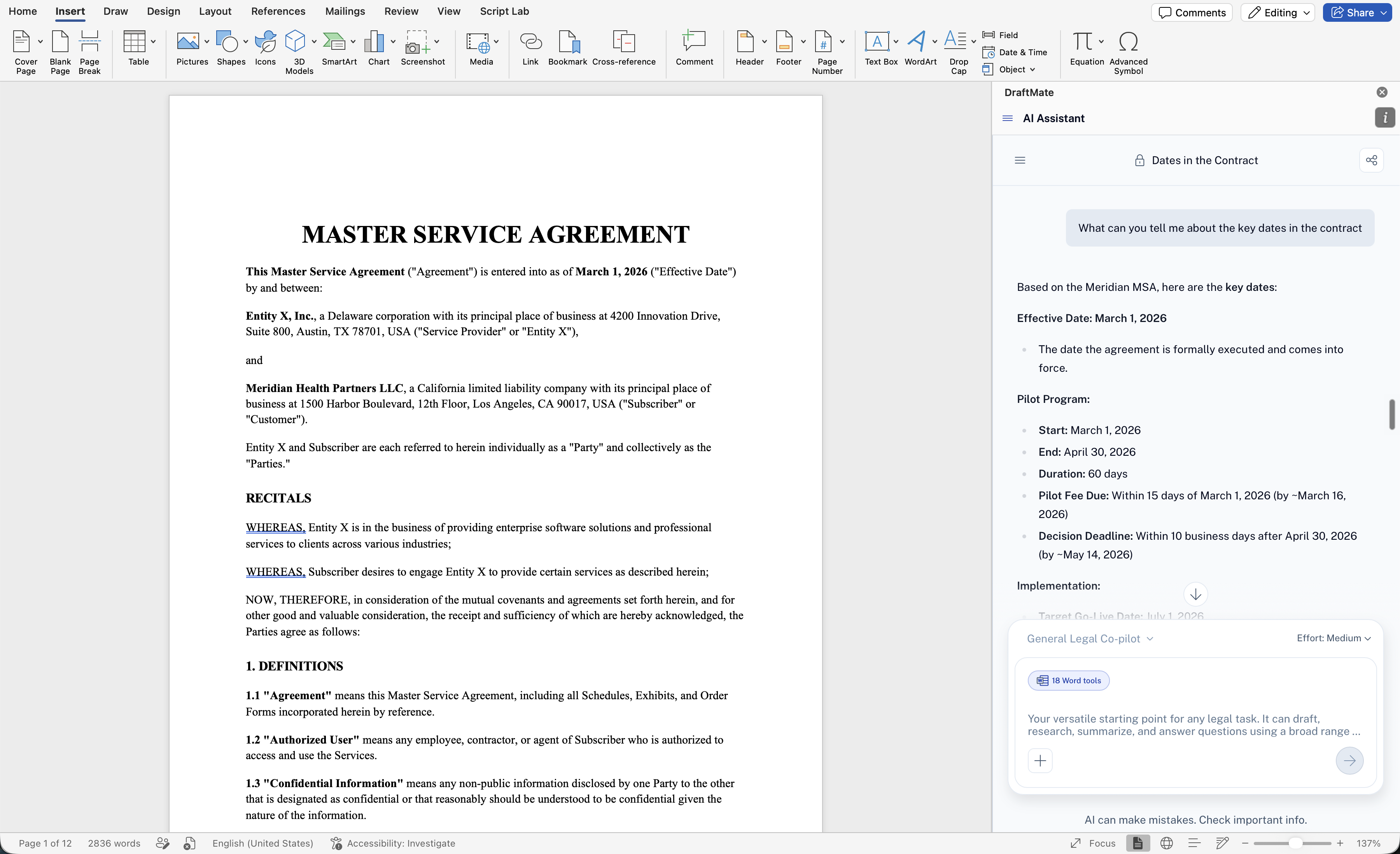
Sidebar reads the document as it is in Word at the moment you ask. If you changed the text since your last question, the next answer uses the current version.
You can choose an agent from the selector above the message box (for example General Legal Co-pilot) and set Effort, the same way you do in SpotDraft. Sidebar can also draw on your organization's Knowledge Hubs when it answers.
Things to know
Sidebar in Word answers questions about your documents. It does not yet edit, redline, or comment on the document from the panel. These capabilities are coming in later releases.
Sidebar sees the current text of the document, not a history of what changed between questions.