Sidebar V2 (Beta): What's New and How to Switch
Last updated: July 16, 2026
Overview
Sidebar now has a version selector, letting you choose between two versions of the underlying agent:
V1 (Stable): the current default. Consistent, reliable responses.
V2 (Beta): a full rewrite of Sidebar's agent architecture. Higher accuracy on complex tasks, but still in testing, so outputs may occasionally vary.
You can switch between the two at any time from the version dropdown in the Sidebar chat window.
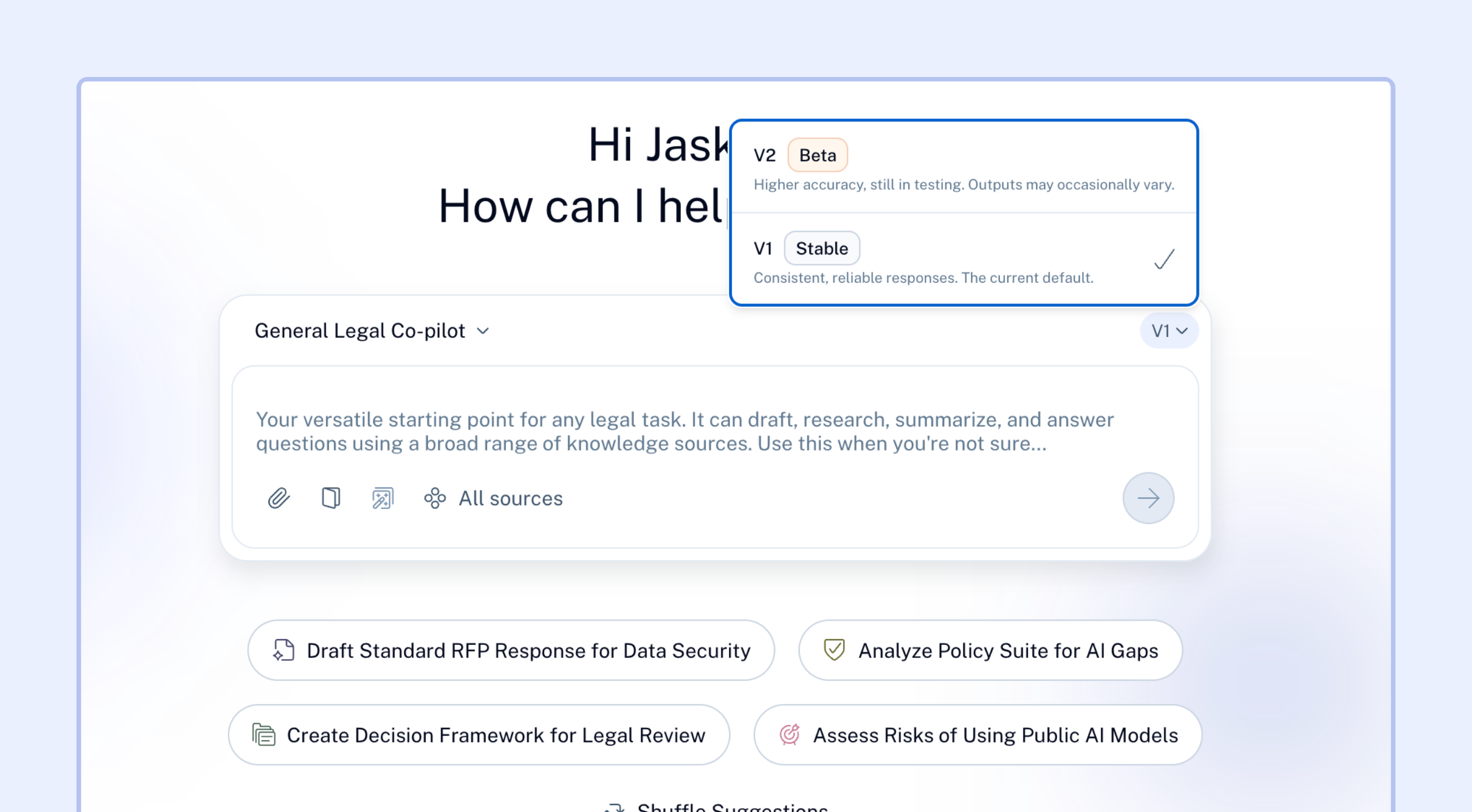
V2 will become the default on July 27th. V1 will be deprecated shortly after; an exact sunset date will be shared closer to that switch. Until then, you can move between V1 and V2 freely to compare results.
Why are we making this change?
Sidebar's previous architecture worked well for straightforward asks, but showed limitations on longer, more complex tasks:
Multi-step tasks (e.g. reviewing a batch of contracts and cross-checking clauses across them) could lose track of where they were partway through.
Long conversations sometimes degraded as they went on, with Sidebar losing earlier context.
Uploaded files were processed reactively, adding latency before Sidebar could answer questions against them.
Long outputs (contract text, large tool results) could get truncated.
V2 is built on a more robust framework and addresses these directly.
What's better in V2
Complex, multi-step tasks hold together
If you ask Sidebar to do something with several steps, like reviewing a set of contracts, checking each against a set of clauses, and summarizing deviations, it now tracks progress across every step instead of losing the thread halfway through. This is powered by a persistent task list that manages sub-agent calls behind the scenes.
Longer conversations stay coherent
You can now run longer sessions on a single thread (asking follow-ups, drilling into edge cases, iterating on a draft) without Sidebar forgetting what was discussed earlier. Long contexts are automatically summarized before each new step, so the conversation doesn't hit a wall.
Faster, more grounded answers on uploaded files
When you attach a file, it's now indexed into Sidebar's filesystem immediately, rather than being parsed only when you ask a question about it. This means your first question against an uploaded contract or document gets a faster, more accurate answer.
Less truncation on large outputs
Long tool outputs and contract text are now handled through a filesystem rather than being crammed directly into the conversation. This reduces the chance of seeing hallucination or partial results on large or dense documents.
Choosing how much effort Sidebar puts in (V2 only)
When you're on V2 (Beta), you'll also see an Effort selector nested under the version choice: Low, Medium (default), High, or Auto.
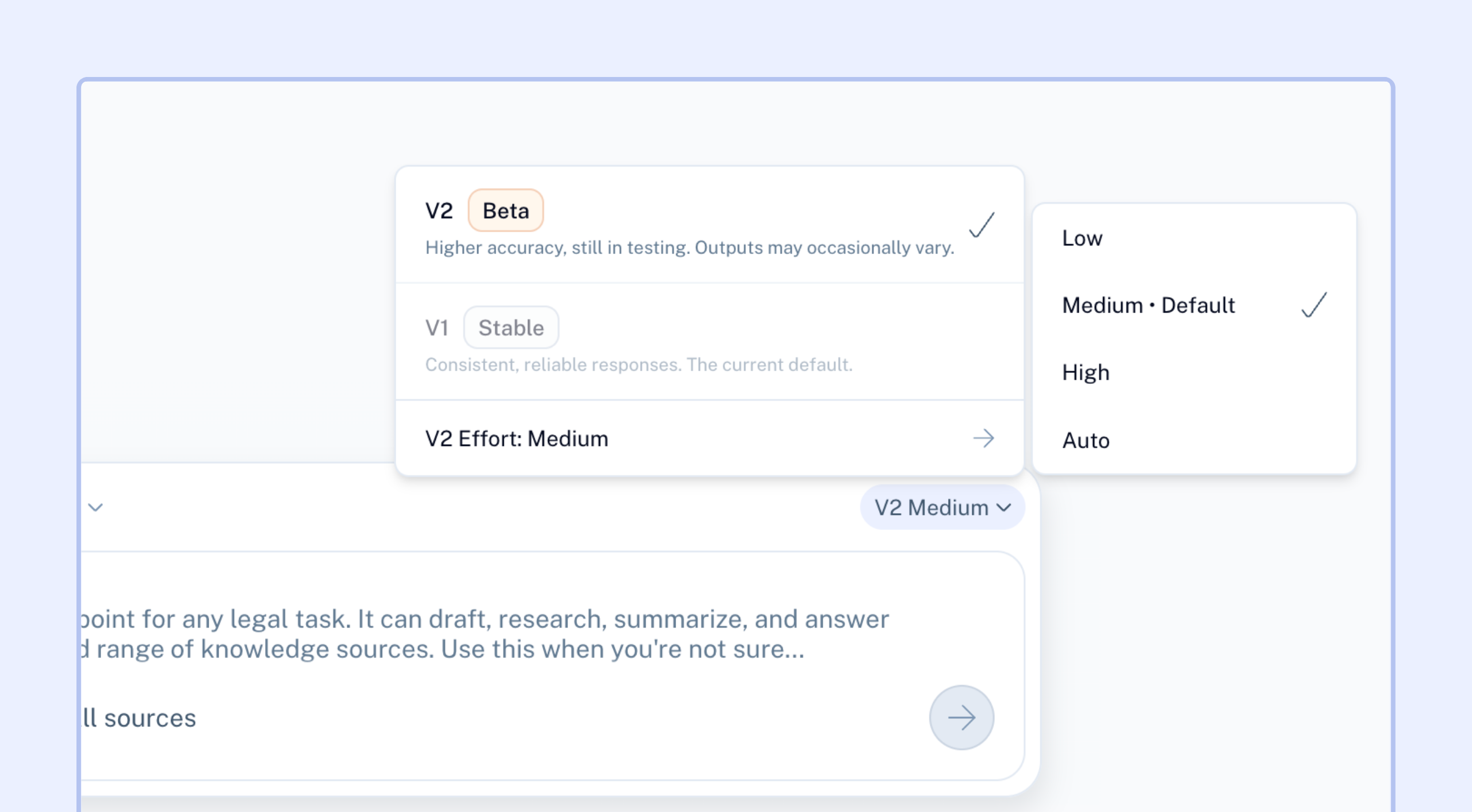
This controls how deep Sidebar goes into a task, specifically, the tool call budget it uses:
Low: faster responses, fewer tool calls, best for quick or simple asks.
Medium (default): balanced depth and speed.
High: more thorough, larger tool call budget, slower as a tradeoff.
Auto: Sidebar decides the effort level based on the task.
This setting is specific to V2. If you're on V1, there's no effort control, V1 runs at a fixed depth.
When should I use High? For complex, multi-step, or multi-document tasks (bulk contract review, cross-referencing several clauses) where thoroughness matters more than speed.
When should I use Low? For quick, narrow questions where you want a fast answer and don't need exhaustive tool use.
What this means for you
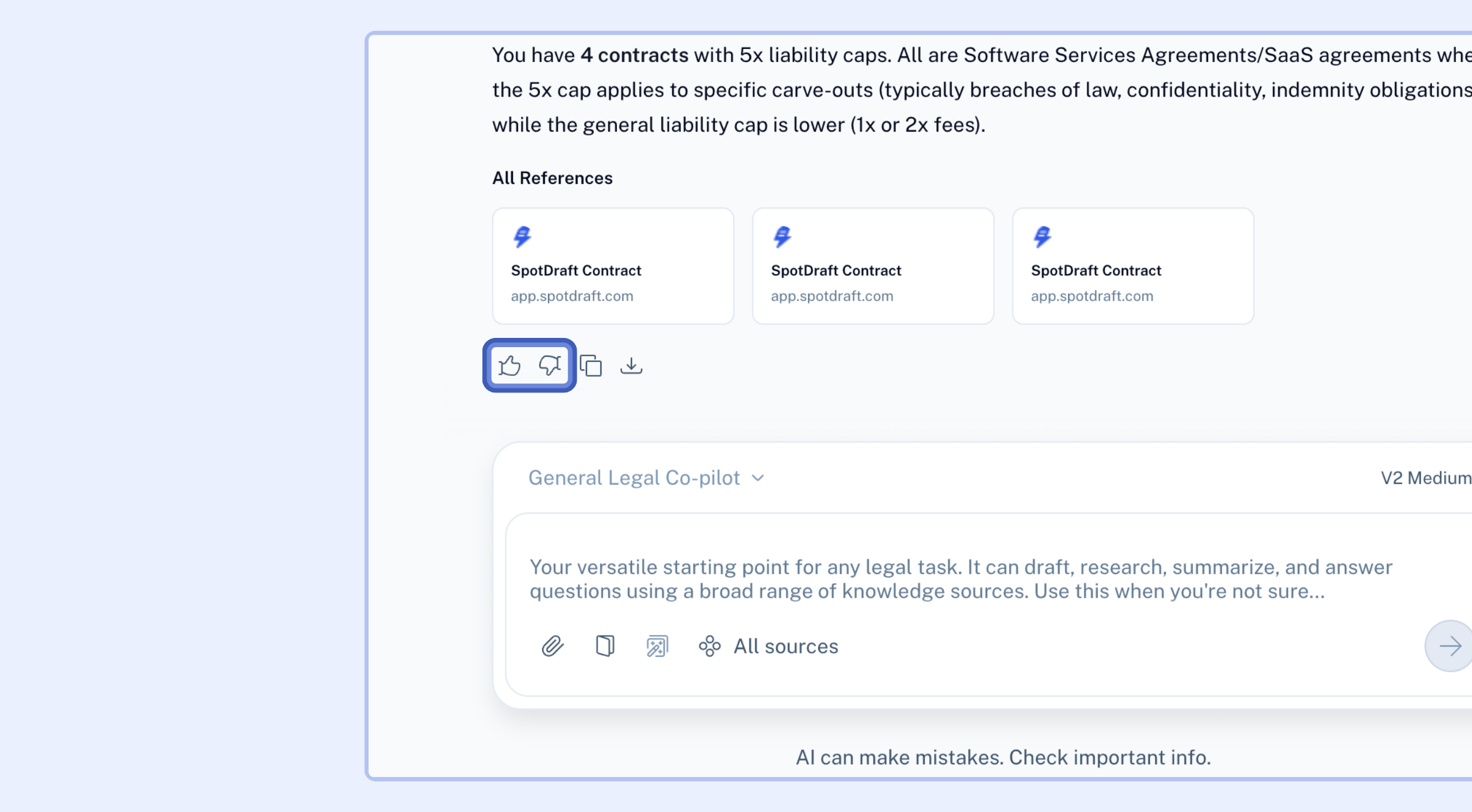
V2 is designed to feel more reliable on complex, multi-document, multi-step work. Since it's in beta, you may occasionally see variation in output quality; if you notice something off, please flag it via the 👍/👎 feedback buttons in the application.
How to switch versions
Open Sidebar.
In the chat window, click the version dropdown (top right of the chat box, shows V1 by default).
Select V2 (Beta) to try the new architecture, or switch back to V1 (Stable) at any time.
Your choice of version applies per conversation; you can't switch between versions mid-session. You may start a new chat with a different version if needed.
FAQ
Q: Do I need to do anything before July 27th?
No. If you don't switch manually, you'll automatically move to V2 as the default on that date. If you'd like to keep using V1 until then, no action is needed either, it stays available until deprecation.
Q: What happens to V1 after July 27th?
V1 will remain available for a period after V2 becomes default, then be deprecated.
Q: Will my existing conversations change?
No. Version selection applies going forward; past conversations aren't affected retroactively.